Twine
Twine is a community-based health tech platform connecting individuals through shared medical experiences.
Project Overview
This case study captures my work as founding UX designer for a health tech startup building a platform to reduce isolation for people with medical conditions. The platform combines community features with symptom tracking and AI-powered insights, with planned integration to Electronic Health Records (EHR) systems like Epic.
Context
Loneliness as a Public Health Crisis
Half of U.S. adults experience loneliness, and those living with medical conditions face a particularly high risk of isolation. But what does loneliness actually mean? The CDC defines it as feeling a lack of meaningful relationships or sense of belonging.
Psychiatrist Dr. Tiffani Bell Washington explains loneliness as, “the feeling of being uncomfortable or in distress when someone feels that there is a gap between the connection they would like and the connection they actually have… so, you might have a lot of superficial social connections, but what you really want is something deeper—someone to know you on the inside.”
Key Statistics
50% of U.S. adults report experiencing loneliness
Marginalized groups, including those with medical ailments, face higher risk
In 2022, the American Medical Association identified loneliness as a public health issue
The Solution
A mobile social platform that connects individuals through shared medical experiences, providing curated 1-to-1 matching based on diagnosis, journey stage, and personal preferences. Unlike existing forum-based platforms, this app emphasizes meaningful, private connections while integrating practical tools like AI-powered symptom tracking and mindfulness resources to support the full health journey.
Project Goals
Combat loneliness and isolation by cultivating community and authentic connections among individuals with shared medical experiences
Empower users with tools including symptom tracking, AI insights, and mindfulness guidance
Bridge the gap between patients and providers through future EHR integration (e.g., Epic), allowing providers to access AI-generated summaries of symptom progression
The Design Process
Understand
Competitive Analysis
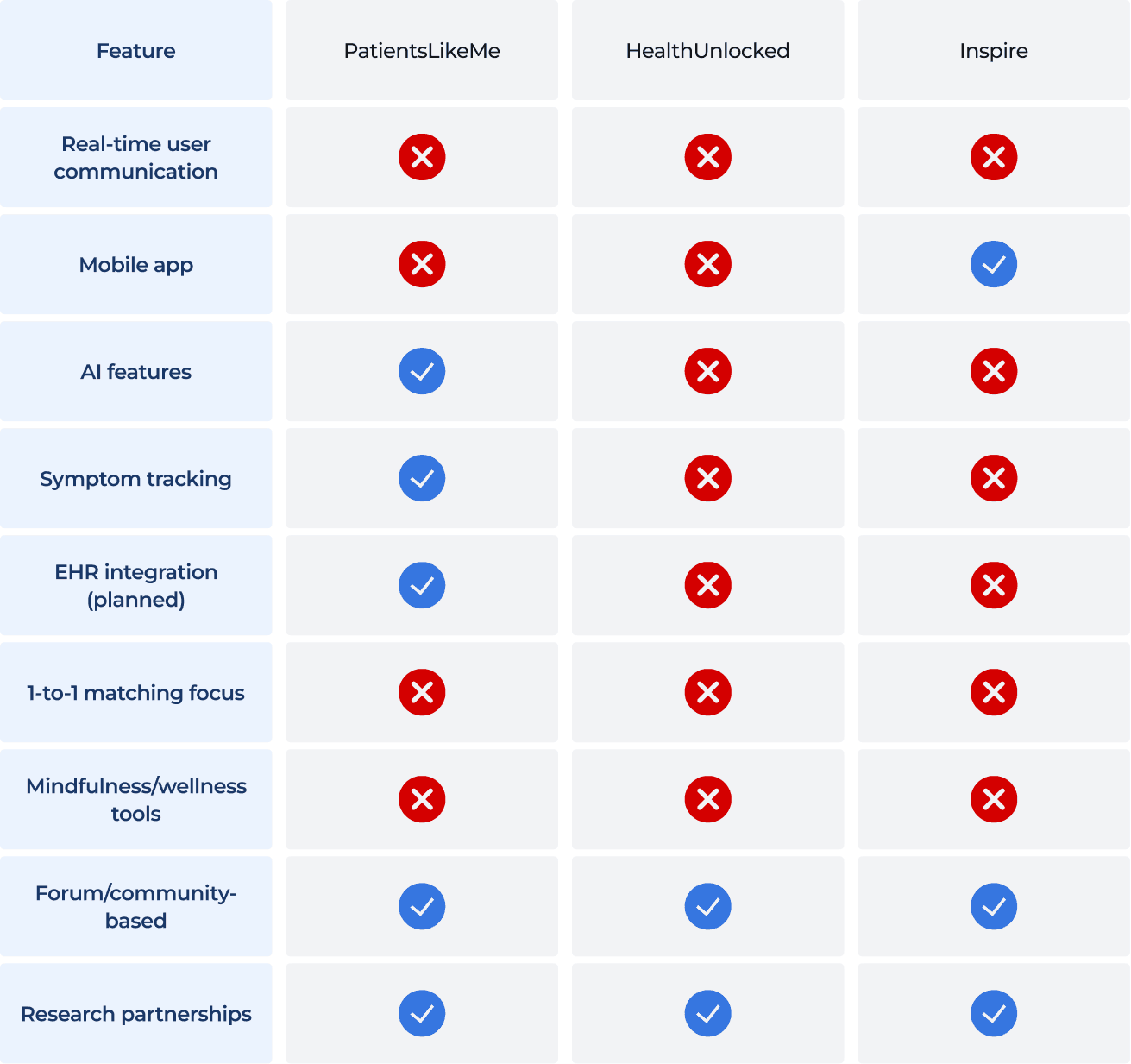
To understand the current market landscape, I analyzed three major players in the health social networking space:
Key Opportunities
All three competitors share common weaknesses that presented opportunities for our product:
Real-time, dynamic engagement: Competitors rely on static forum posts, revealing opportunity for live messaging and more interactive features
Privacy-first approach: Address user concerns around health data sharing proactively through transparent controls
Curated 1-to-1 matching: Move beyond open forums to facilitate deep, meaningful connections
Holistic wellness integration: Add mindfulness and coping tools alongside community support
User Research
User Survey Insights
To understand user needs, I conducted a user survey with 30 qualified participants. Key findings included:
The Problem is Real:
63.3% are not currently part of any support group, despite experiencing isolating health conditions
Users overwhelmingly identified "meeting people going through similar challenges" as a primary goal
Many reported feeling misunderstood even by supportive friends and family who lack shared experiences
Current Tools & Systems are Inadequate:
53.3% track symptoms using memory alone, leading to difficulty recalling information during medical appointments
Those using tracking tools struggle with consistency, as they rely on makeshift solutions (Notes app, paper journals) with inconsistent use
Users browse health-related content on Facebook groups and Reddit but rarely engage publicly due to privacy concerns
Strong Interest in Our Solution:
63.4% rated a symptom tracking feature as highly useful (rated either 4 or 5 out of 5)
Top desired features included: peer matching based on diagnosis, mindfulness/meditation tools, and educational content
Strong preference for 1-to-1 or small group connections over large open forums
Privacy and anonymity emerged as critical requirements for feeling safe to share
User Interviews
Alongside the founders, I conducted in-depth interviews with 3 participants who have experienced a range of medical diagnoses. Through these conversations, we uncovered deeper emotional and practical needs.
Affinity Mapping
Through affinity mapping, I synthesized survey responses and interview insights from raw data into patterns and themes.
Initial mapping - organizing all insights into the following categories:
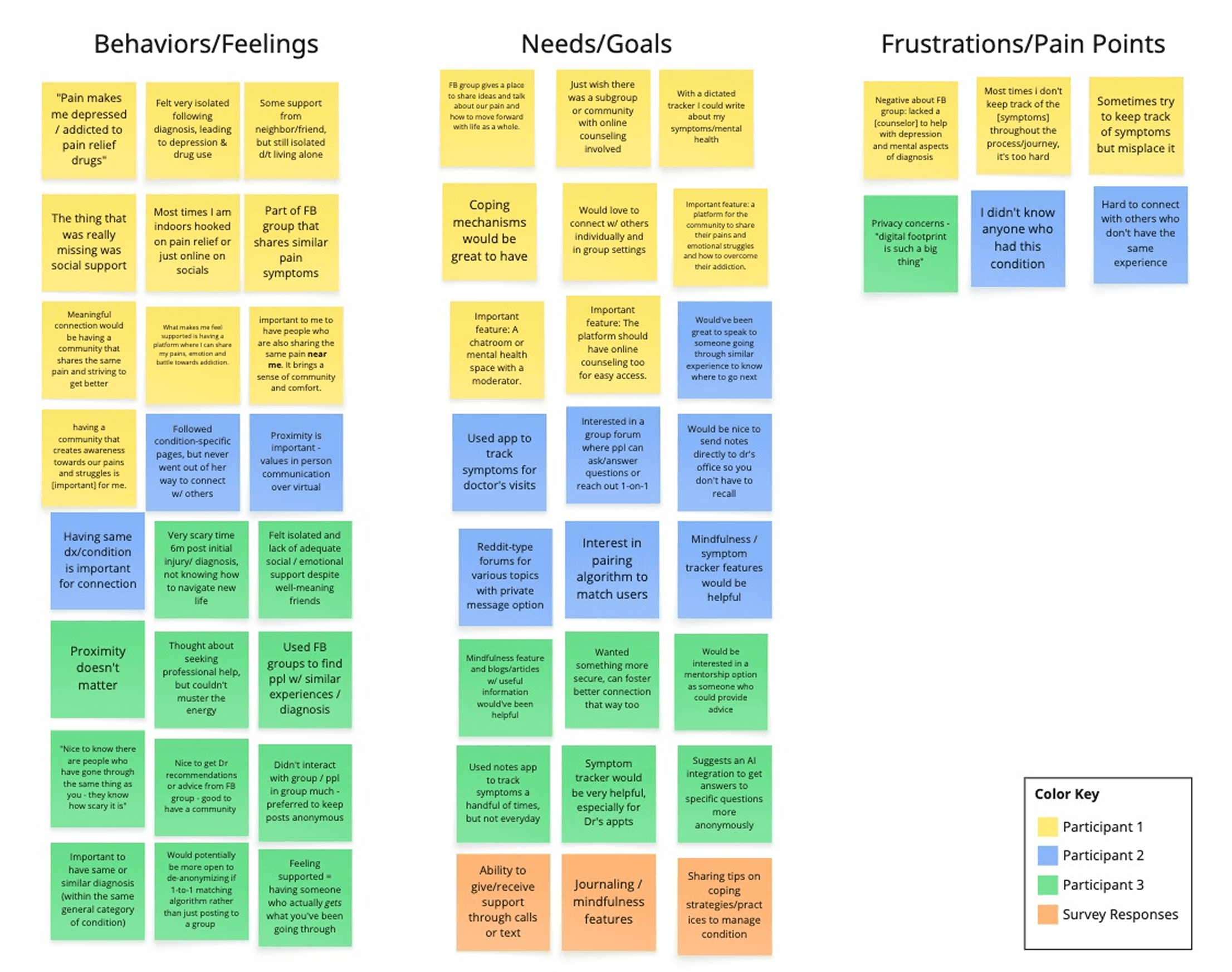
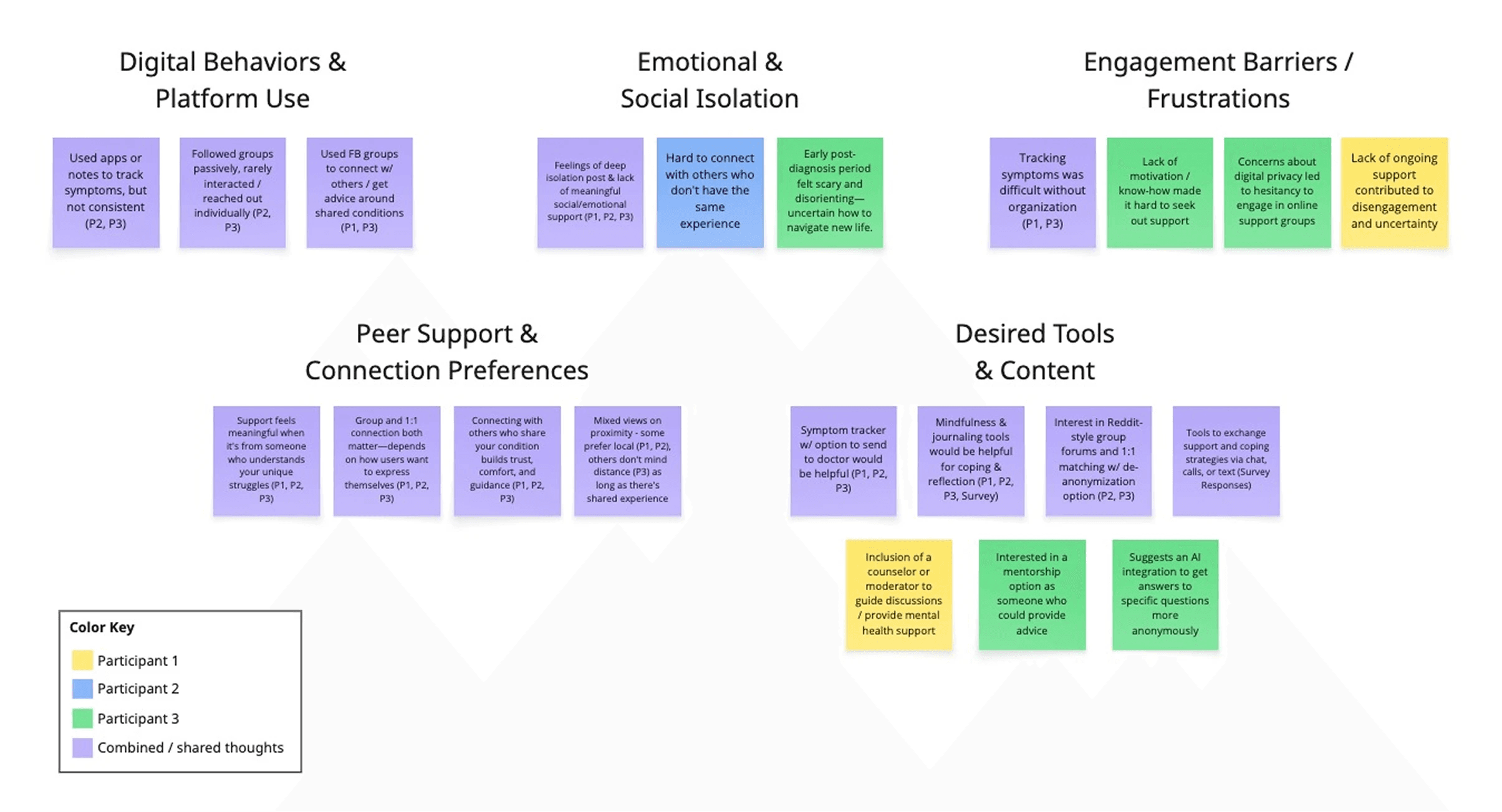
After identifying patterns, I condensed similar ideas into five key actionable themes:
Digital Behaviors & Platform Use: Current habits and tool usage
Emotional & Social Isolation: Core feelings driving the need
Engagement Barriers / Frustrations: What’s preventing connection currently
Peer Support & Connection Preferences: How users want to connect
Desired Tools & Content: Specific features users want/need
Define
User Persona
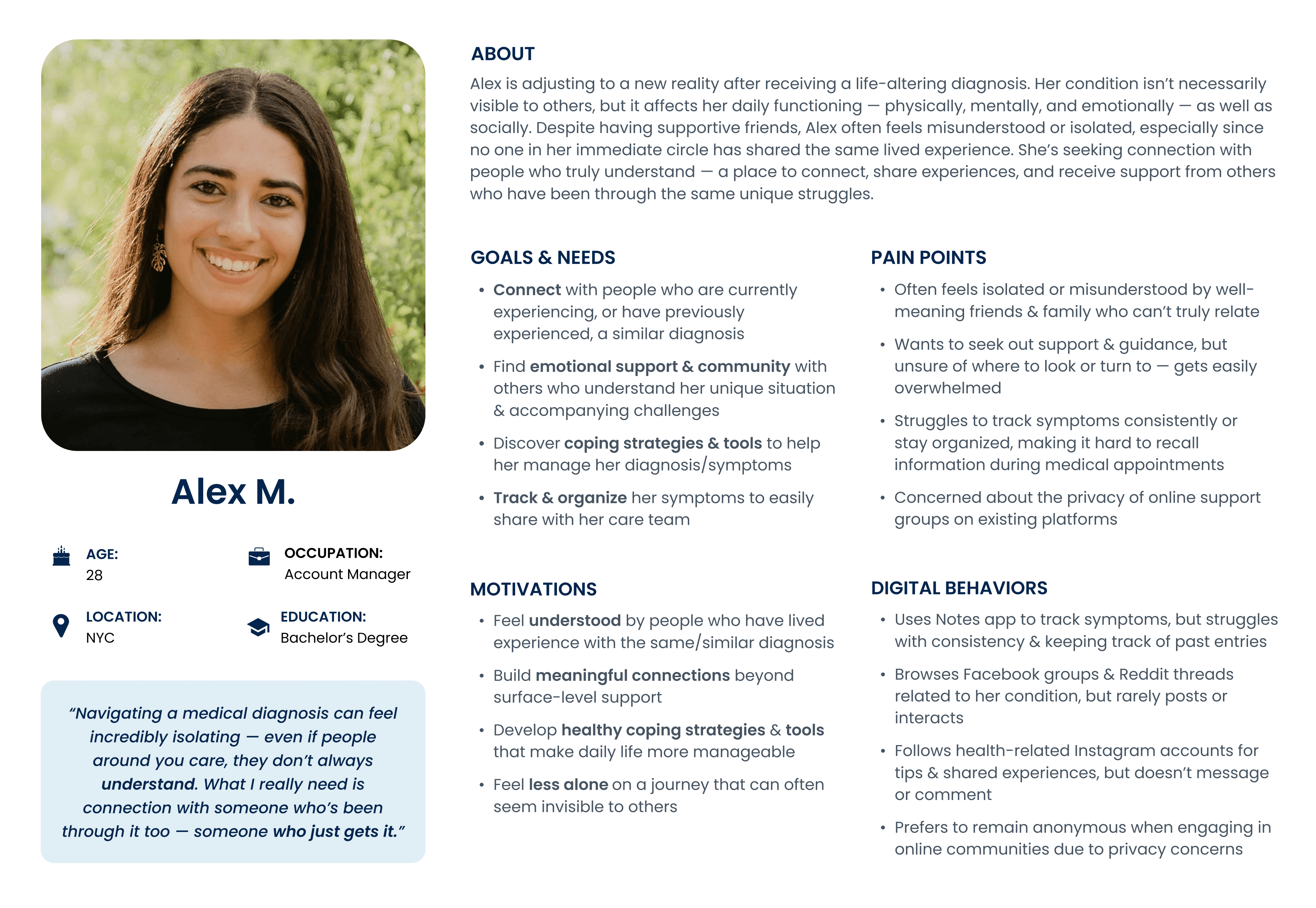
Based on the findings from our user research and affinity mapping, I developed a persona to help guide design decisions throughout the project.
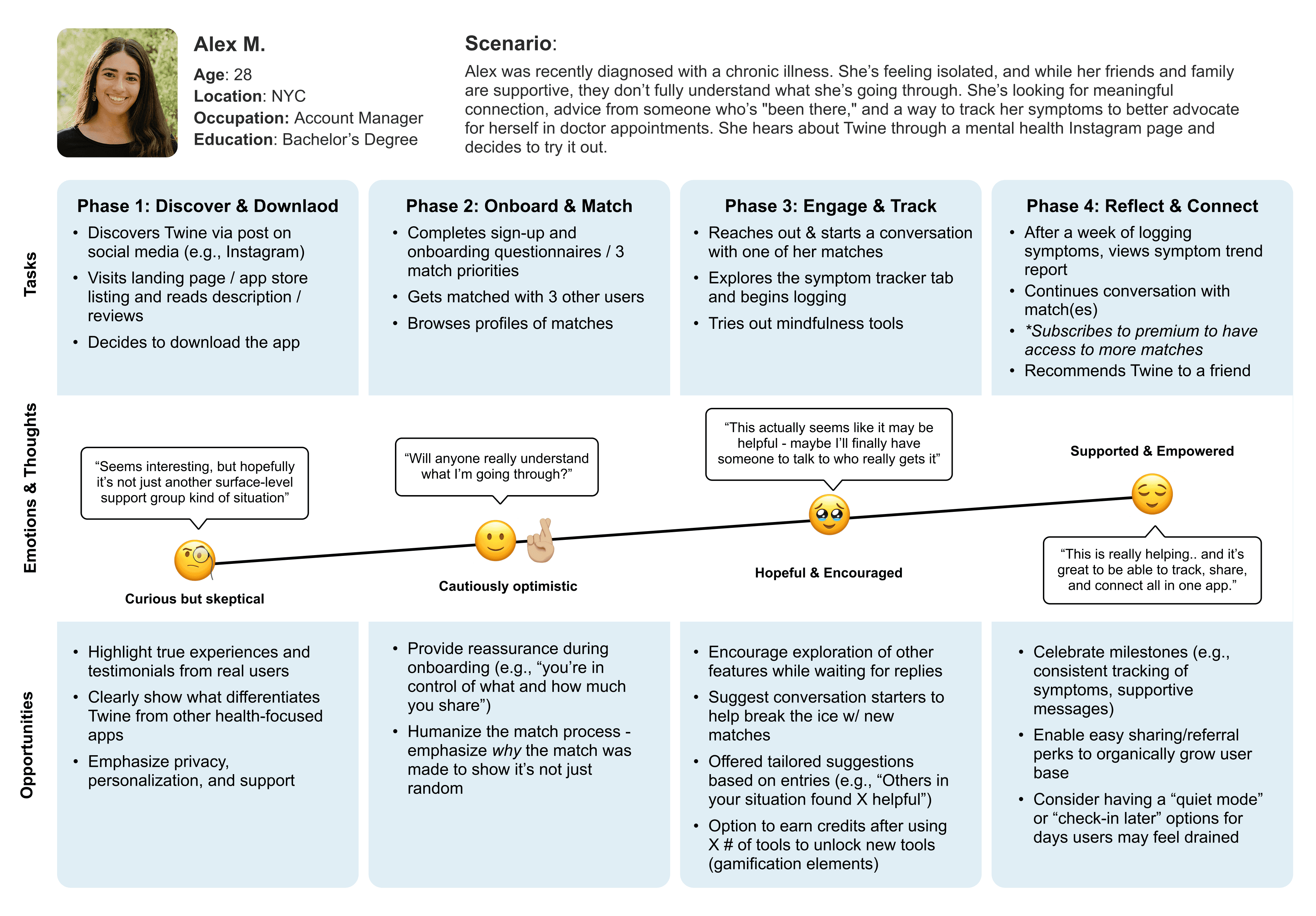
Meet Alex: a 28-year-old Account Manager living in NYC adjusting to life after receiving a medical diagnosis that affects her daily functioning. While her family and friends are supportive, she often feels misunderstood, as no one in her immediate circle actually shares her experience. She’s looking for genuine connection with people who truly “get it,” along with practical tools to help her manage her condition.
User Journey Map
To identify key opportunities for design intervention, I mapped Alex's emotional journey through the product experience. This revealed critical moments where thoughtful design could transform skepticism into trust, and isolation into meaningful connection.
Design Challenges
Based on our research insights, several key challenges emerged that would need to be carefully addressed as I moved into the design phase:
Balancing Privacy & Community
How do we create an open, supportive community while respecting medical privacy and HIPAA considerations?
Avoiding "Trauma Dumping"
How do we facilitate genuine connection without the platform becoming overwhelming or an additional emotional drain on the user?
Symptom Tracking UX
How do we make daily symptom logging feel helpful rather than burdensome?
Trust in AI
How do we design AI features that users will trust with sensitive health information?
Designing for Vulnerable Users
How do we create an interface that's accessible and compassionate for people who may be experiencing pain, fatigue, or emotional distress?
Ideate
Initial User Flows
Based on research findings, I mapped out three core user flows that would form the app's foundation:
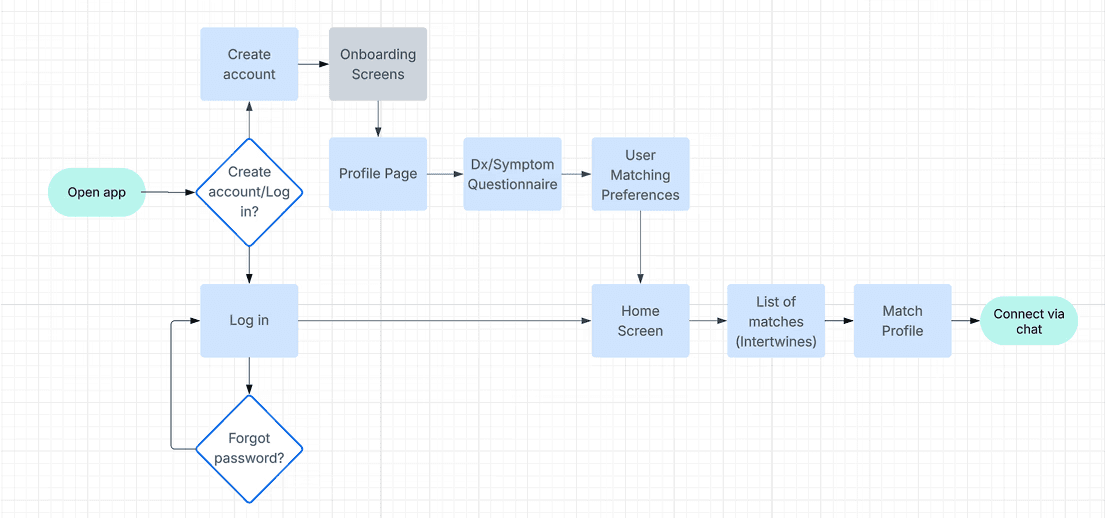
User Flow 1: Matching with Users
This flow details how users will discover and connect with one another.
User Flow 2: Symptom Tracking
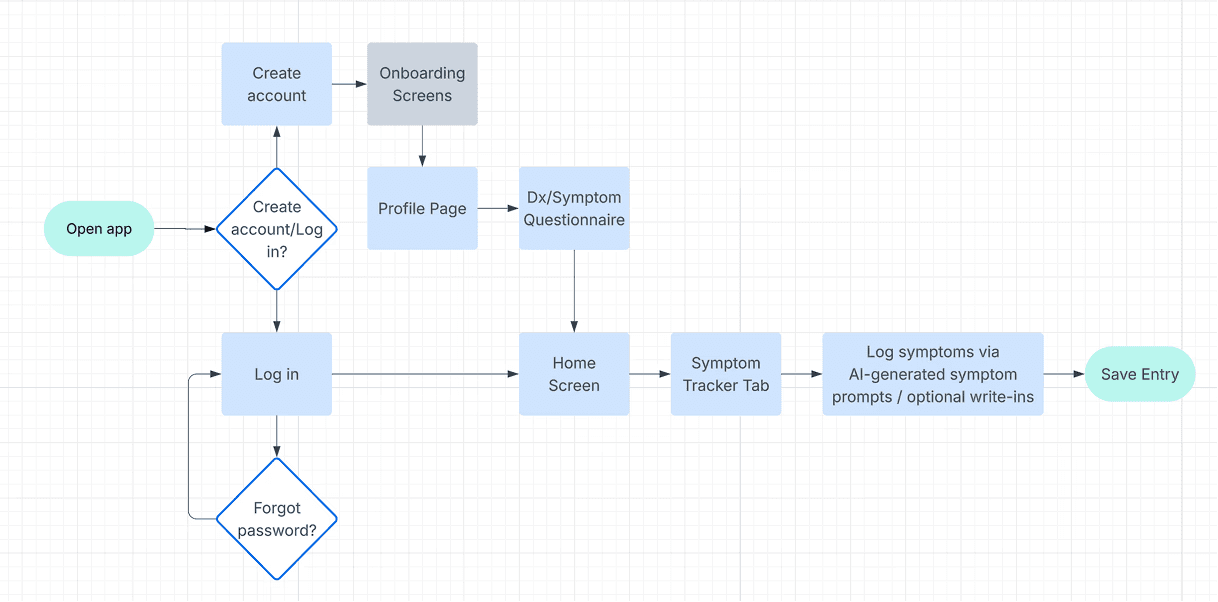
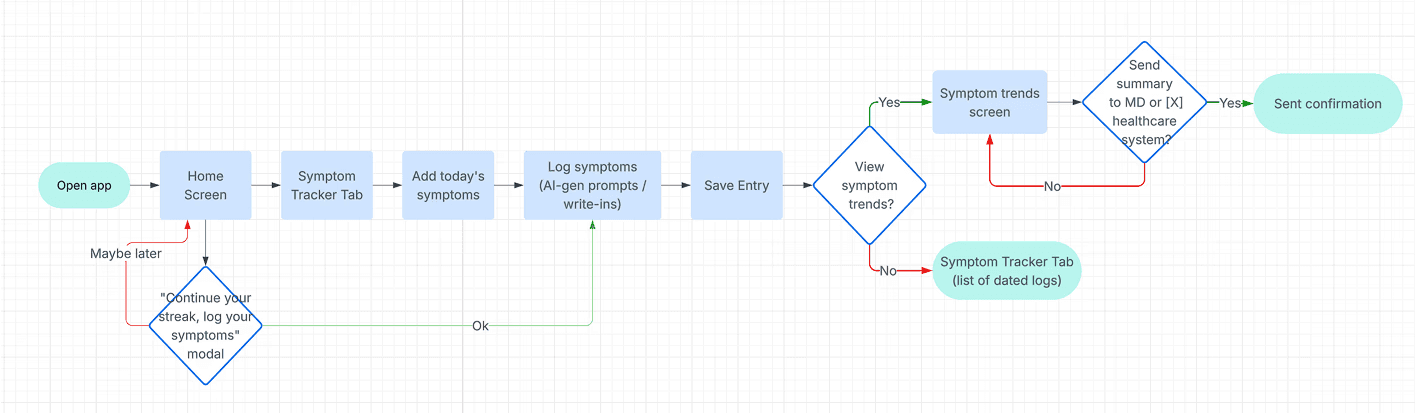
This flow demonstrates how users will track daily symptoms through an AI-powered conversational interface that synthesizes input into progress reports for healthcare providers. Shown below: new user flow (2a) vs. existing user flow (2b).
Flow 2a: New User
Flow 2b: Existing User
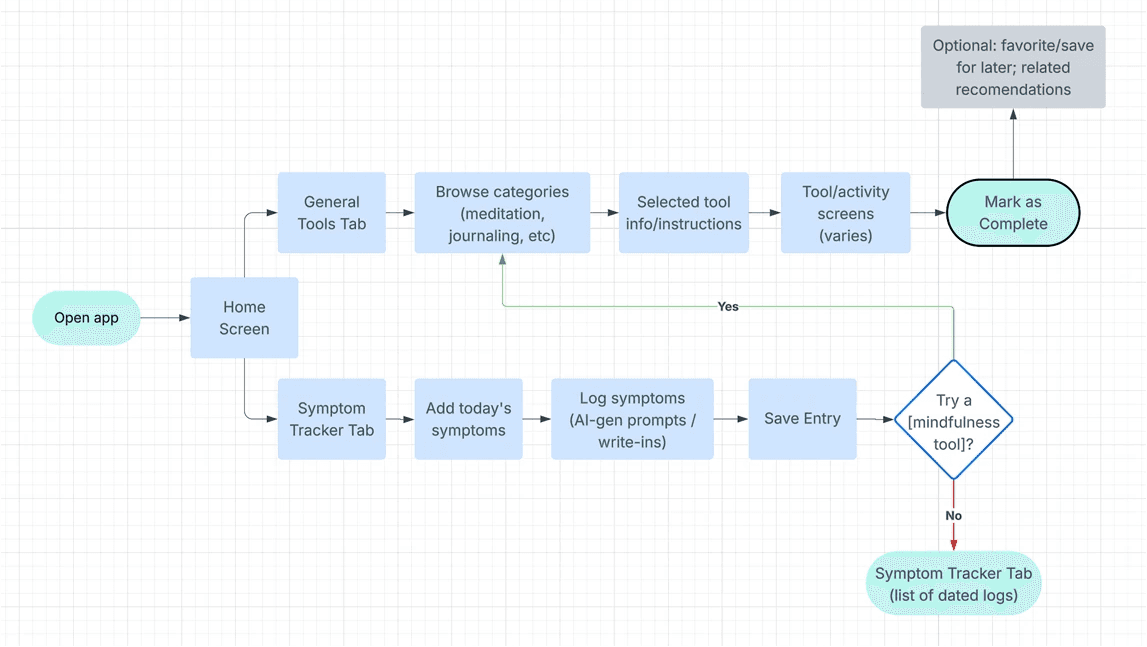
User Flow 3: Mindfulness/Coping Tools
This flow shows how users will discover and access various wellness resources available to them through the platform.
⭐️ Key Pivot
As we moved into wireframing, we realized the matching questionnaire needed its own comprehensive flow. Since the app's value hinges on match quality, we needed to determine what questions would be essential for meaningful matches while avoiding overwhelm and respecting users' time. This split the original flow into two interconnected flows:
Flow 1a: Profile Creation & Matching Questionnaire:
A series of questions to gather information used to build the user’s profile and power the matching algorithm
Flow 1b: Viewing Matches:
How users discover, learn, about, and connect with their matches
Design
Wireframing: Mid-Fidelity Explorations
While I would typically begin with low-fidelity wireframes, I moved directly into mid-fidelity for this project. Since we needed to determine the specific questions we'd ask for the profile creation/matching questionnaire, working at mid-fidelity allowed me to design specific question screens and test different phrasings and input methods rather than abstract placeholders. As an added benefit, this approach also helped save time and resources, which was crucial for an early-stage startup.
Below are the core flows that form the foundation of the user experience:
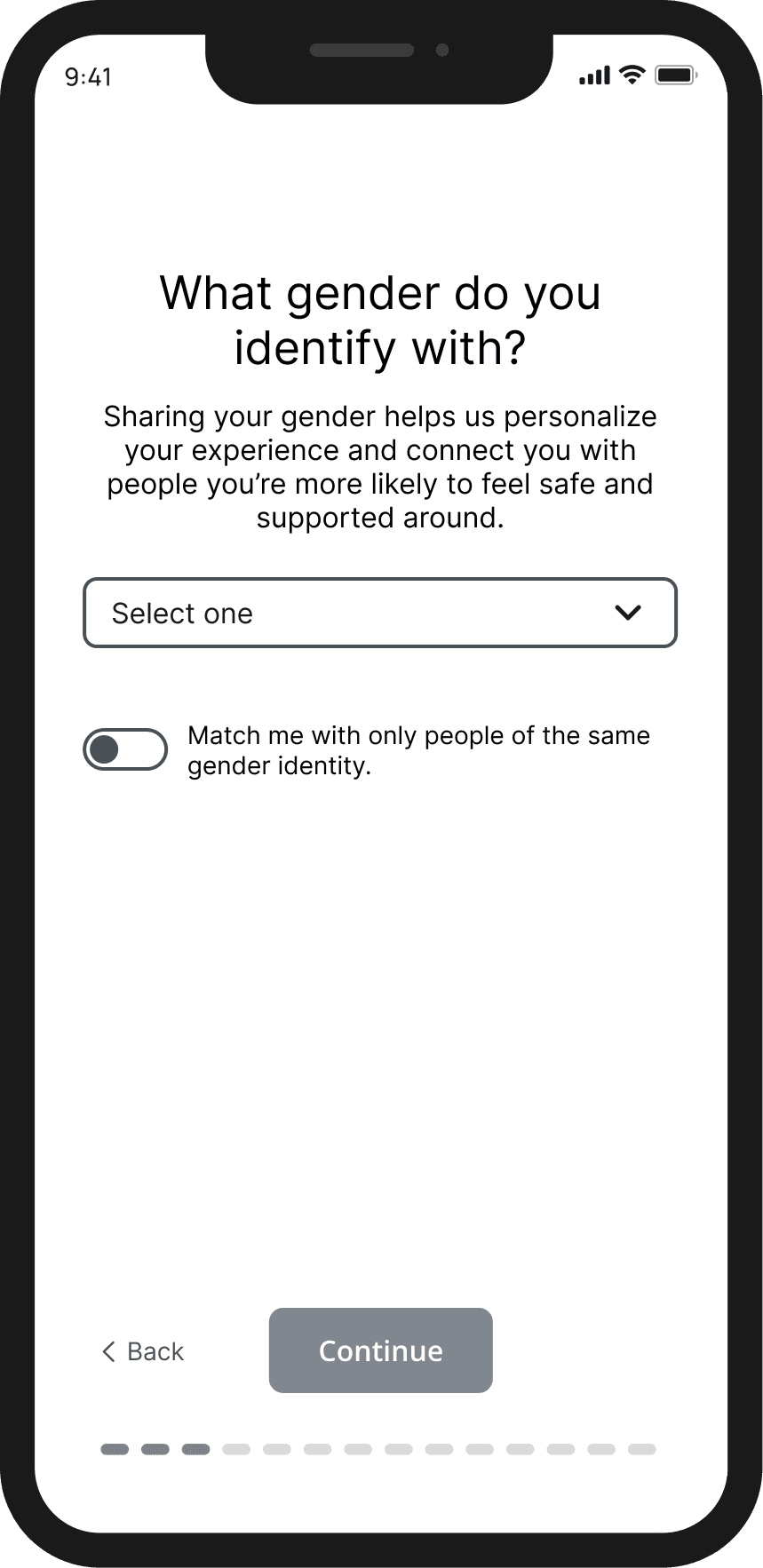
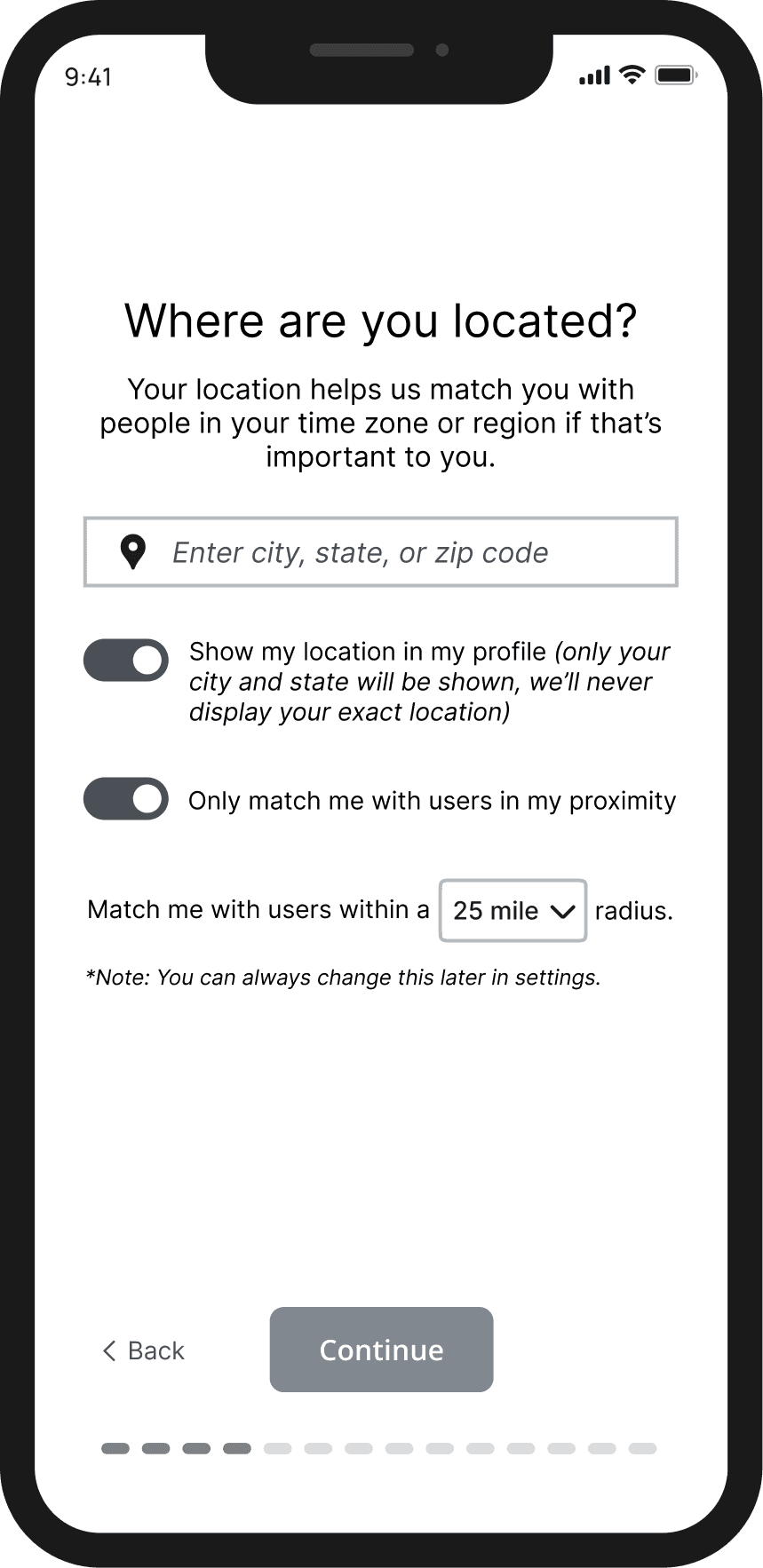
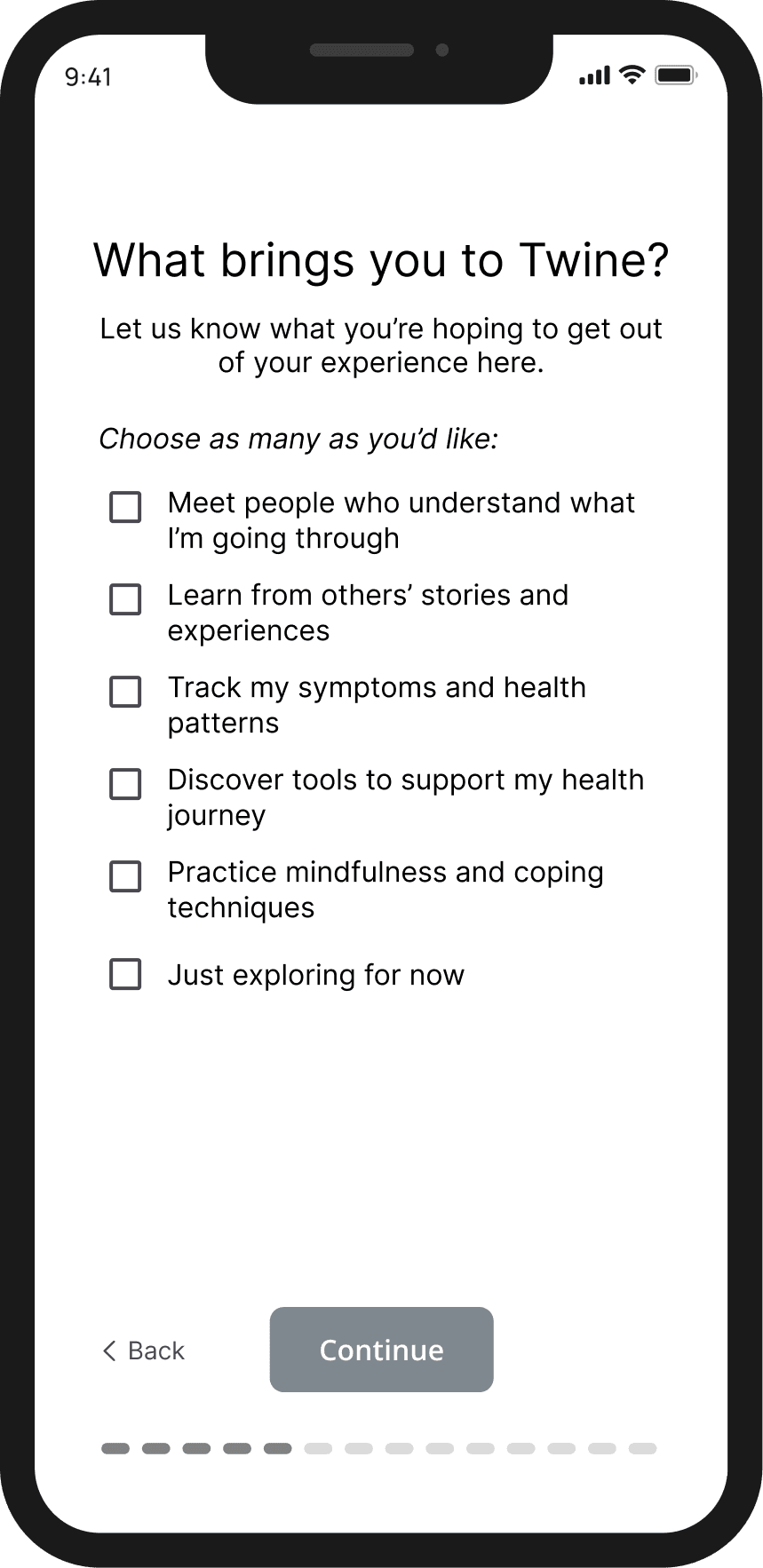
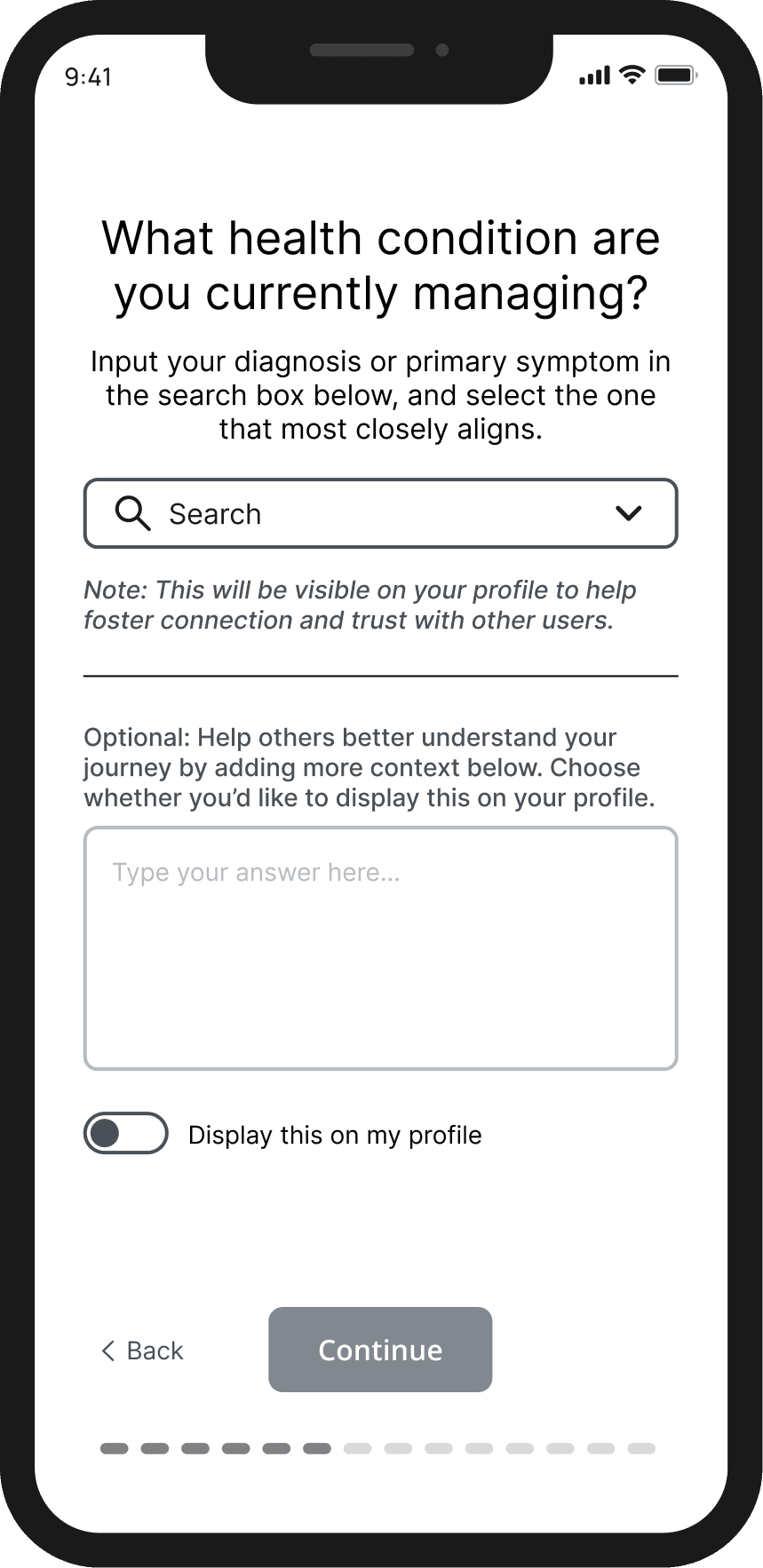
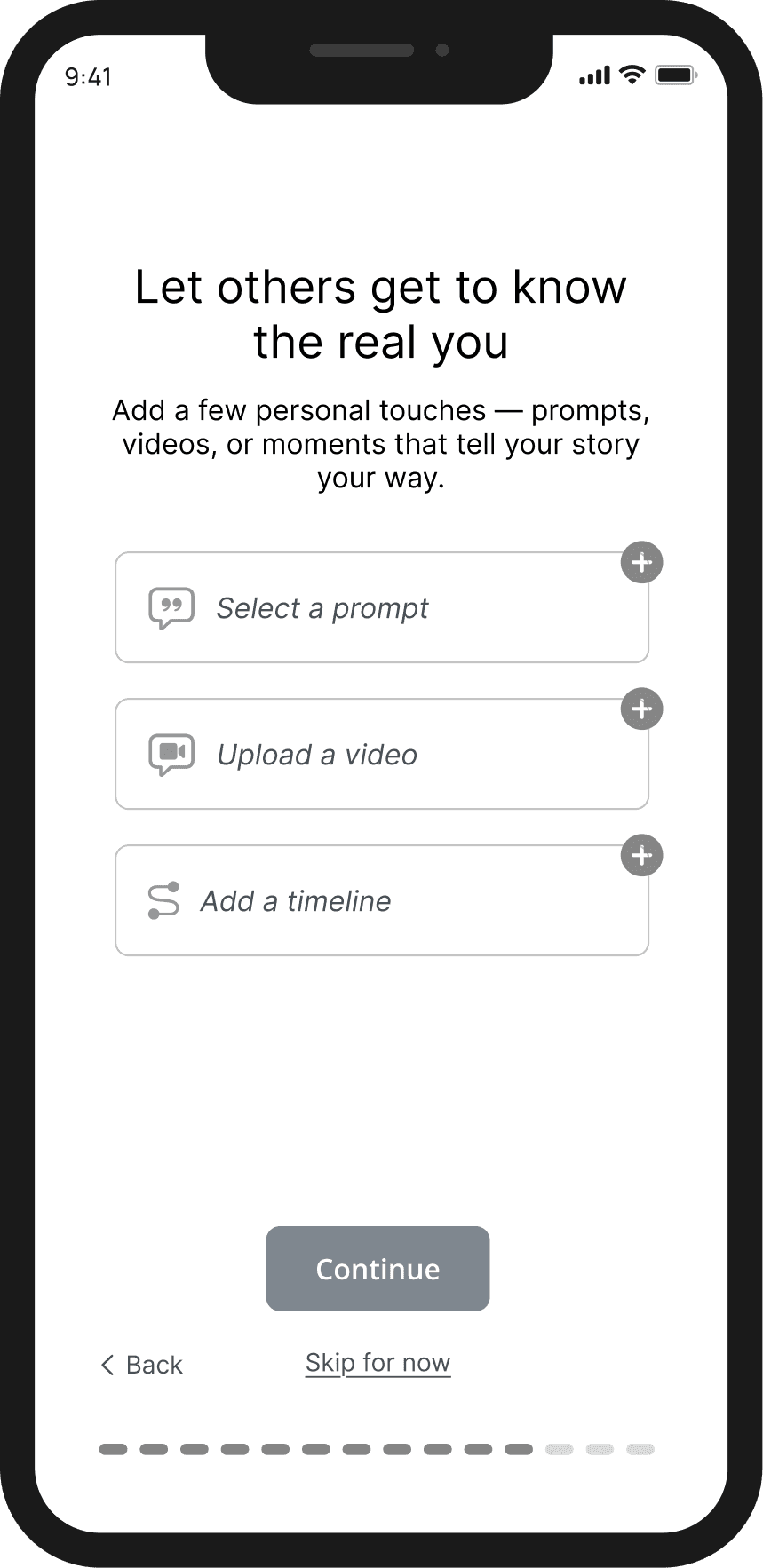
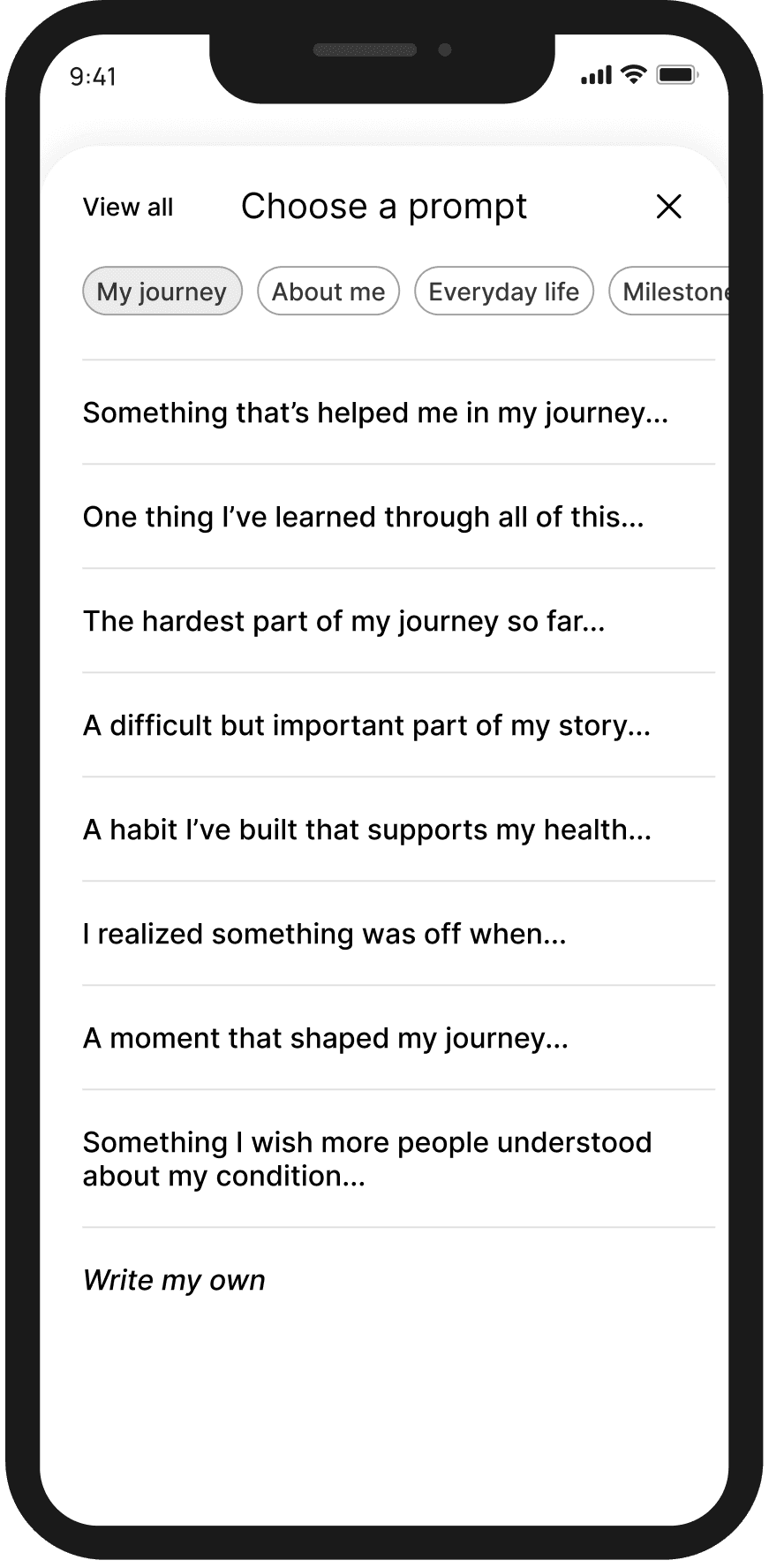
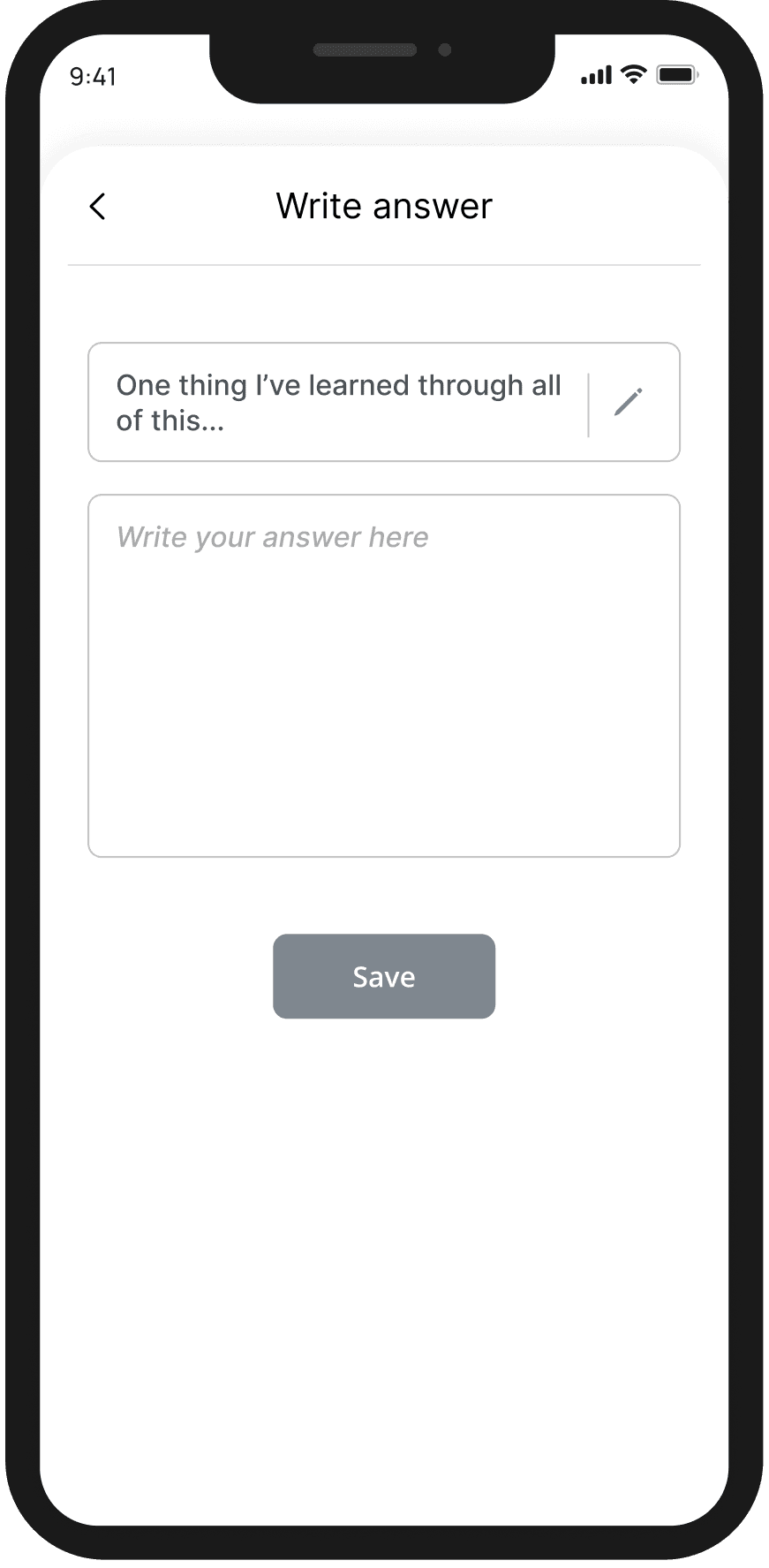
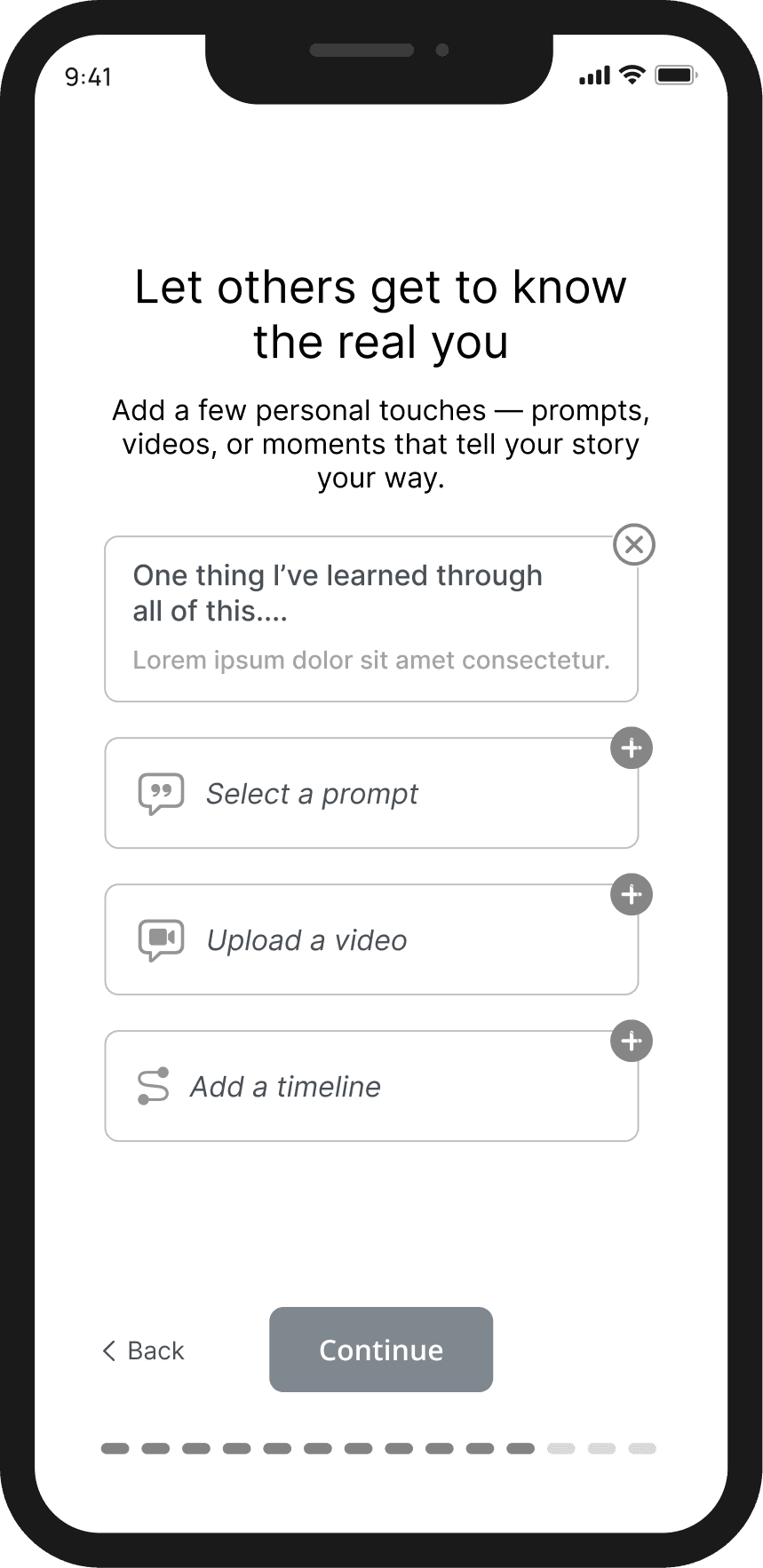
Flow 1a: Profile Creation & Matching Questionnaire
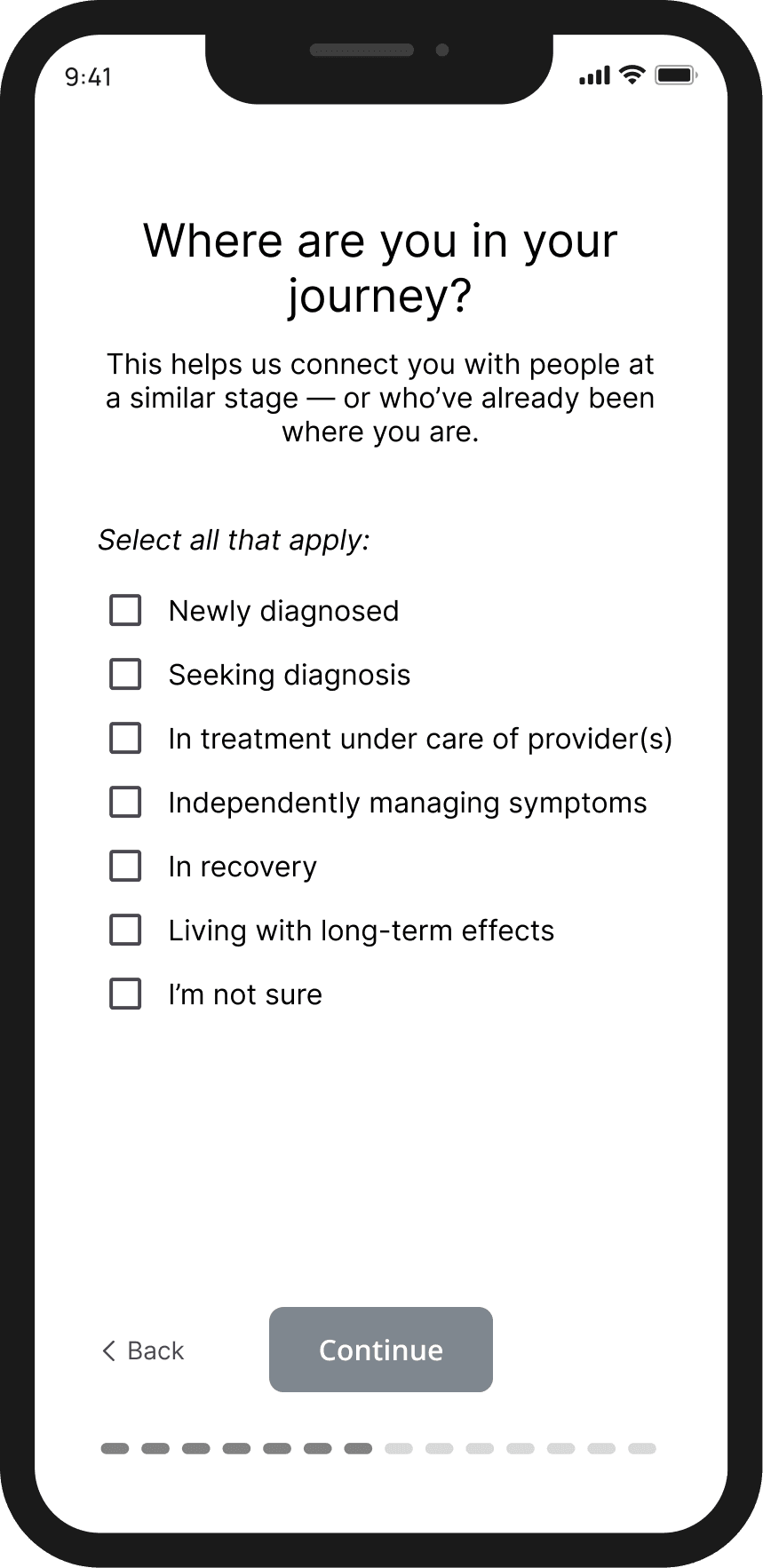
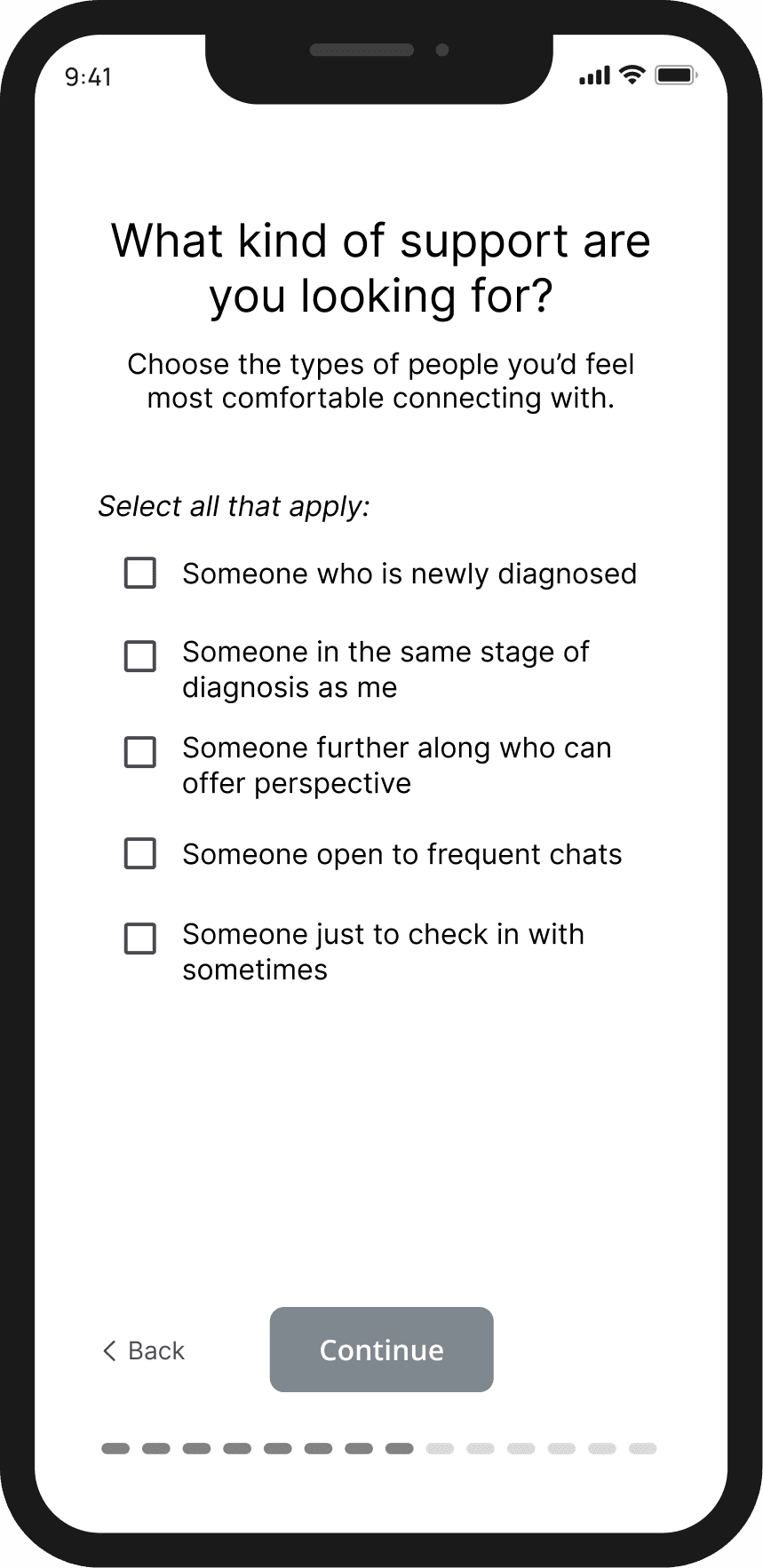
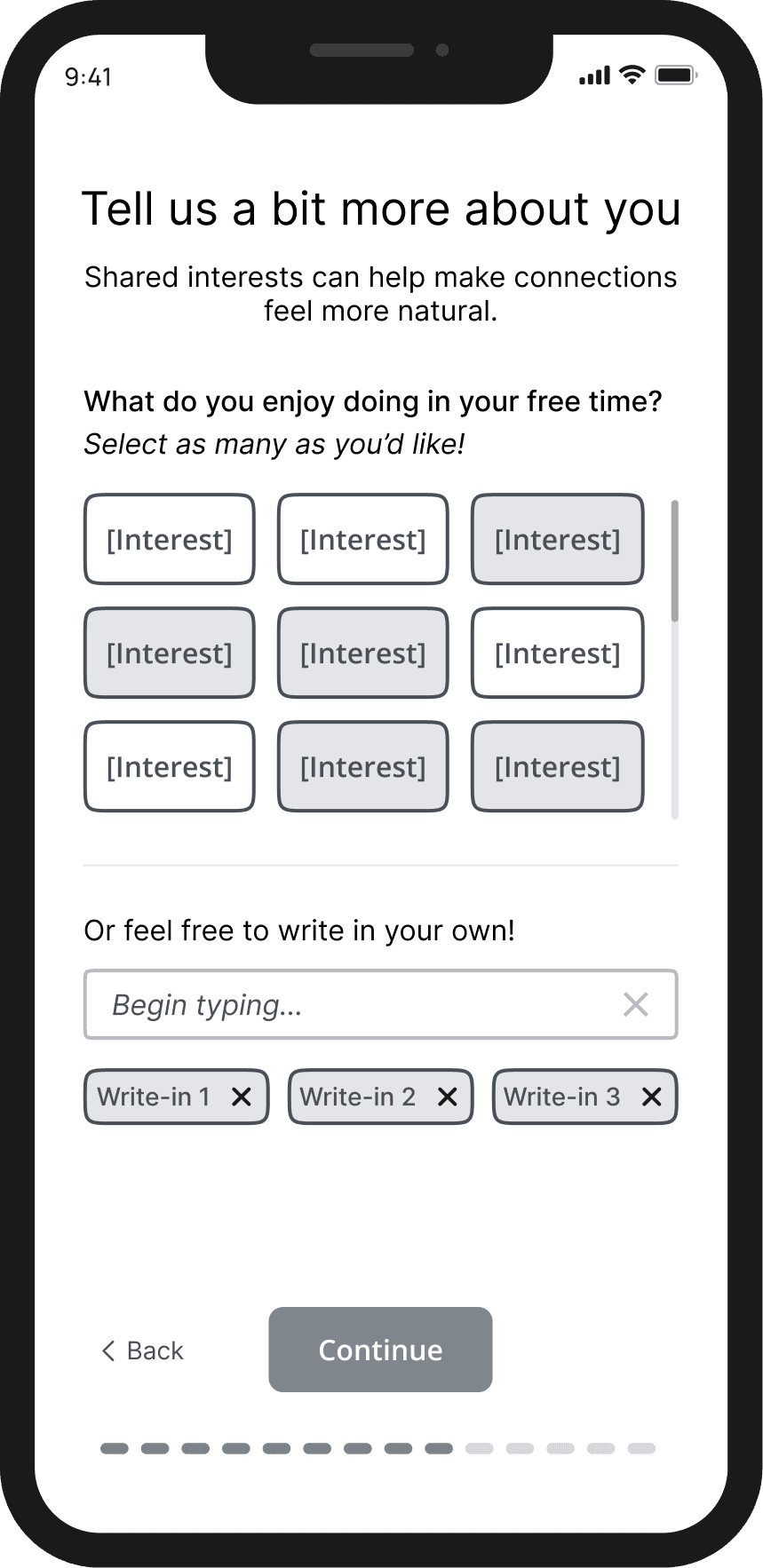
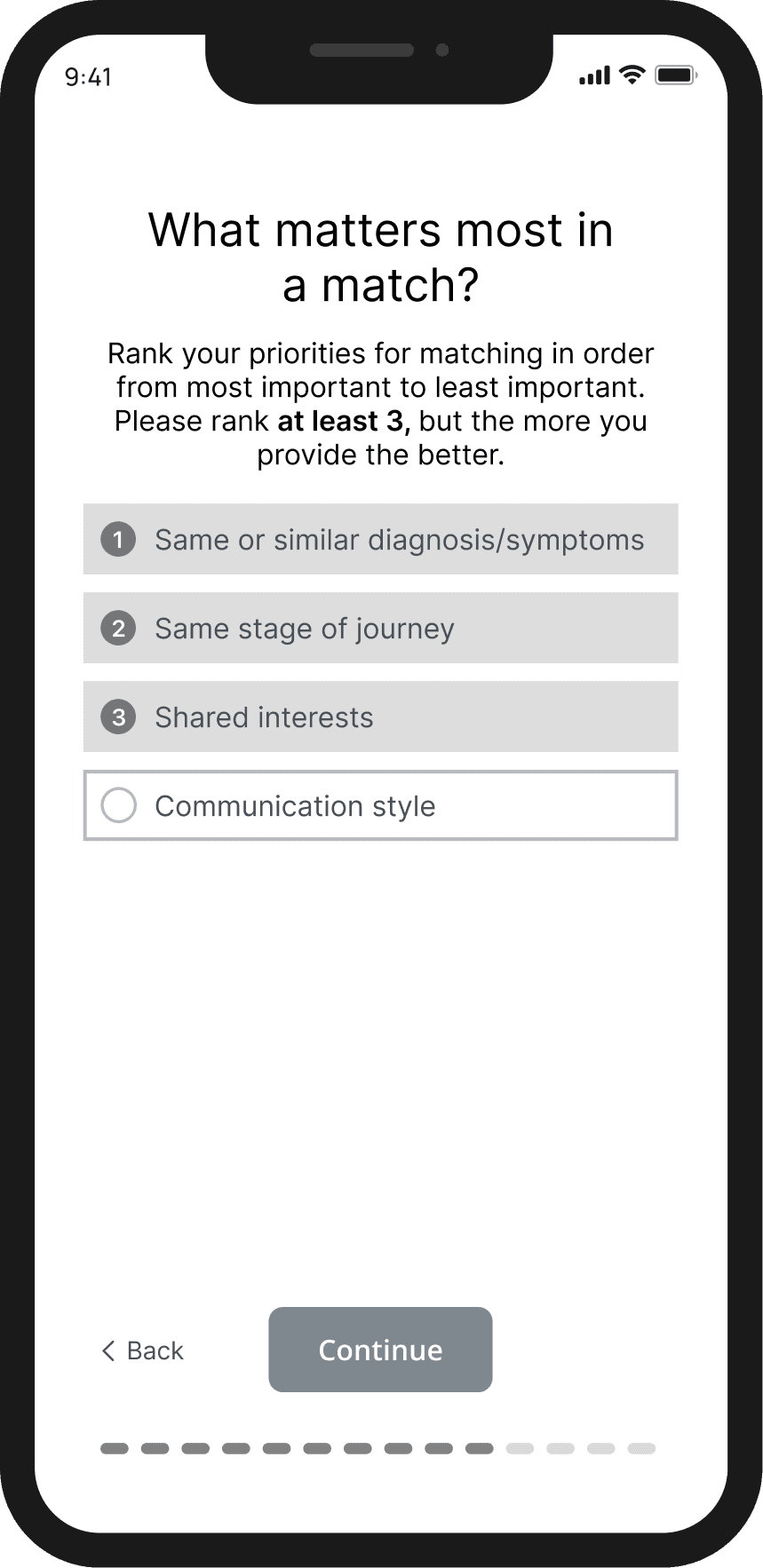
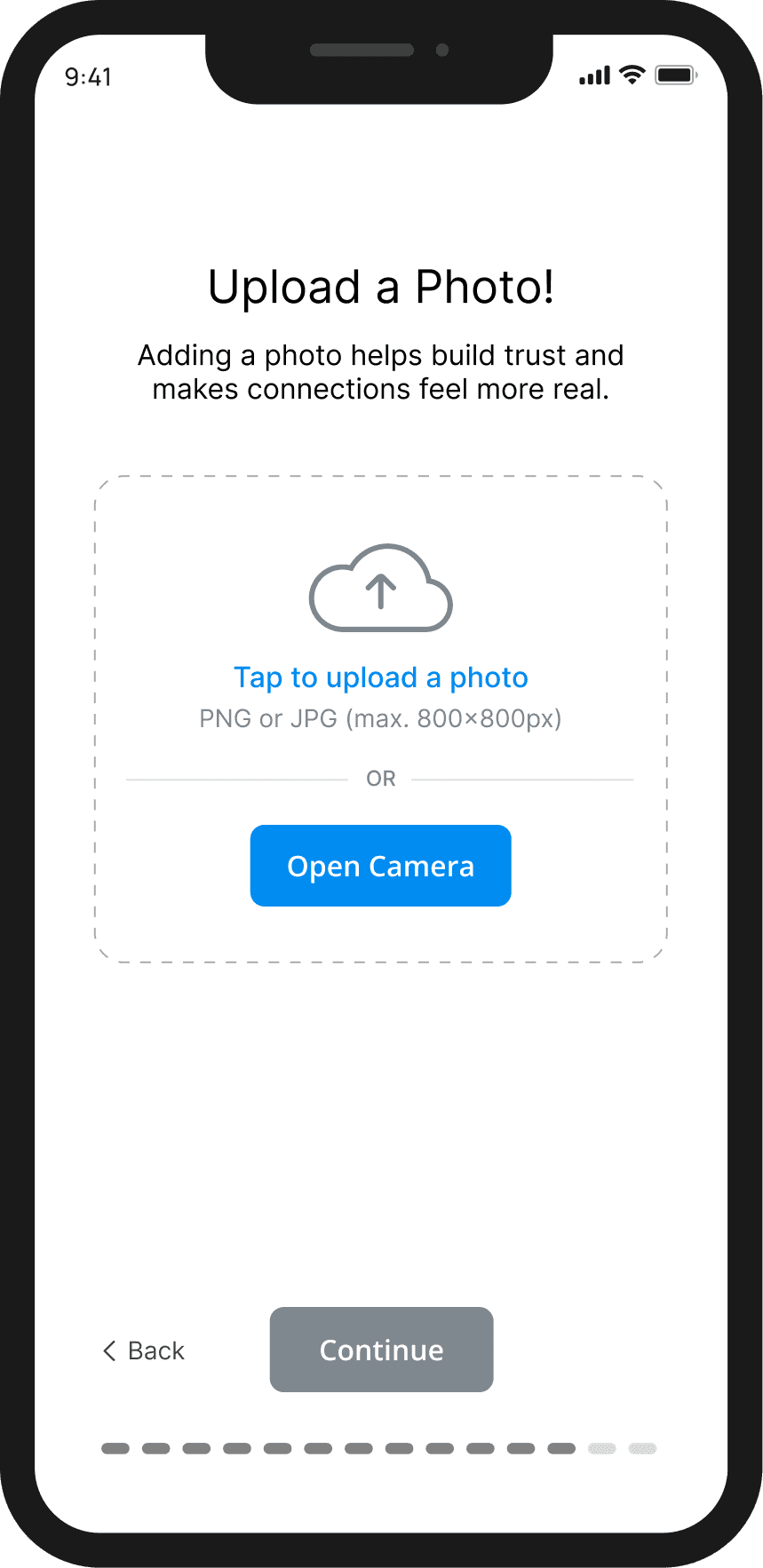
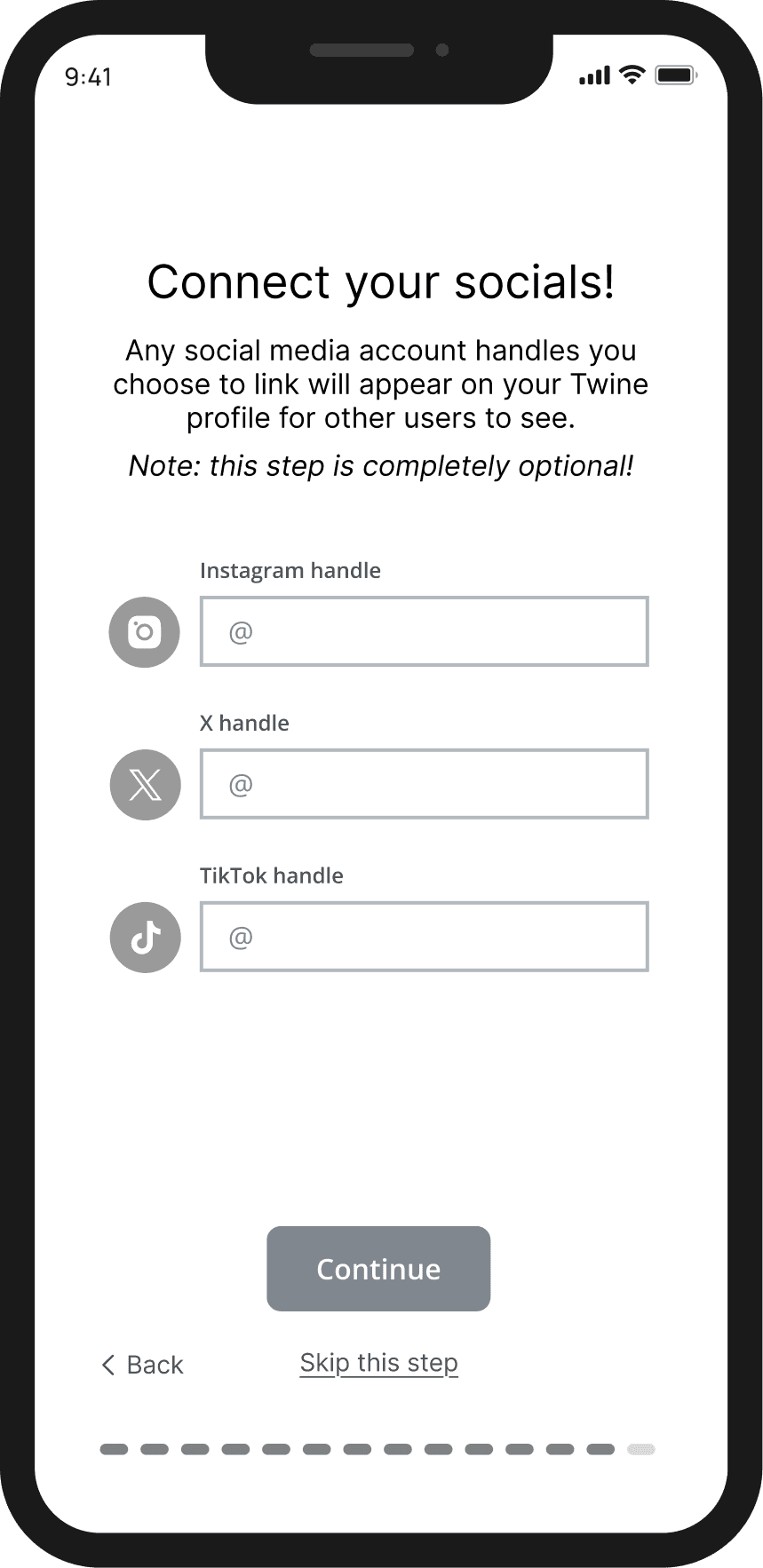
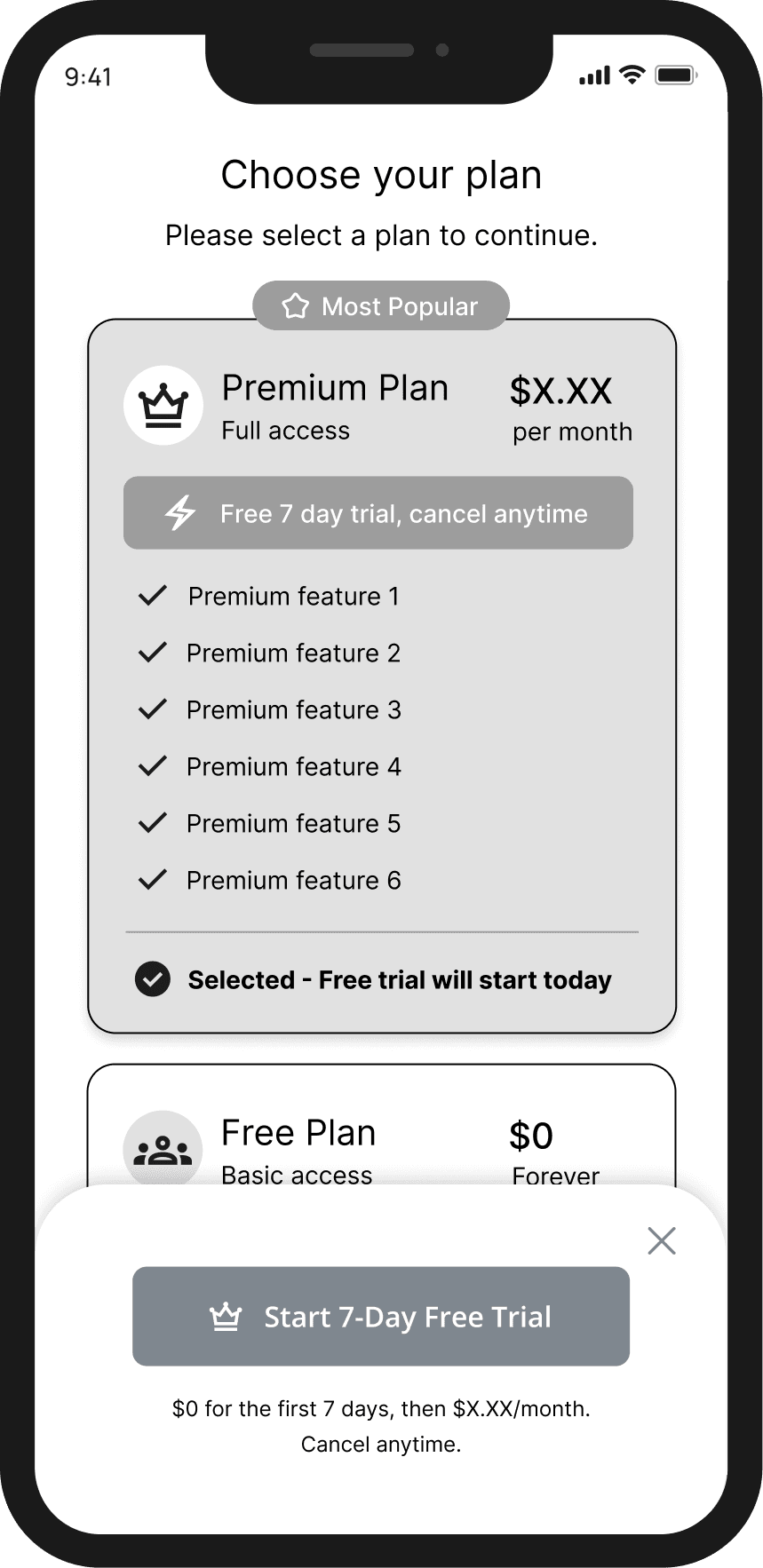
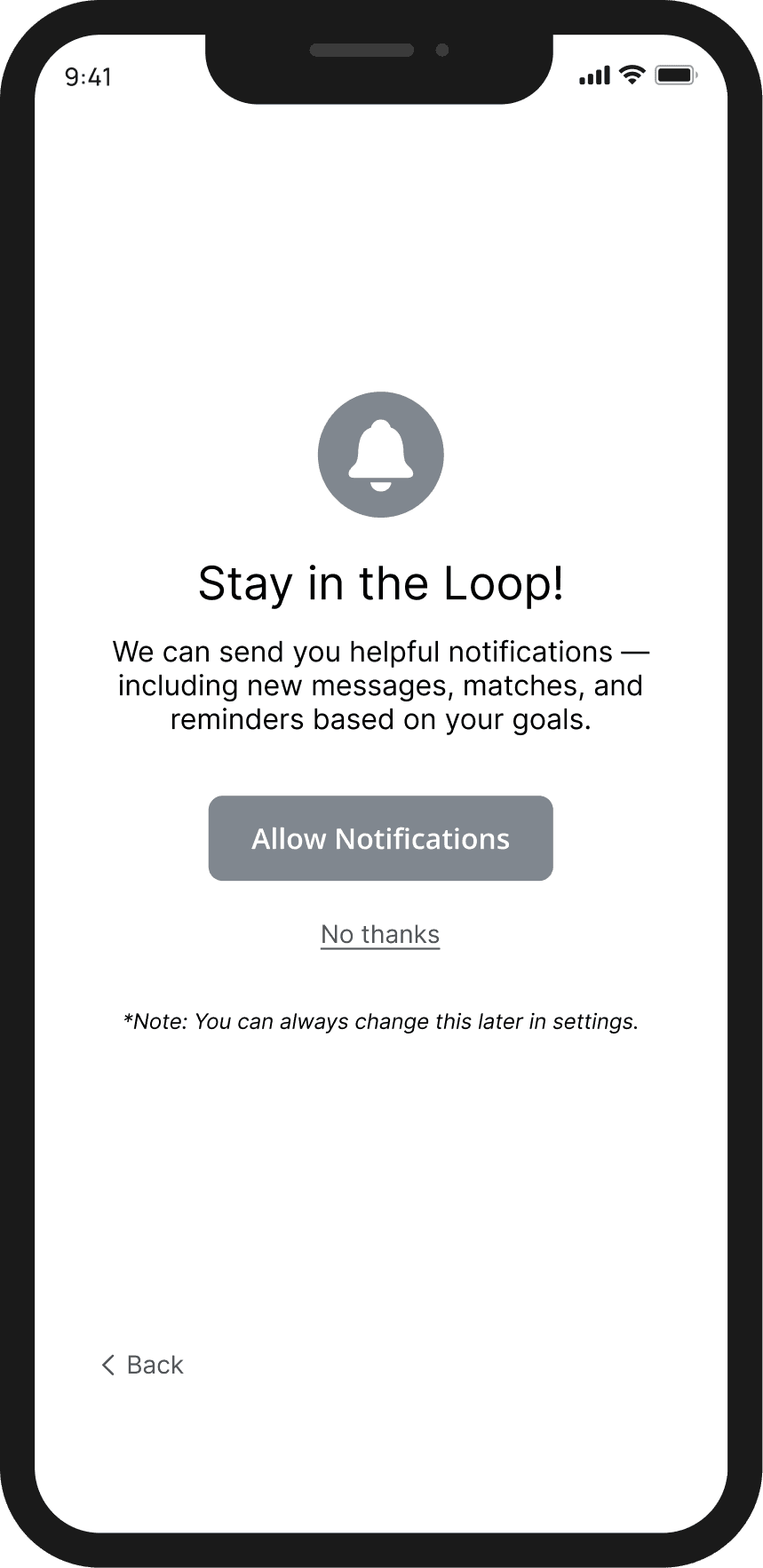
After a user creates their account, they're guided through a questionnaire designed to both build their profile for other users to view and to power the matching algorithm. The goal of this flow was to gather enough information for meaningful matches while respecting user privacy and avoiding questionnaire fatigue.
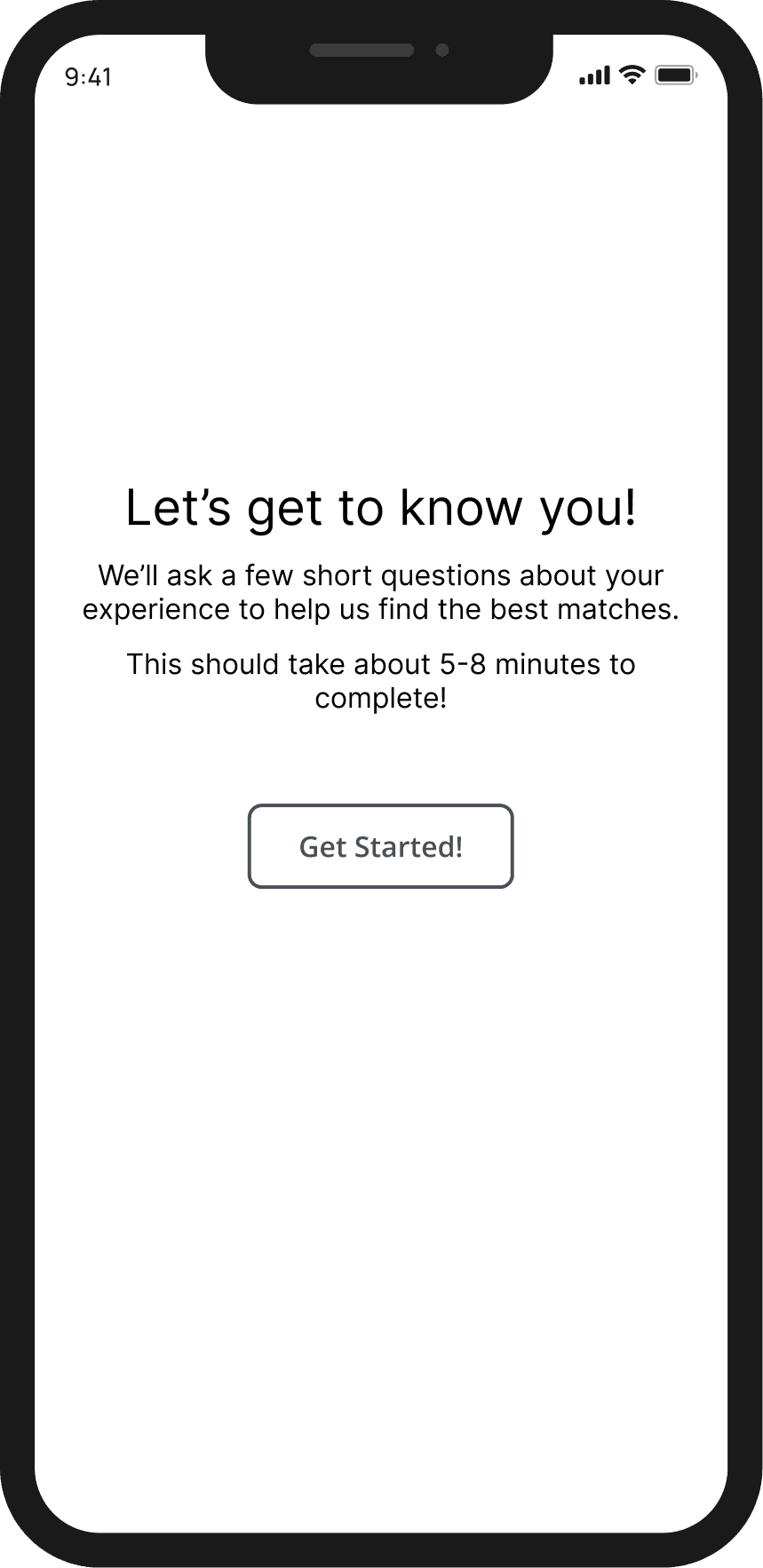
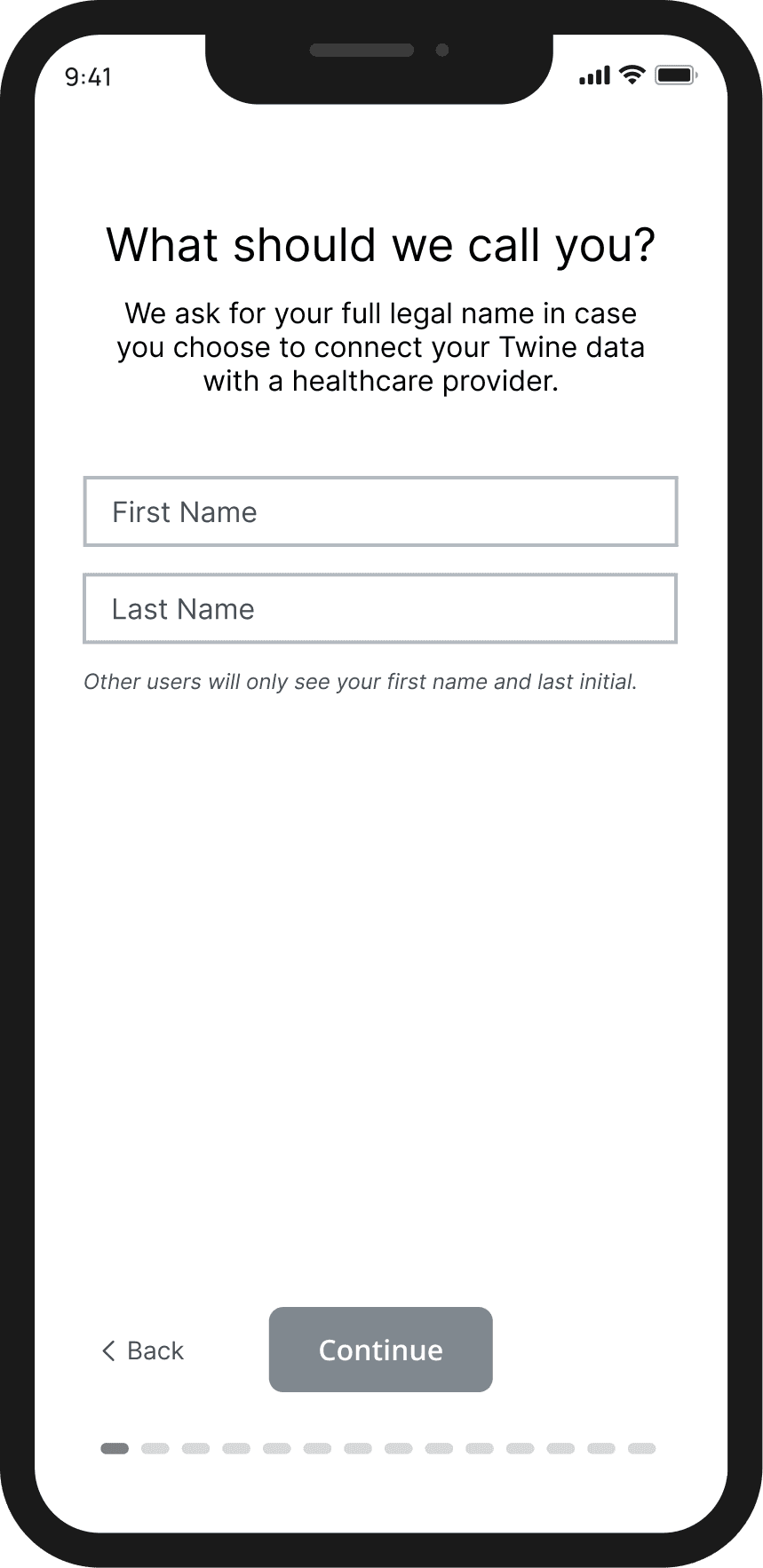
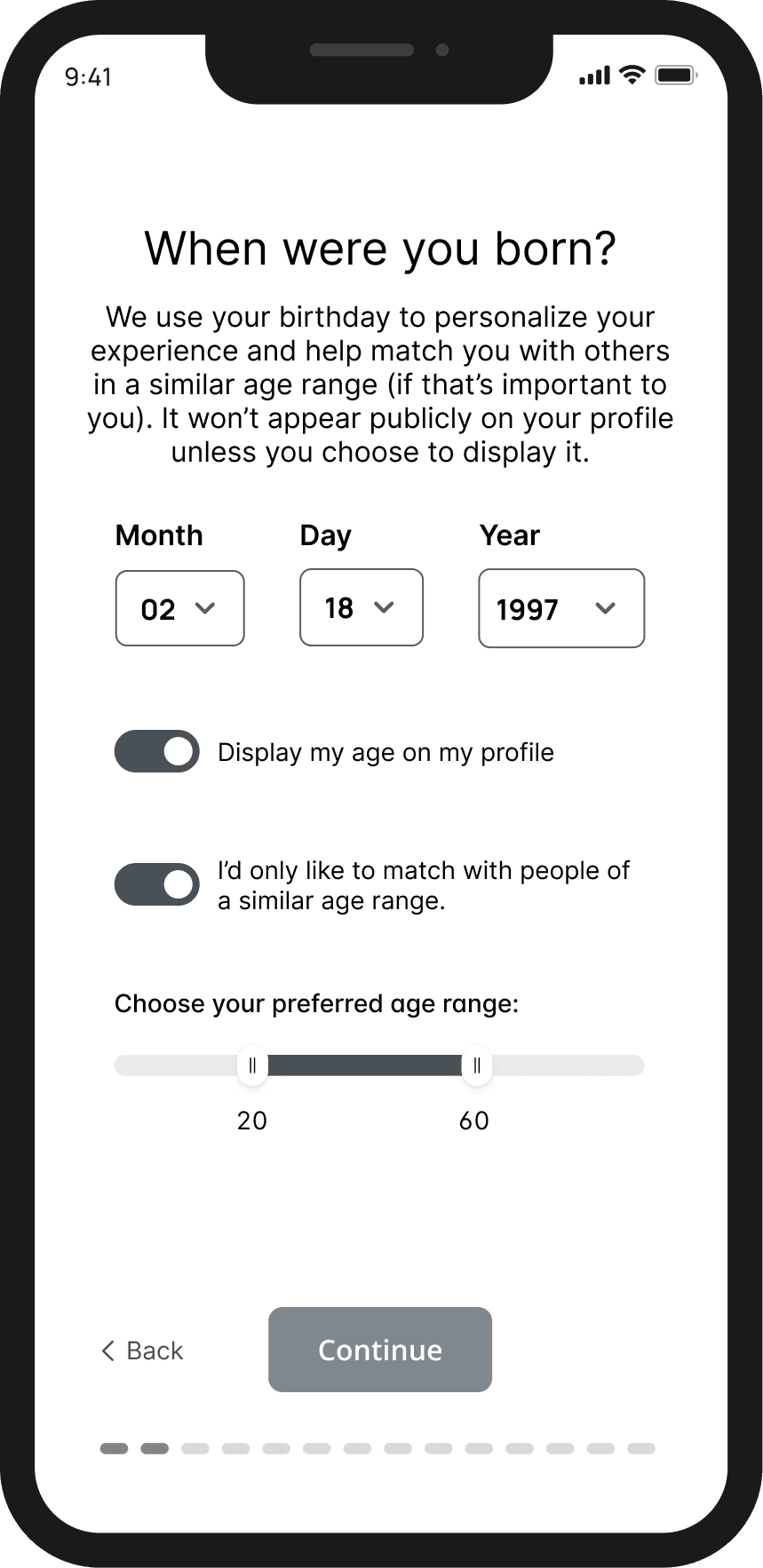
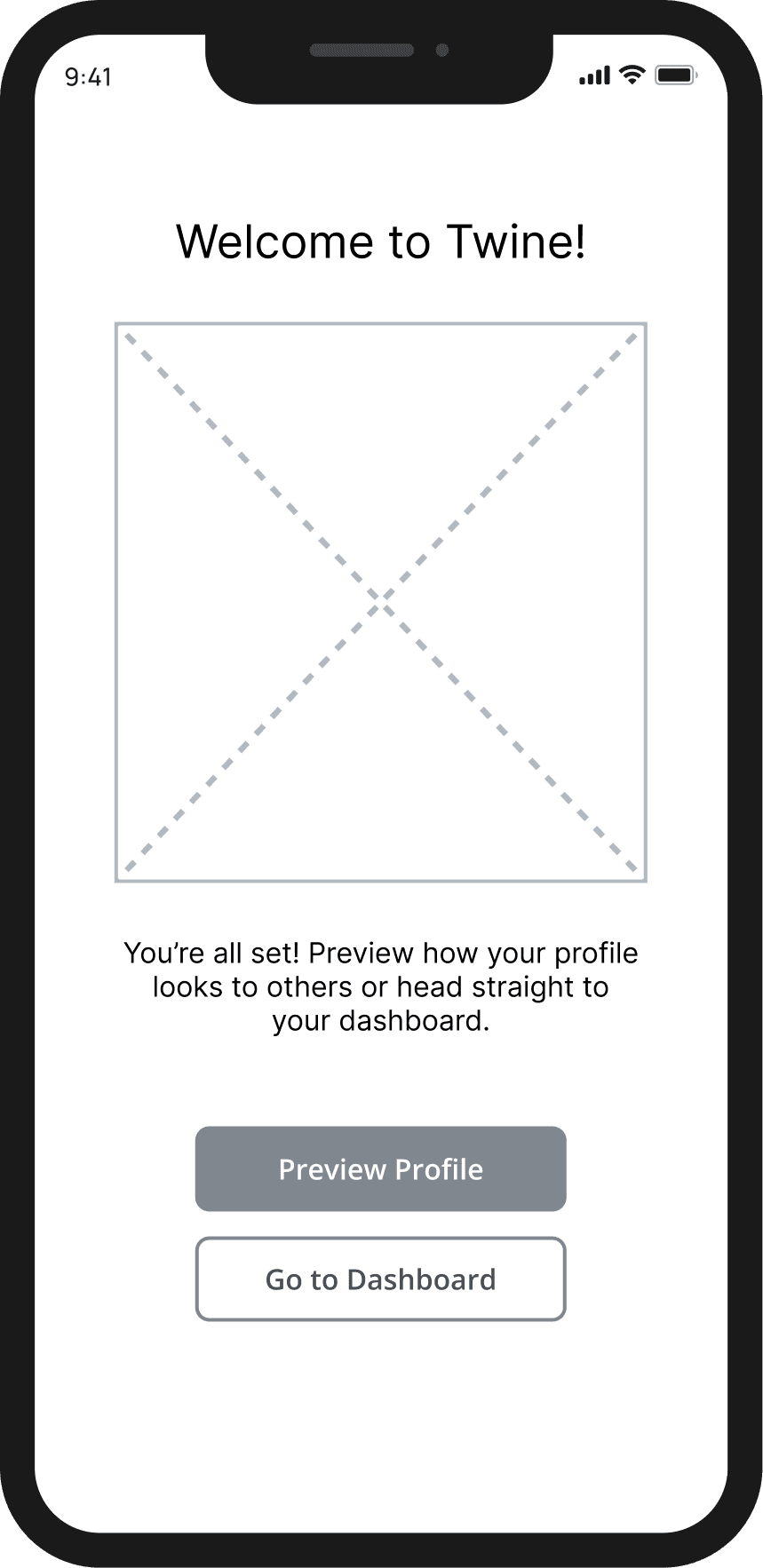
Key Design Decisions
Privacy controls: Toggles let users control what appears publicly (age, location precision), with clear explanations of why we ask for certain information
Medical + personal matching: Beyond diagnosis and journey stage, we include interests and goals to foster connection around shared hobbies and life experiences, not just medical conditions
User-weighted priorities: A ranking system lets users indicate what matters most in a match (diagnosis similarity, journey stage, shared interests, communication style)
Friction reduction: Progress indicators, optional steps, and back navigation keep users moving forward without feeling trapped
Integrated monetization: Premium/free plan selection happens naturally at the end, with a 7-day trial to reduce barriers
Flow 1b: Viewing Matches
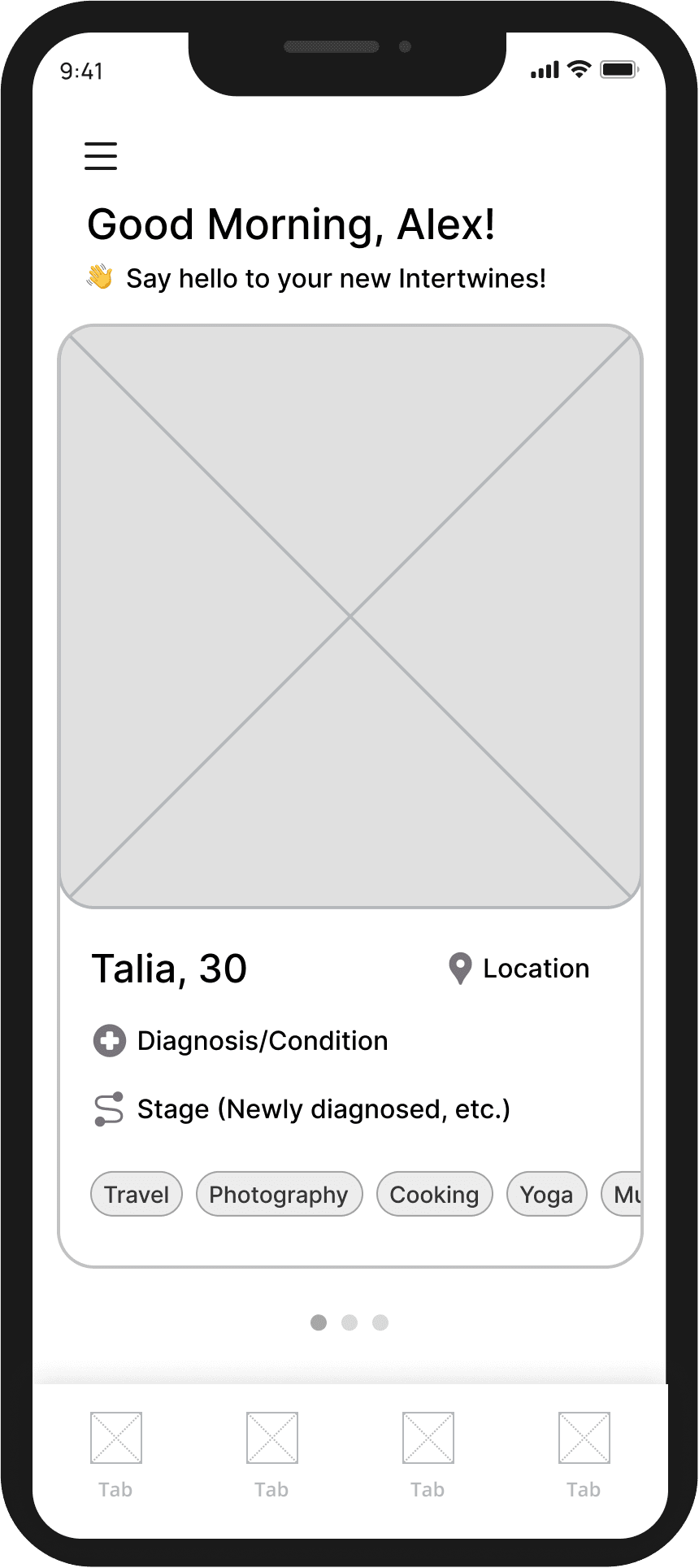
After completing their profile, users land on their match homepage. This is the primary destination where they'll discover potential connections. This screen needed to feel encouraging (not overwhelming) and make it easy to explore matches meaningfully.
Initial Match Screen: Profile Preview
Full Profile View

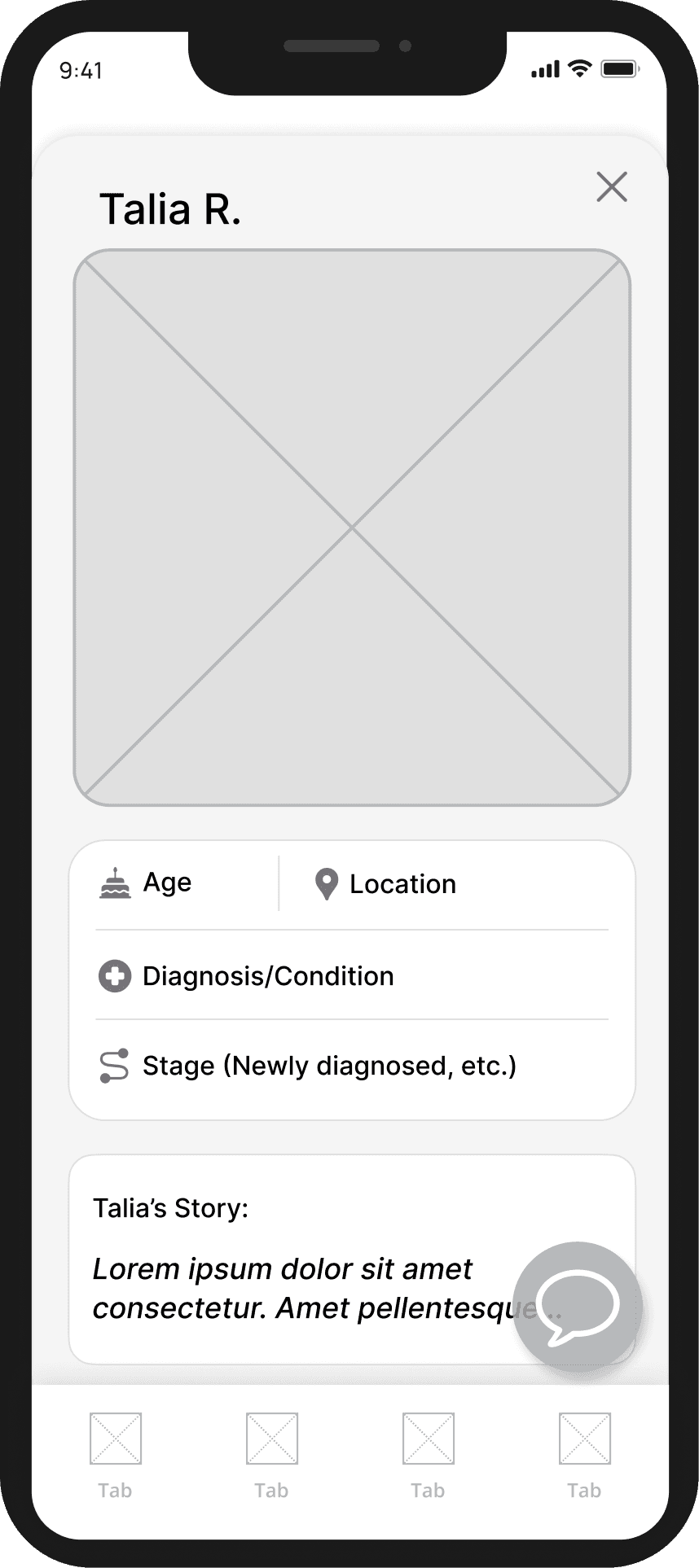
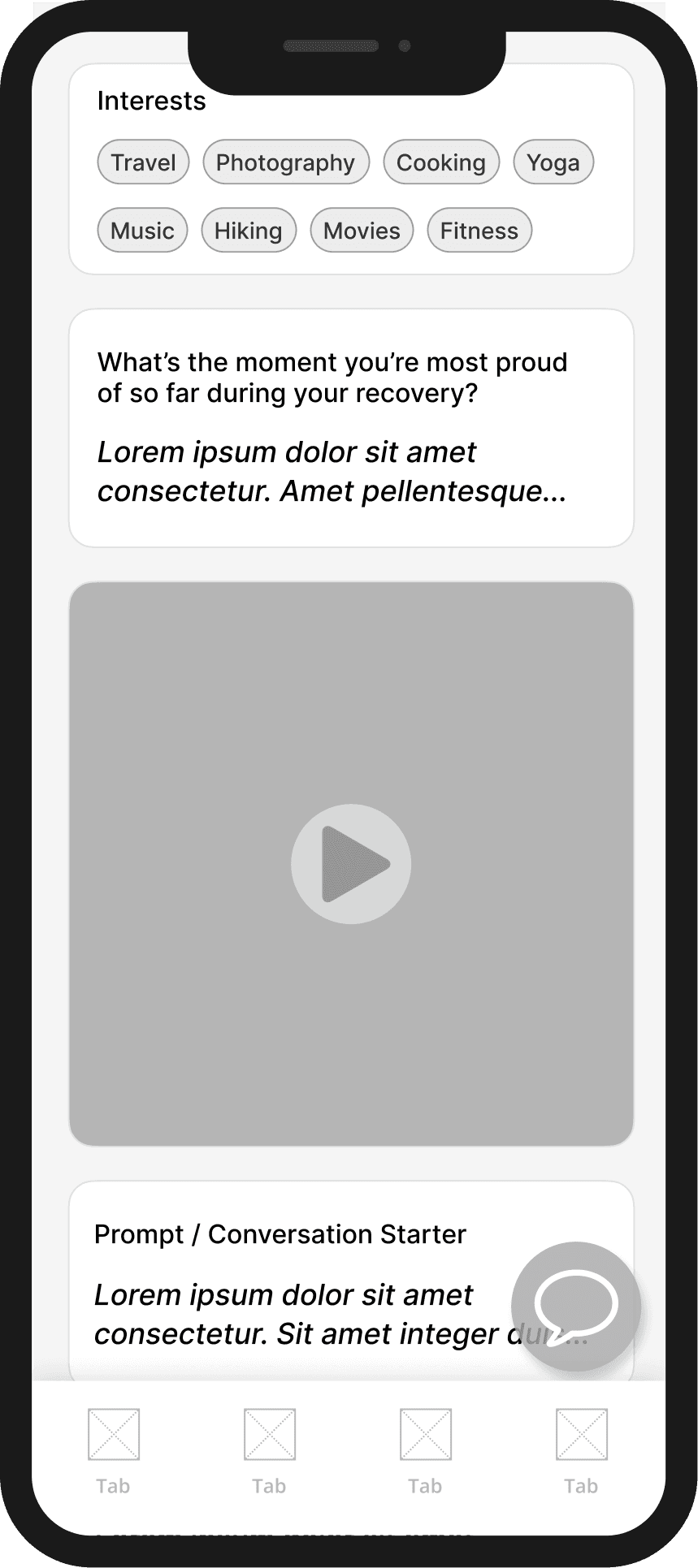
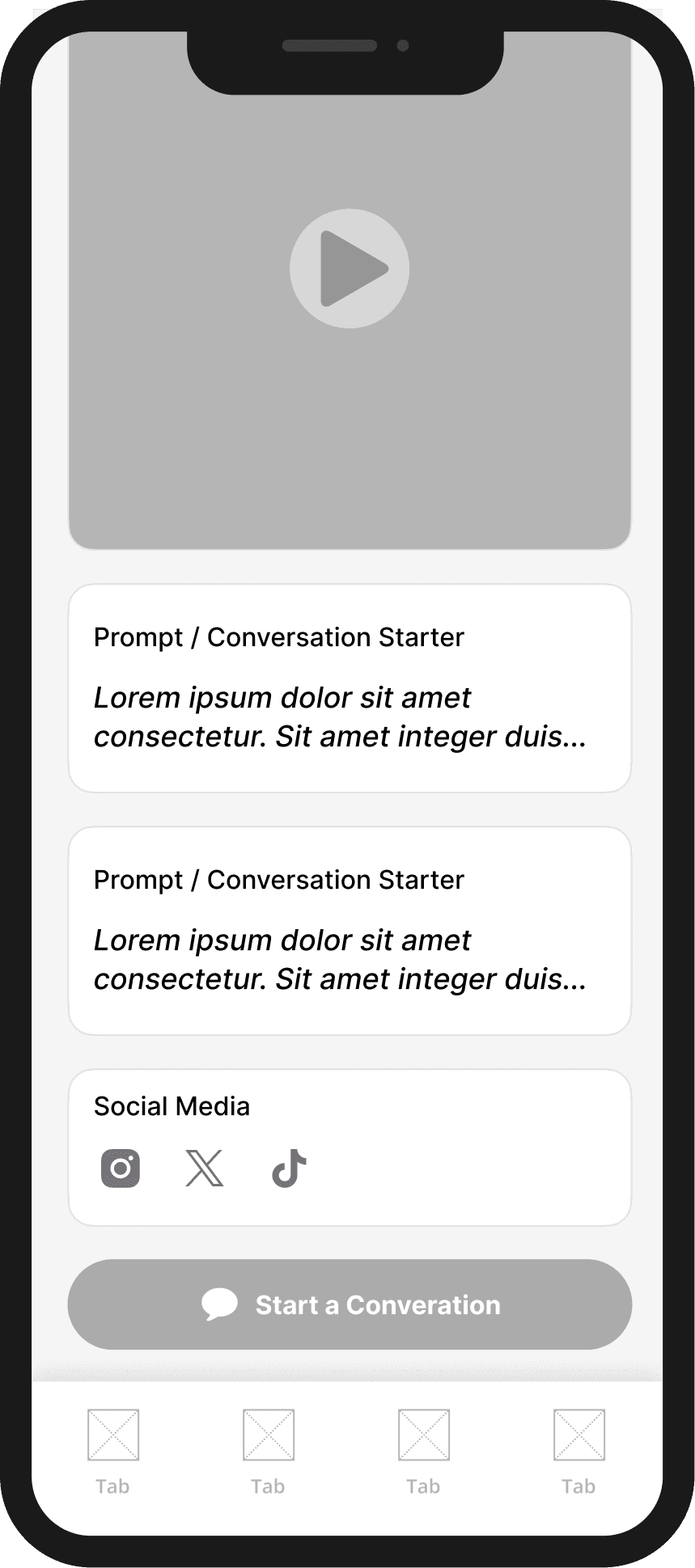
Key Design Decisions:
Encouraging first impression: Warm greeting and card-based interface with key info about match (name, age, diagnosis, journey stage, interests) immediately visible
Progressive disclosure: Overview cards spark interest; tap to expand for full profile with prompt responses, videos, conversation starters, and any linked social media accounts
Human-centered: Prominent display of interests reminds users that their matches are real people with full lives, not just their diagnosis
Privacy-conscious: General location shown (city/state) according to users' inputs during profile creation
Flow 2: AI-Powered Symptom Tracking
Research revealed that 53% of participants tracked their symptoms using memory alone, which resulted in difficulty recalling pertinent details during medical appointments. Use of existing tools (Notes apps, journals) was fragmented and inconsistent.
To address this, we designed an AI-powered conversational symptom tracker in which users can describe their symptoms through natural dialogue rather than rigid forms, and the AI synthesizes this data into organized progress reports they can review and share with healthcare providers. To reduce the burden of open-ended logging, users are presented with conversation topic "buckets" (Daily Check-In, Physical Symptoms, Mental & Emotional, etc.) that help them start tracking in a structured yet natural way.
Initial Match Screen: Profile Preview
Full Profile View
Key Design Decisions:
Conversational interface: AI chatbot allows users to describe symptoms in their own words rather than rigid form fields, reducing tracking burden. The chatbot also recommends relevant resources (articles, protocols, etc.) based on user input.
Guided starting points: Topic "buckets" (Daily Check-In, Physical Symptoms, Mental & Emotional, etc.) help users begin logging without facing a blank screen
AI synthesis: The chatbot processes conversational input and synthesizes data (energy levels, sleep quality, mood ratings) into a comprehensive progress report
Visual progress tracking: Calendar and trend charts make patterns immediately visible; users can expand into specific days for detailed views
Celebrating progress: Weekly summaries highlight patterns and wins (e.g., "This week's highlight: Your pain levels dropped 3 points") to maintain morale and focus on improvements/positives, rather than just struggles/negatives
Health Sharing Tab (In Development)
A third tab within the symptom tracker will enable users to automatically share AI-generated progress reports with their care team through EHR integration (Epic, etc.), fulfilling one of the core project goals of bridging the gap between patients and providers.
Want to