Subwire
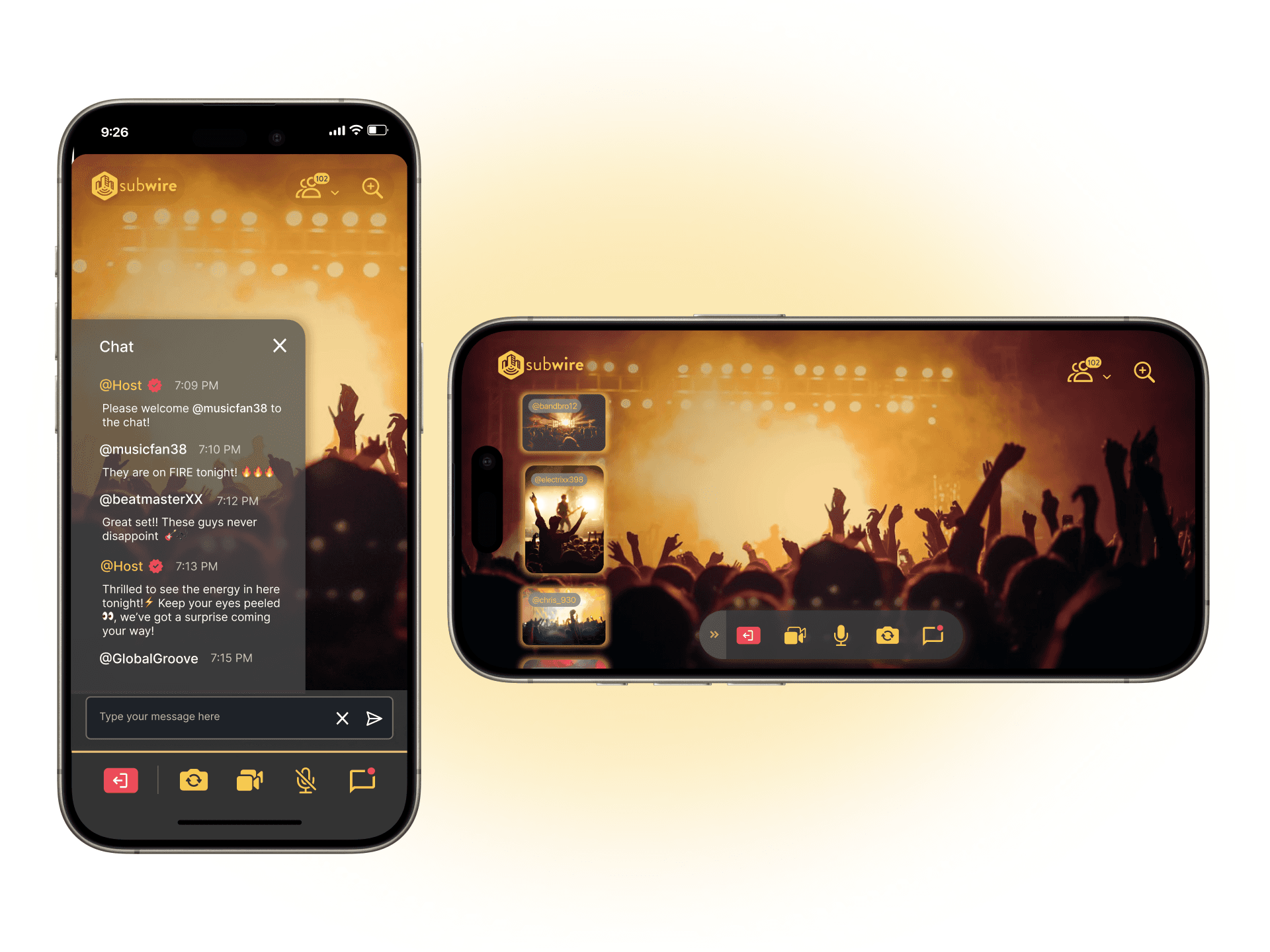
Subwire is a live-streaming platform that brings creators, performers, and fans together to capture and share content from live events. By connecting remote and in-person audiences, it enables multiple perspectives and real-time engagement.
Project Scope
My Role
Team
Tools
Project Overview
I was brought onto Subwire after the initial design phase, and was tasked with enhancing the existing UI over the course of a few months. My primary objectives were twofold:
Design a live interactive chat widget to boost engagement and enable real-time interaction between fans and event hosts.
Refine the mobile video UI so users could view the spotlight camera while browsing other fan perspectives in both portrait and landscape modes.
This involved close collaboration with the development team to implement these improvements, ultimately ensuring a seamless and engaging user experience which has resulted in strong investor and stakeholder interest.
The Solution
Enable users to:
Browse fan-captured camera angles without obstructing the main spotlight view in both portrait and landscape modes.
Interact in real-time via live chat without leaving the spotlight stream.
The Design Process
Understand & Define
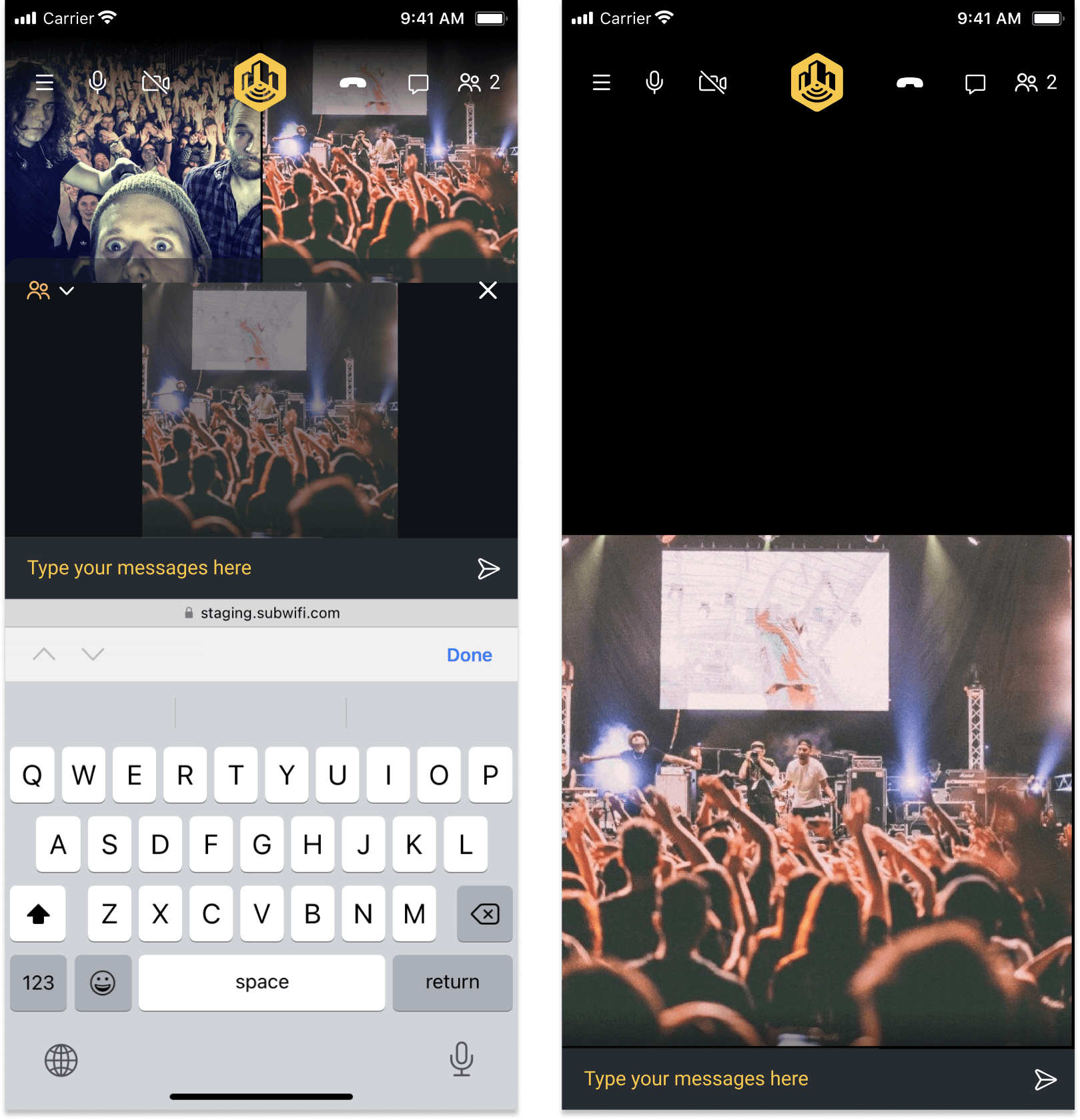
Some of MIke's earlier designs
Empathize
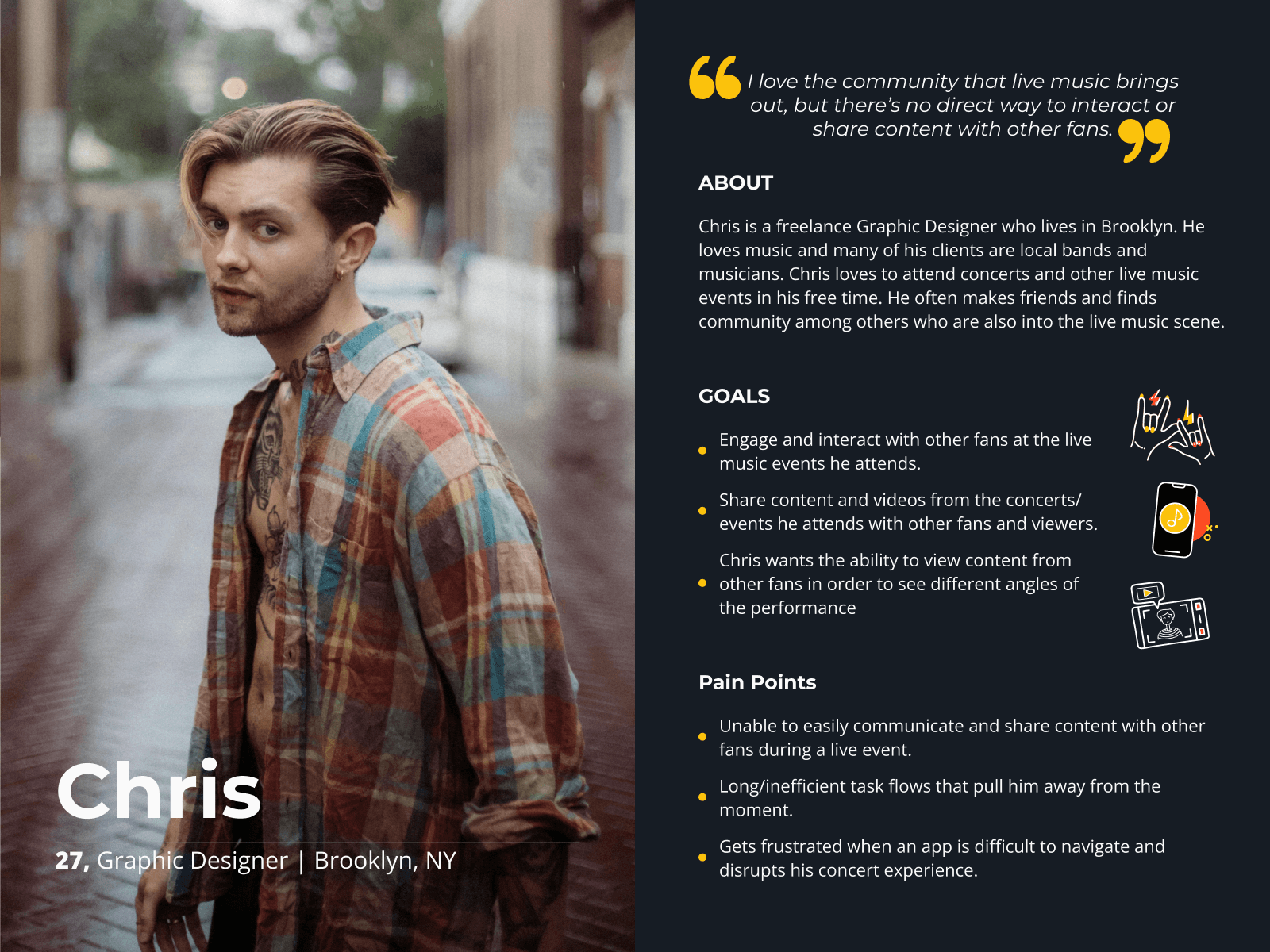
Using existing research and assumptions informed by those findings, I created a proto-persona to better understand the target user's goals and pain points.
Ideate
Challenge 1: Video Layout & Chat
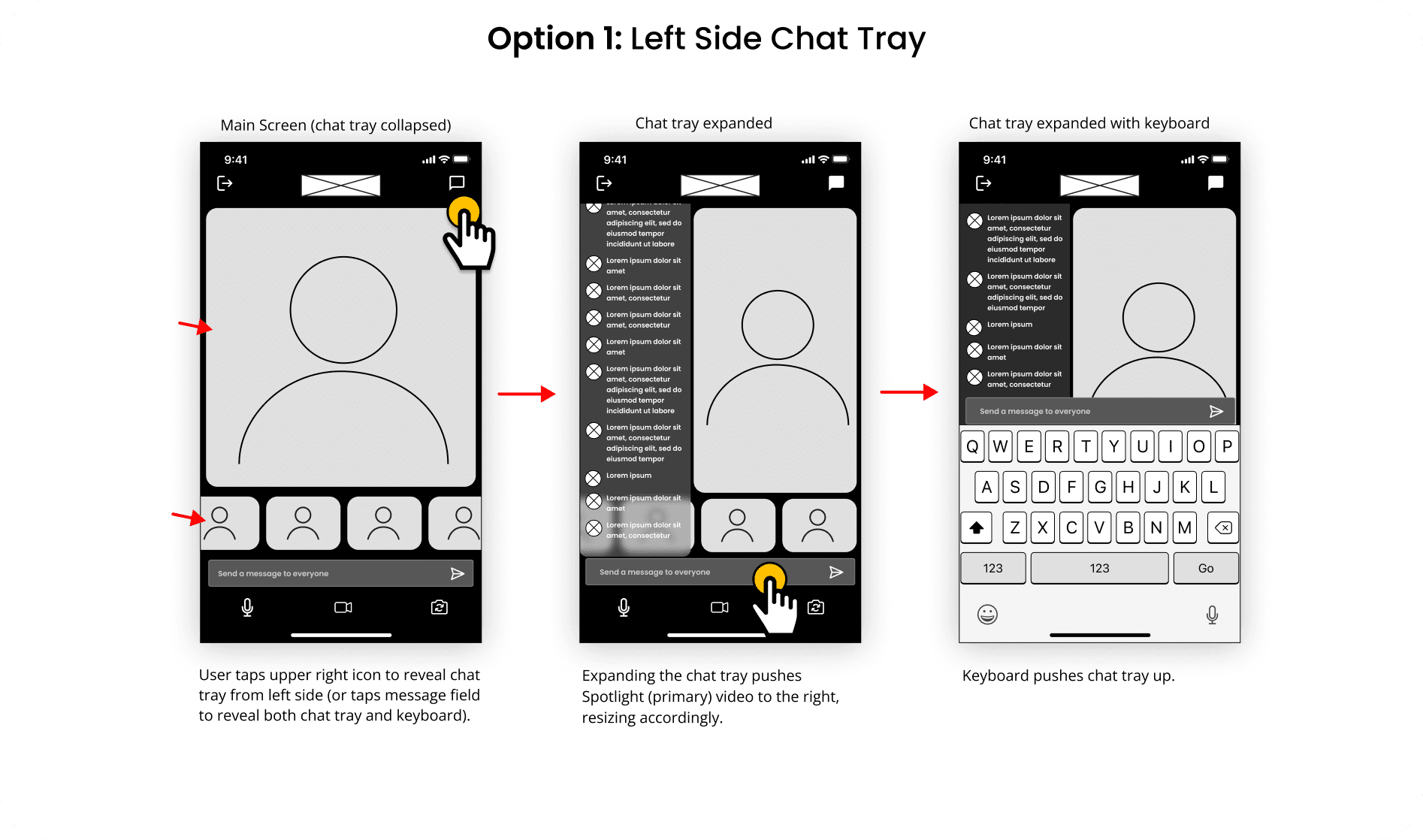
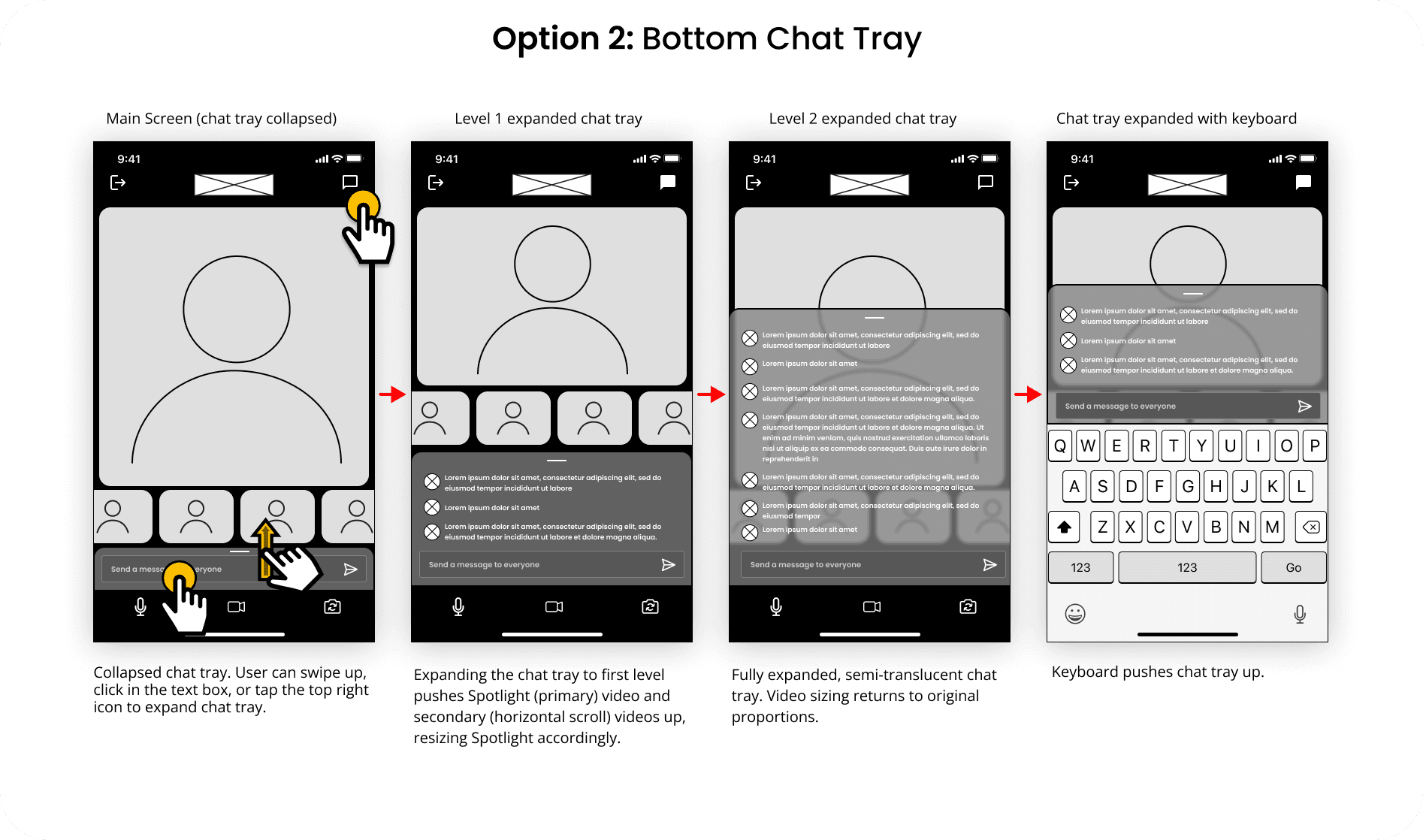
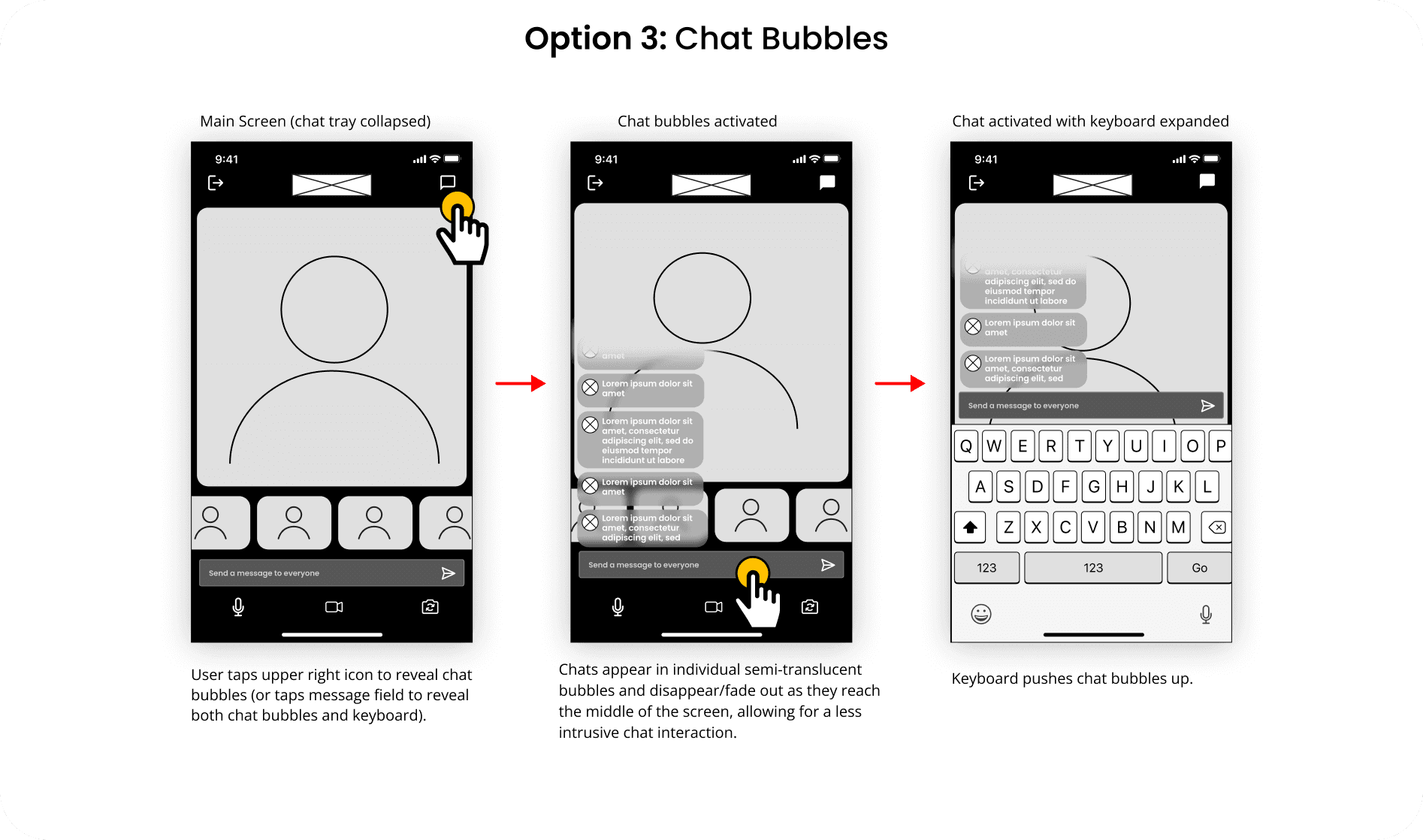
With research insights and a proto-persona in place, I moved to ideation. This phase focused on generating solutions through brainstorming and rapid wireframing of a live chat feature and intuitive video UI. Check out some initial ideas below!
Challenge 2: Navigation & Iconography
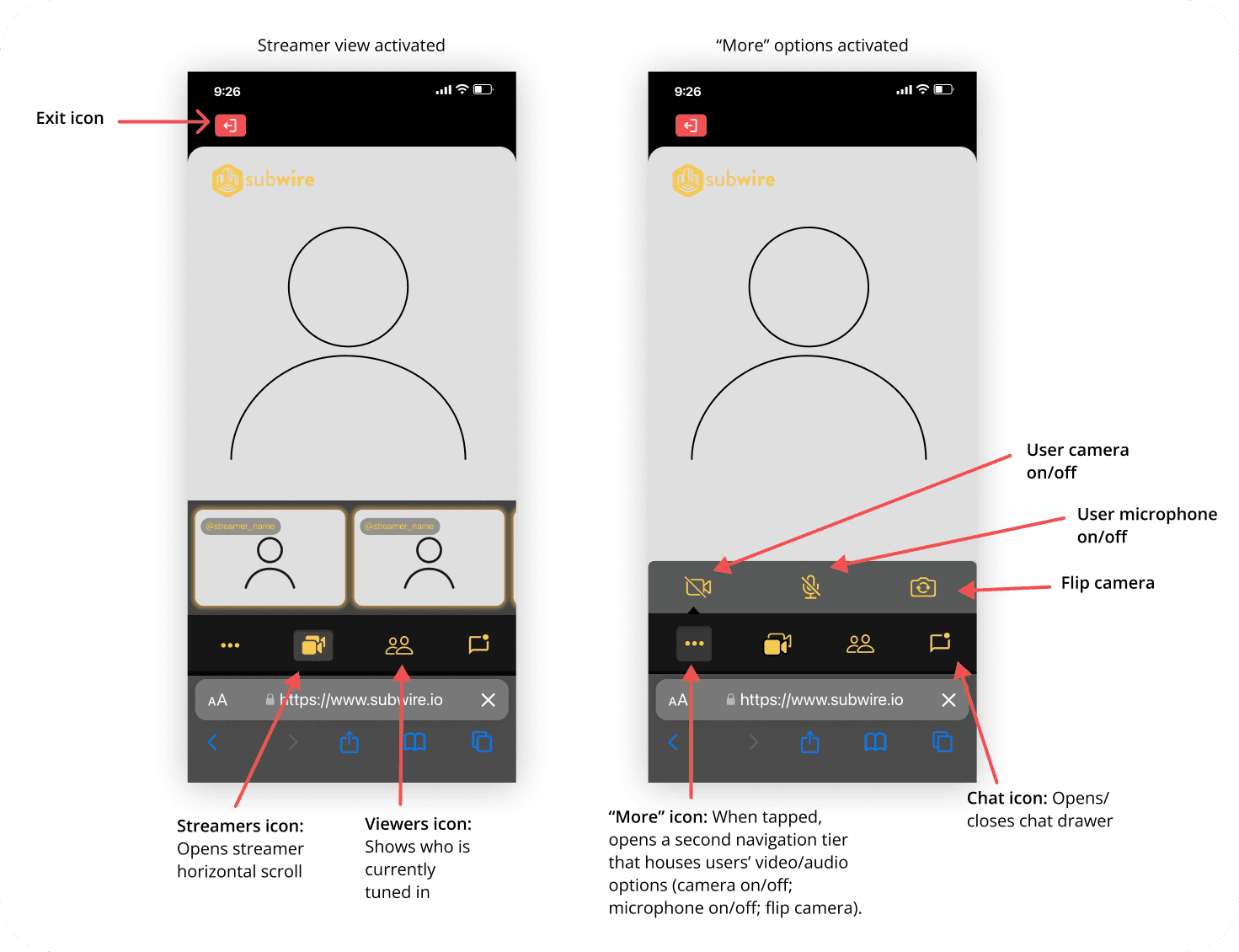
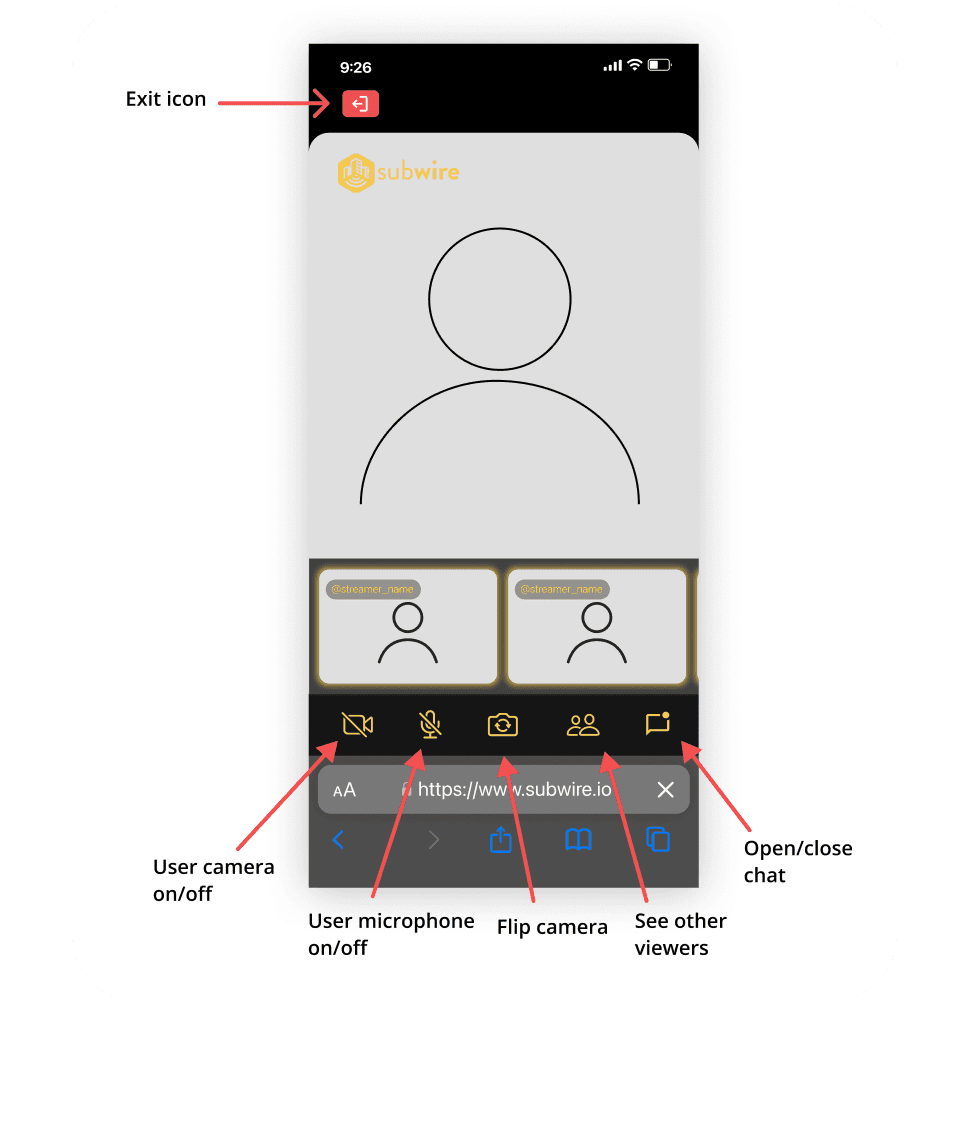
In addition to the layout and chat widget, Mike also wanted to refine navigation and iconography. Because users would inherently face a learning curve with the app's novel concept, it was especially important to reduce cognitive load elsewhere through familiar navigation patterns and recognizable iconography. Below are some navigation and icon iterations:
Design
After reviewing the design options and discussing trade-offs with Mike and the team, we moved to high-fidelity iterations. Below are the refined designs, including what we kept, what changed, and why.
Video Layout
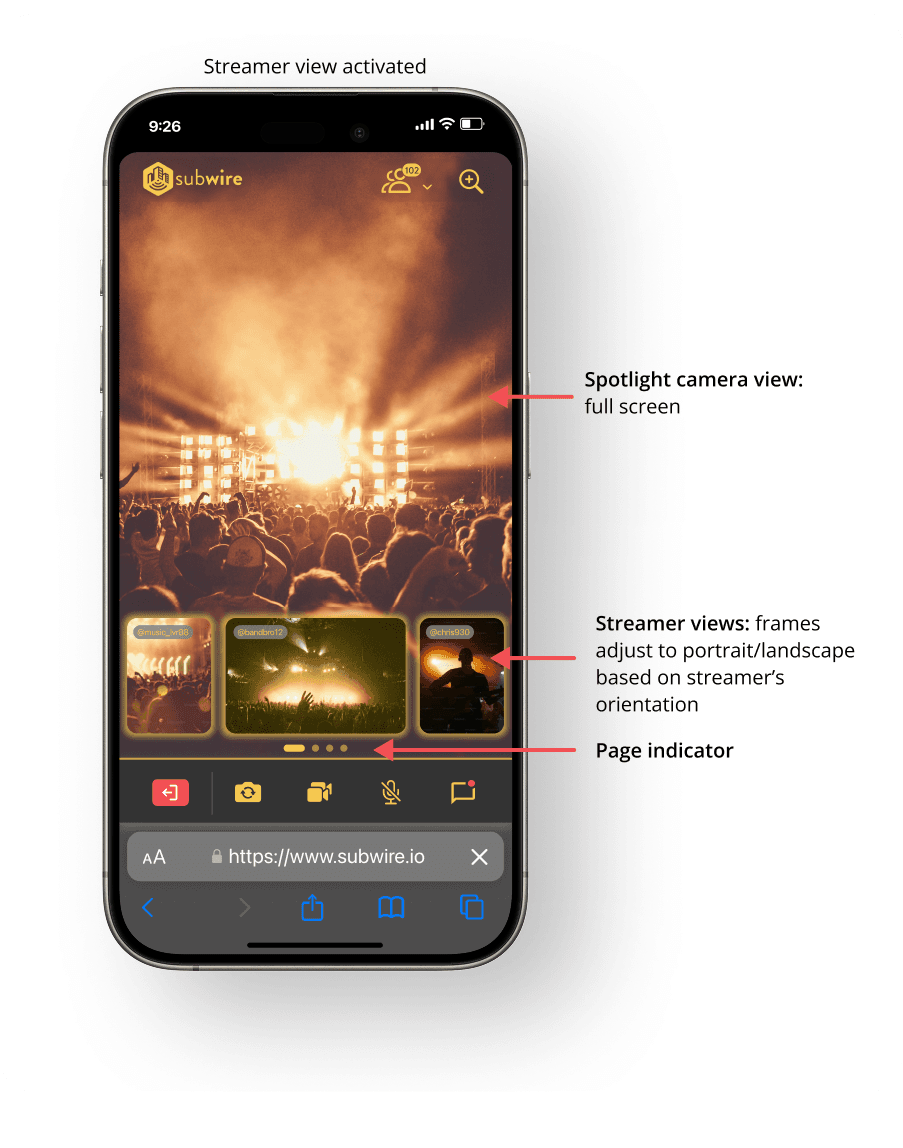
For the video layout, we kept the Spotlight full-screen to maximize viewing area while displaying secondary viewer streams in a horizontal scroll at the bottom. Each streamer's frame adjusts to portrait or landscape accordingly.
Chat Drawer
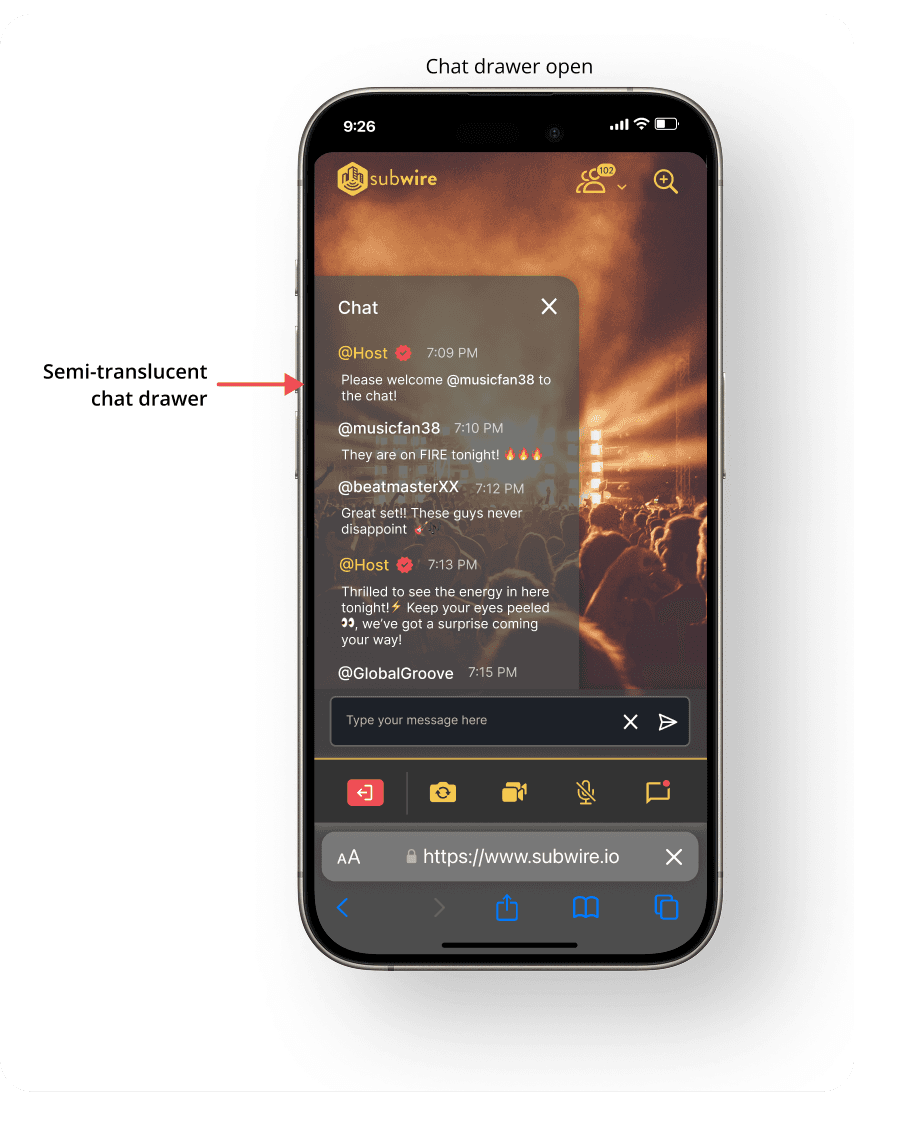
While Option 3 (individual chat bubbles) was preferred, we combined Options 1 and 3 due to development constraints. The final iteration features a semi-translucent chat drawer on the left that extends partway up the screen.
Navigation & Iconography
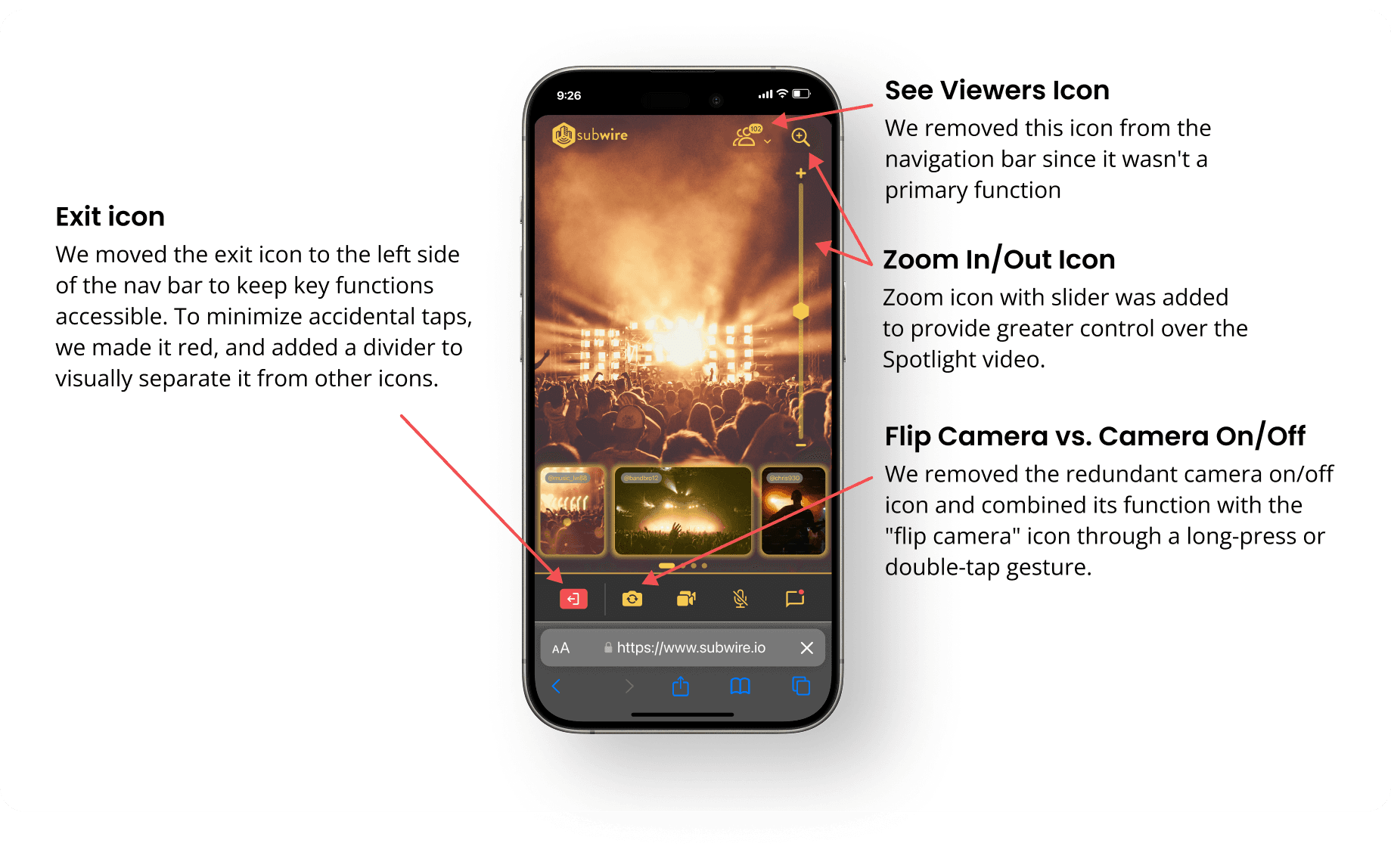
Based on team discussions about feature importance, we repositioned icons and refined which functions to include.
Translating to Landscape
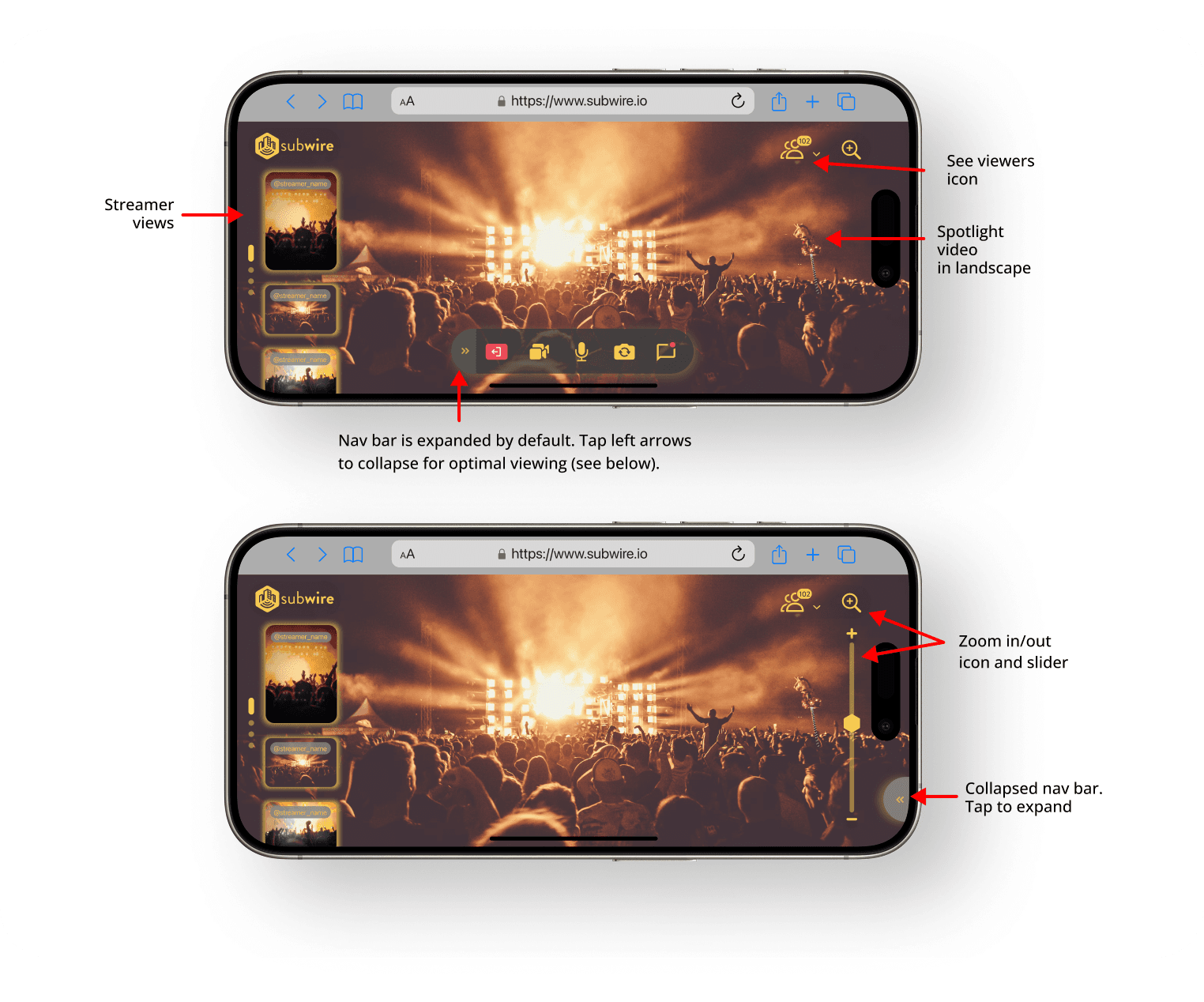
With the more restrictive portrait mode established, I could now build out the landscape interface, which would be the optimal viewing experience for users given the wider screen space. Take a look at the landscape adaptations below:
Future Directions
While my work with Subwire continues, this case study represents the initial design phase and groundwork for future iterations. The primary goal was to enhance two key features to increase user engagement and differentiate Subwire from other live streaming platforms. However, more work remains before finalizing these designs. Below are the prioritized next steps:
Refine & Prototype
Refine initial concepts based on feedback and ensure brand alignment. Build out landscape versions of portrait-mode features (like the chat drawer) and create high-fidelity prototypes. Polish visual elements including typography, color, and UI components.
User Testing
Conduct comprehensive testing to validate designs with real users. Since designs were based on assumptions from earlier research, testing will focus on language clarity, flow efficiency, and navigation intuitiveness to identify improvement areas.
Iterate
Analyze feedback and adjust designs to improve functionality, usability, and clarity. This may involve refining navigation flows, adjusting visual elements, or adding features based on user suggestions before building remaining features.
Conclusions
This case study captures the initial work on enhancing Subwire's user experience. By refining two key features, we've laid the groundwork to boost engagement and set Subwire apart in the live streaming space. Through user-centered design and prototyping, we've built a solid foundation for what will come next. Moving forward, the focus will be on validating our assumptions through user testing and making sure the final product delivers on usability and user satisfaction. Working on Subwire has reinforced how essential it is to balance user needs with business goals, adapt quickly in a startup environment, and stay flexible as designs evolve through collaboration and feedback.
Thank you!
Want to