Mentr
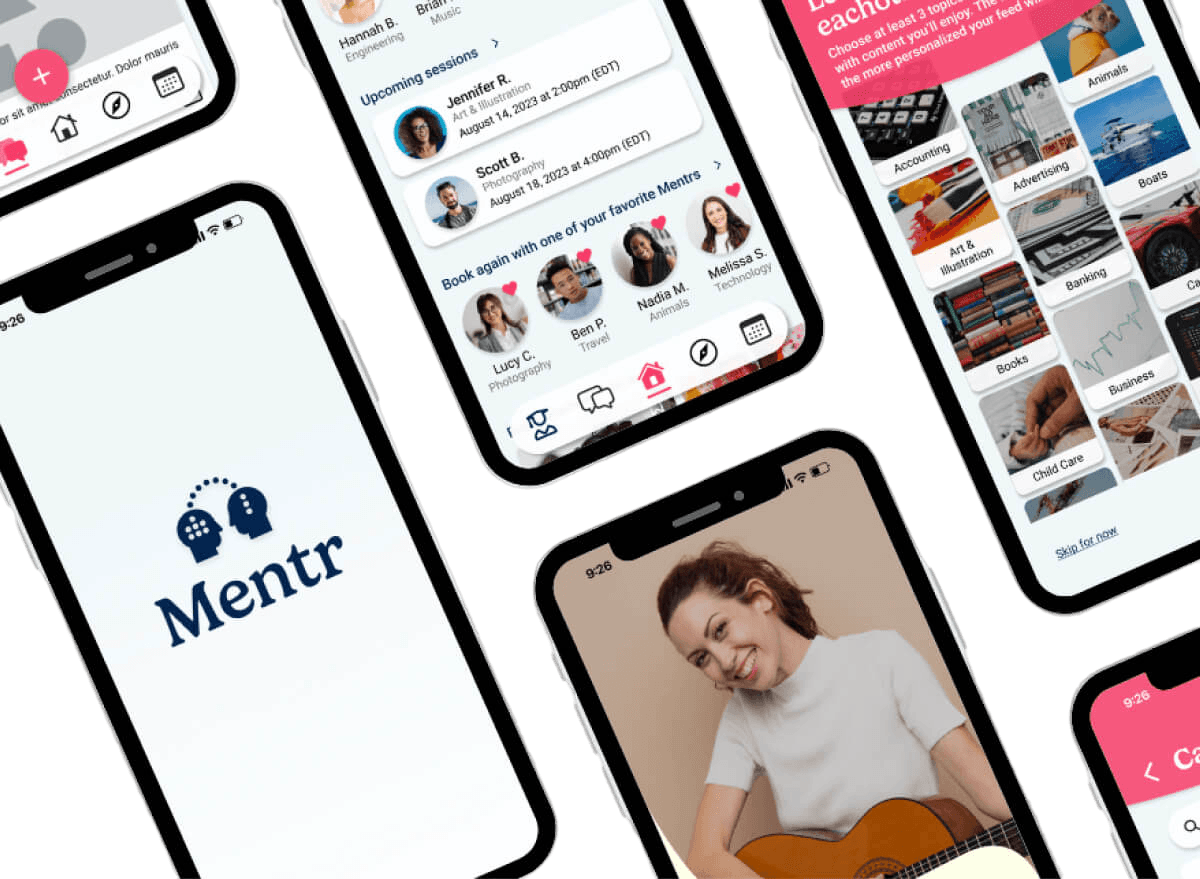
Mentr is an app that connects users to trusted experts around the world, around the clock.
Project Scope
My Role
Team
Tools
Project Overview
As the main focus of my comprehensive UX Immersion bootcamp, Mentr is an app that aims to revolutionize learning by connecting users with experts across diverse fields, offering real-time insights and trusted advice.
Context
In our current digital age, information is always at our fingertips. However, discerning what's credible and what's not is a continuously evolving challenge for users amidst the ever-growing mountain of data and information.
The Solution
We will know this to be true when users come to Mentr to seek out answers to questions across a variety of topics and consistently return to the app to seek advice about subjects beyond their scope of knowledge.
The Design Process
Understand & Define
User Research
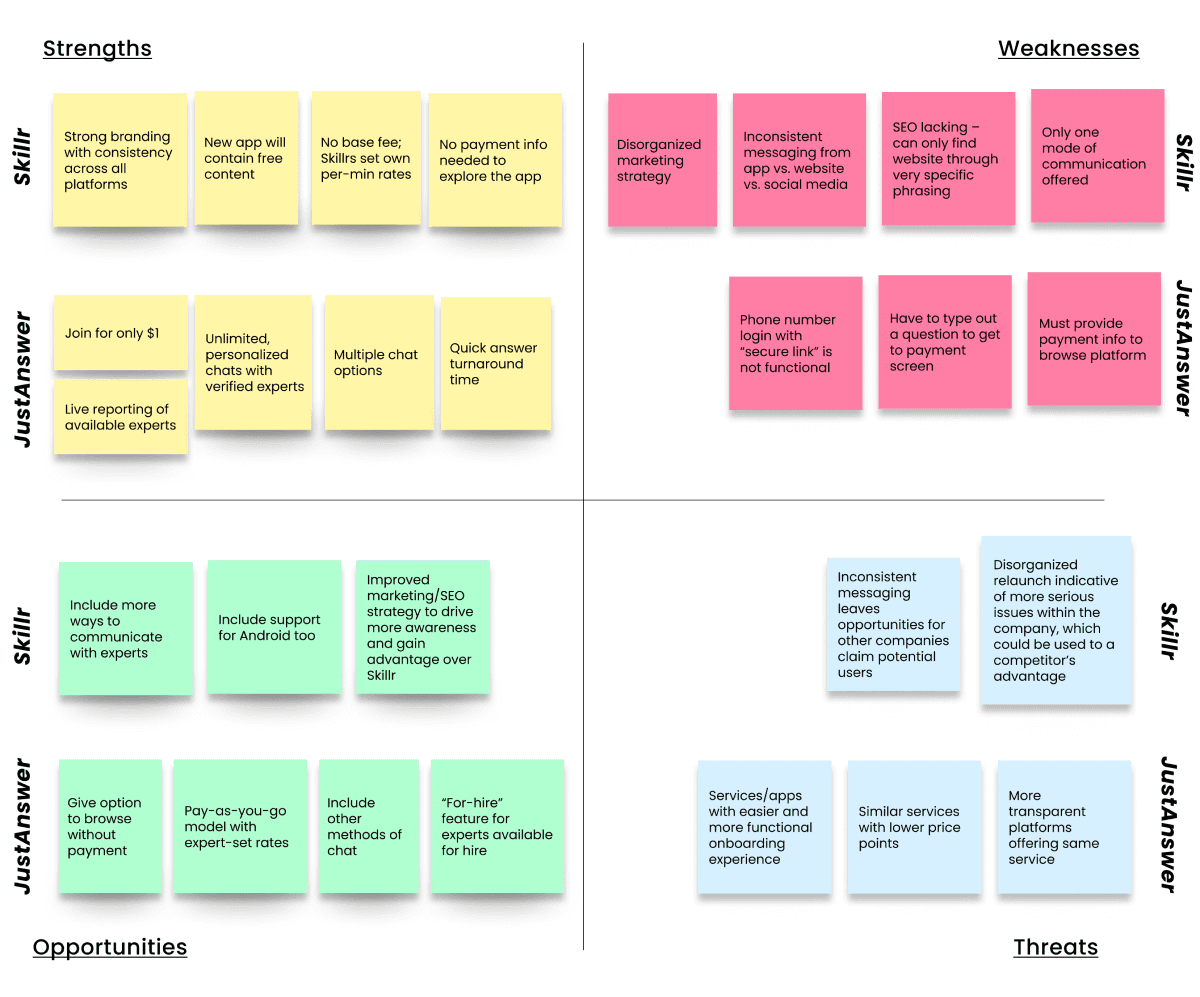
After analyzing the competition, I focused on understanding my audience. I conducted surveys and interviews with potential users to create personas that would guide my design decisions.
Research Goals
1. Determine confidence
Determine how confident users are in finding trustworthy and credible information with the current tools available.
2. Define "expertise"
Understand how users define "expertise," and criteria needed to trust a source.
3. Understand context
Understand the context of use.
Determine the most useful vs. least useful features.
User Interviews
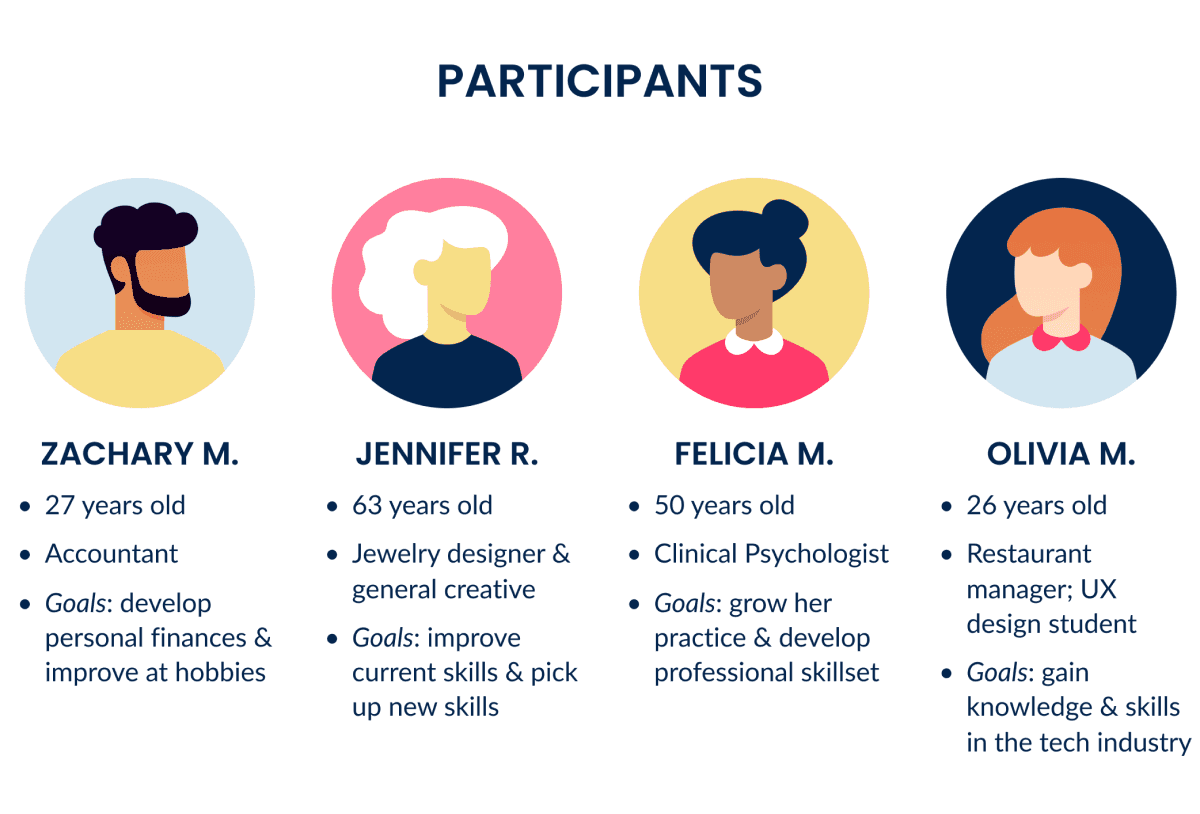
I then conducted more in-depth user interviews with 4 participants to gain additional insight into what I had learned from my survey.
Interviews consisted of 10 questions and spanned about 20-30 minutes each.
Results were aggregated, organized, and analyzed to make sense of the findings.
Analyzing the Data
Through affinity mapping, I sorted through my data points, looking for common themes, pain points, and feelings from which I drew the following key insights:
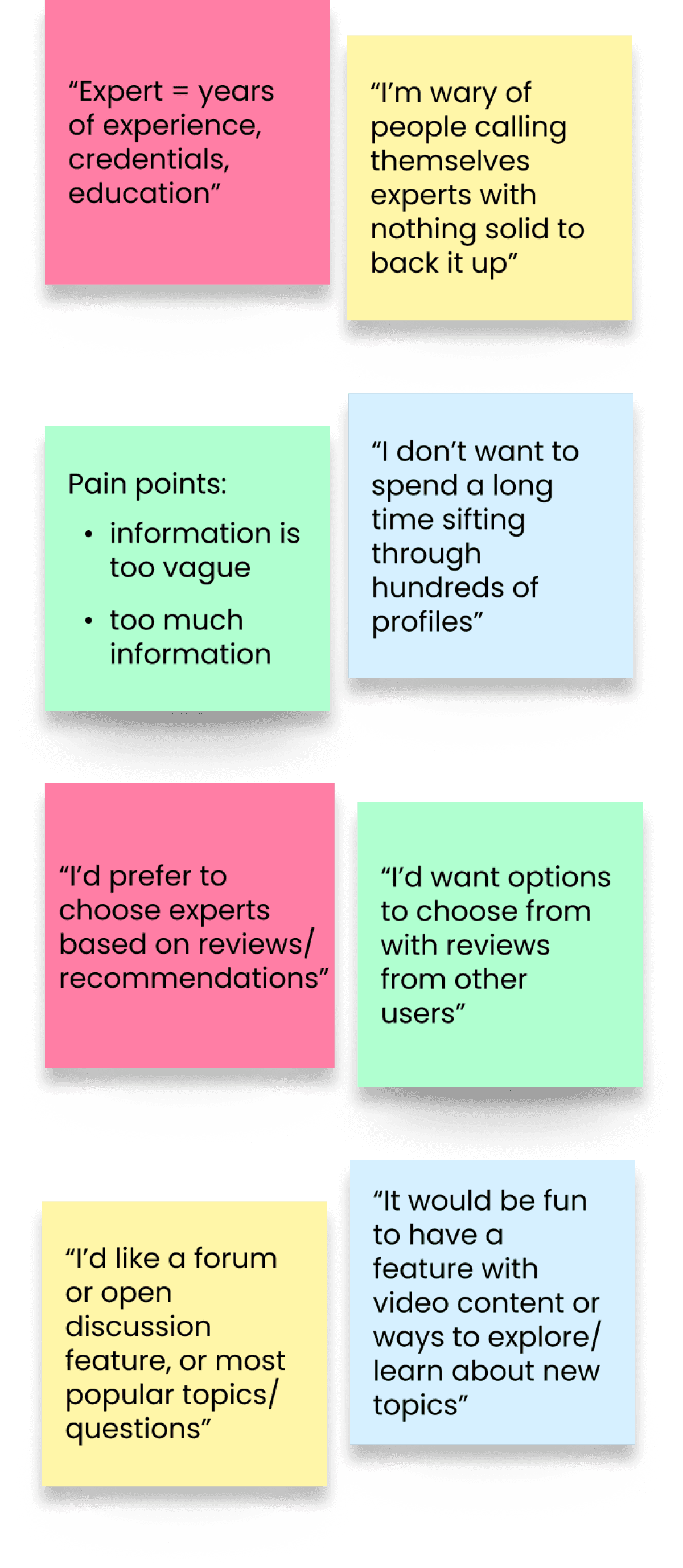
For a closer look at my affinity map, click here!
Empathizing with the User
User Persona
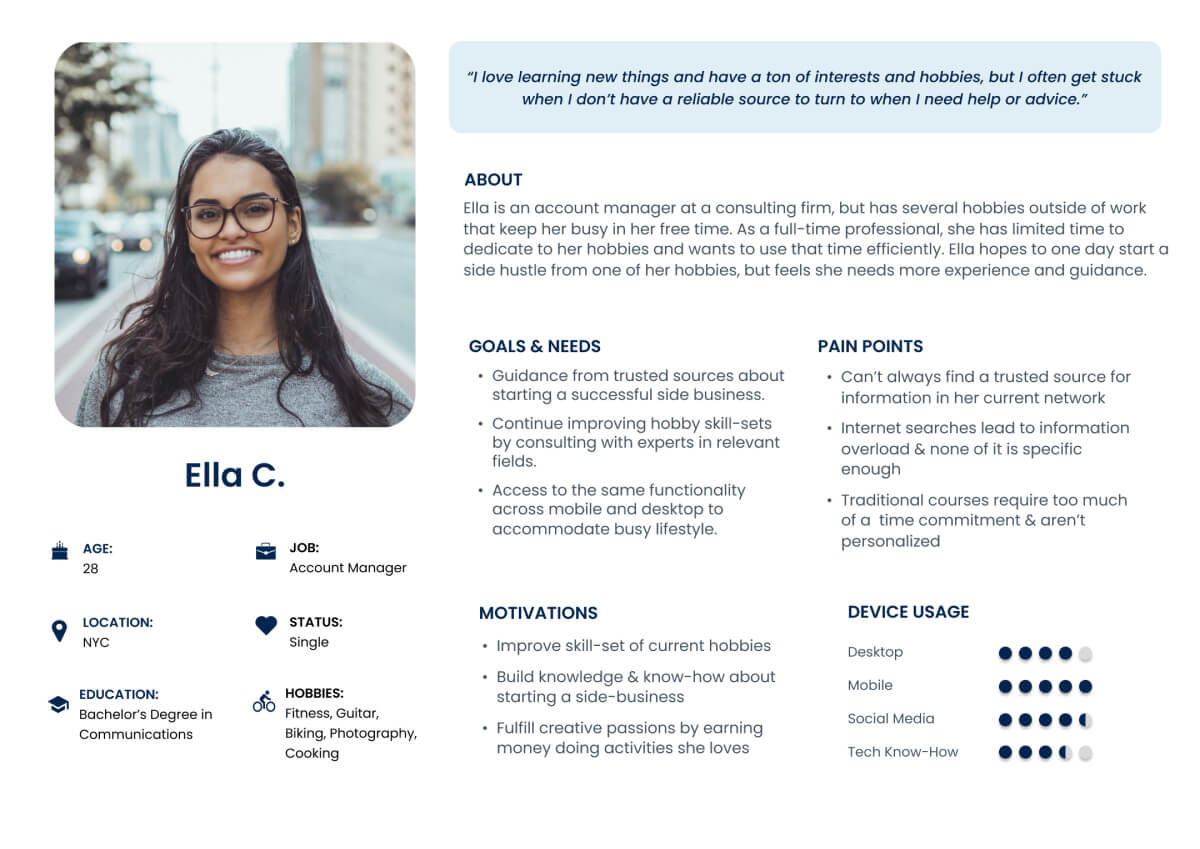
I used my research insights to help shape my user persona, Ella, who represents my target user's goals, needs, and behaviors.
Ideation
User Journey
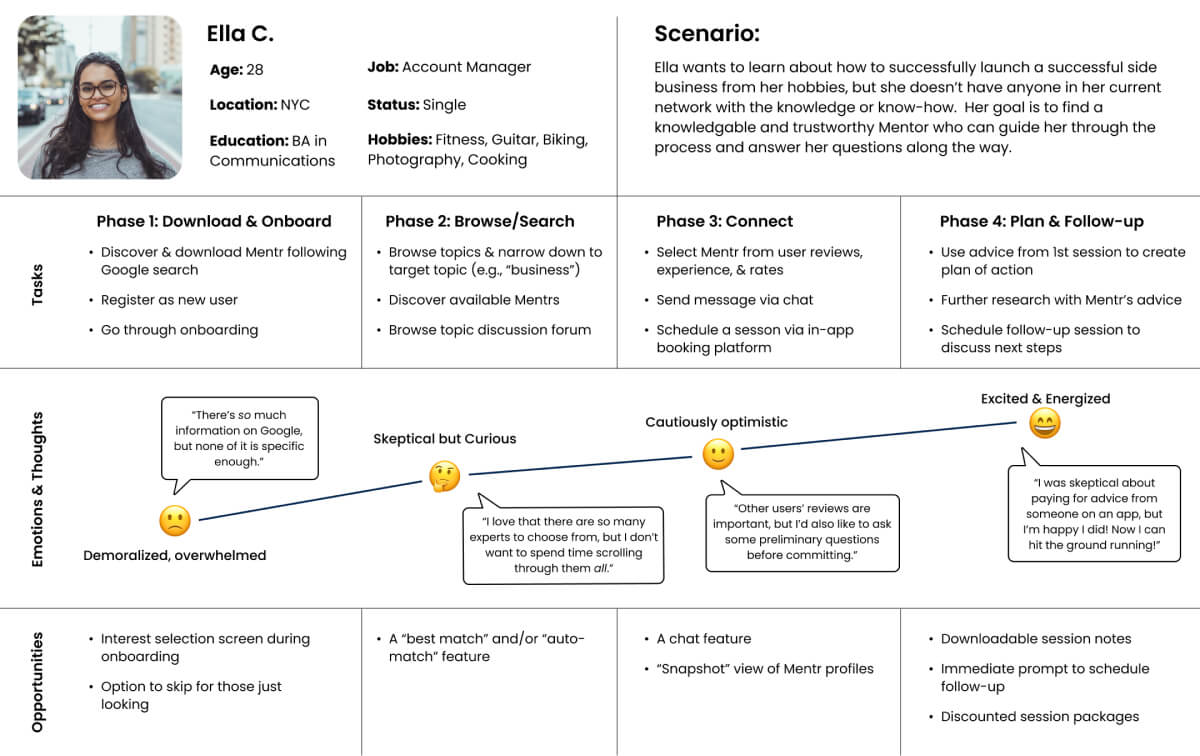
Using what I knew about Ella's goals, pain points, and motivations, I created a user journey map to better visualize the process of how she would accomplish her goals using the Mentr app.
User Flows
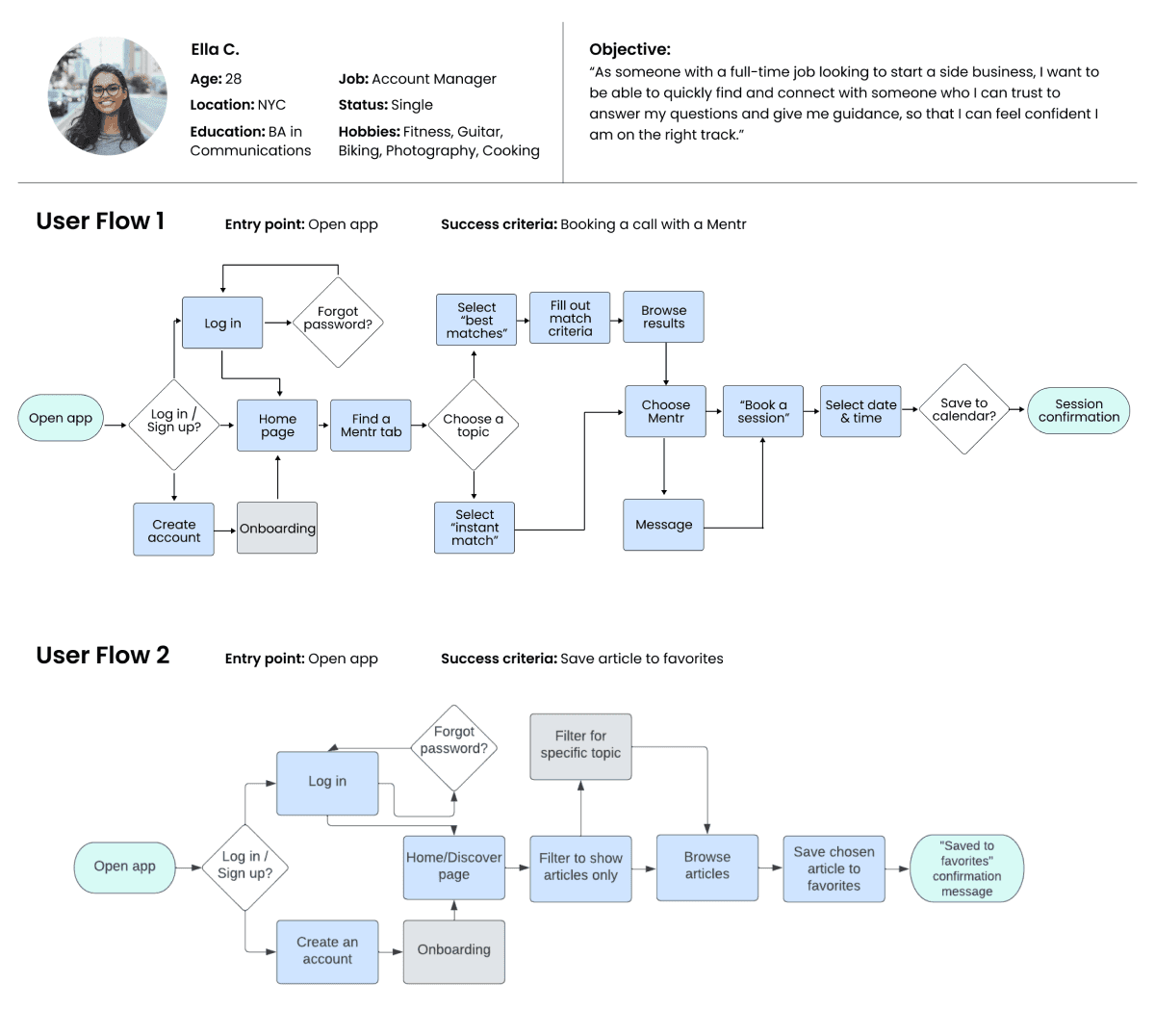
After mapping Ella's journey, I created user flows to visualize how she'd complete key tasks within the app. This helped me streamline each flow and remove unnecessary obstacles before moving into design.
Initial Sitemap & Card Sorting
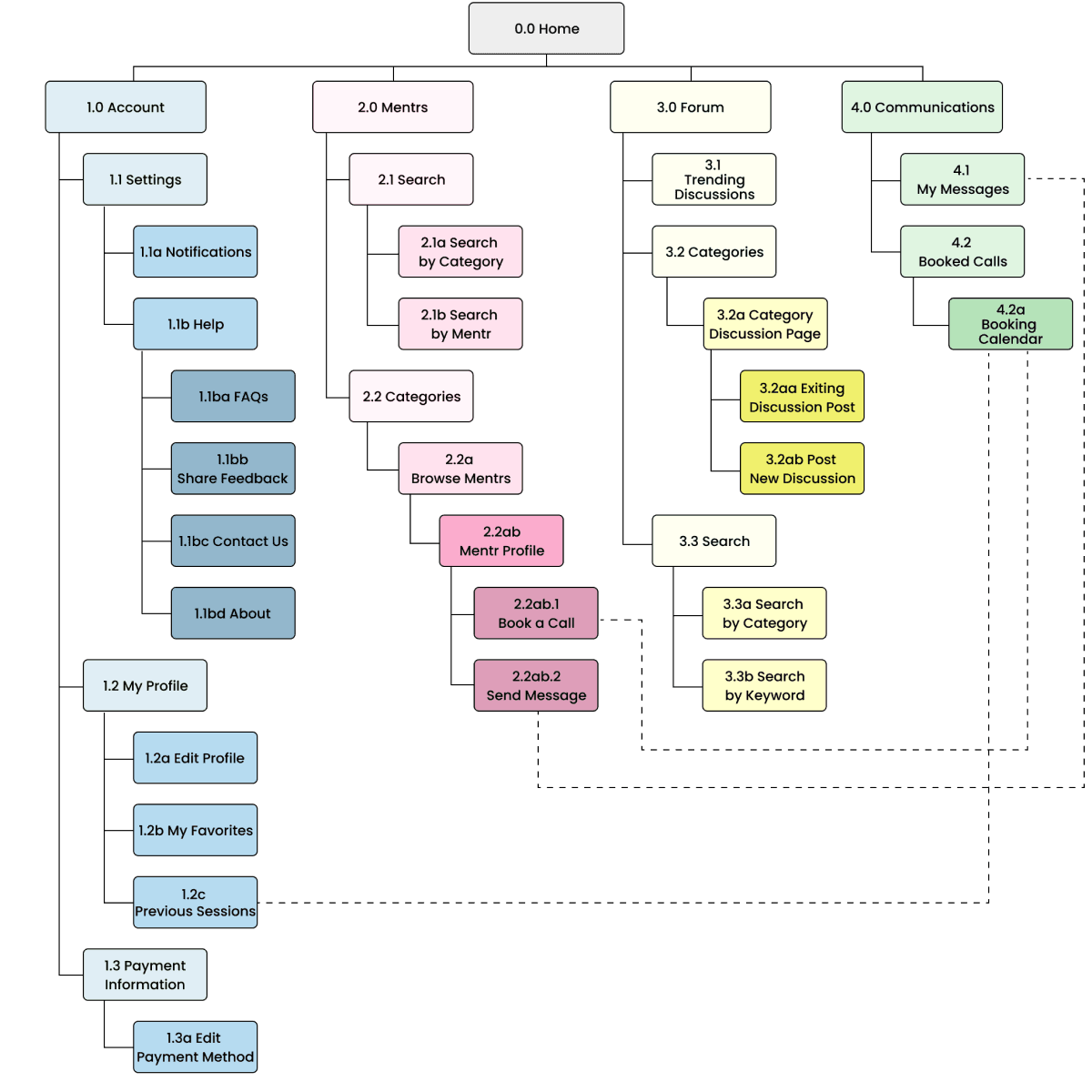
Using my flows, I created a sitemap with 4 main categories.To validate this structure, I ran an open card sort with 6 participants who grouped 28 cards into categories that made sense to them.
Findings
The card sort revealed that participants created 37 categories total, with a median of 5 categories each:
50% created 5 categories
17% created 6 categories
17% created 7 categories
17% created 9 categories
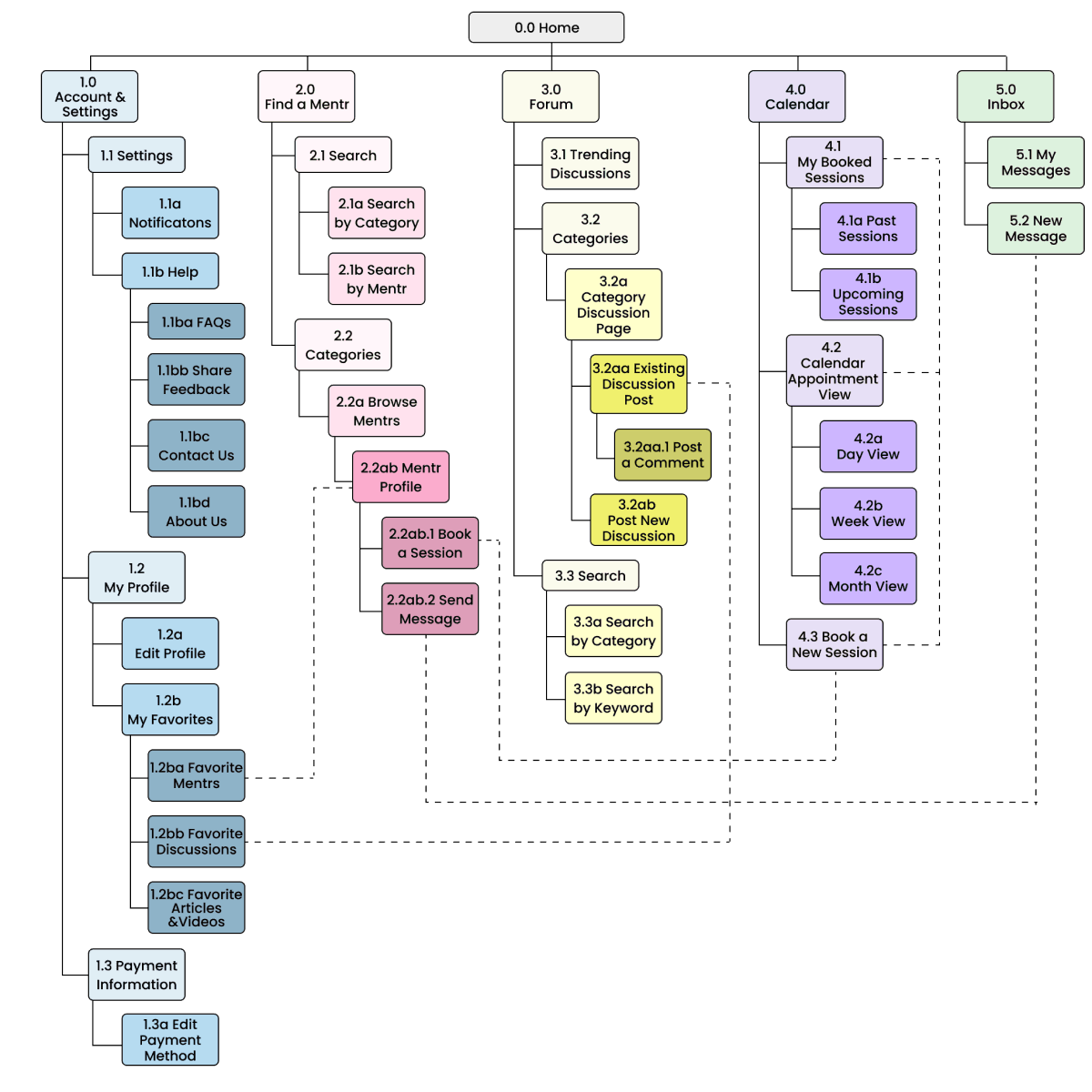
This revealed to me that users expected at least 5 main categories, rather than the 4 I'd initially planned. I updated the sitemap to reflect this.
Click here to read about my card sort in more detail.
Revised Sitemap
In addition to increasing my categories from 4 to 5, the card sort also informed smaller revisions: renaming "Mentrs" to "Find a Mentr," expanding "My Favorites," and moving "Past Sessions" to the Calendar section.
Wireframing & Prototyping
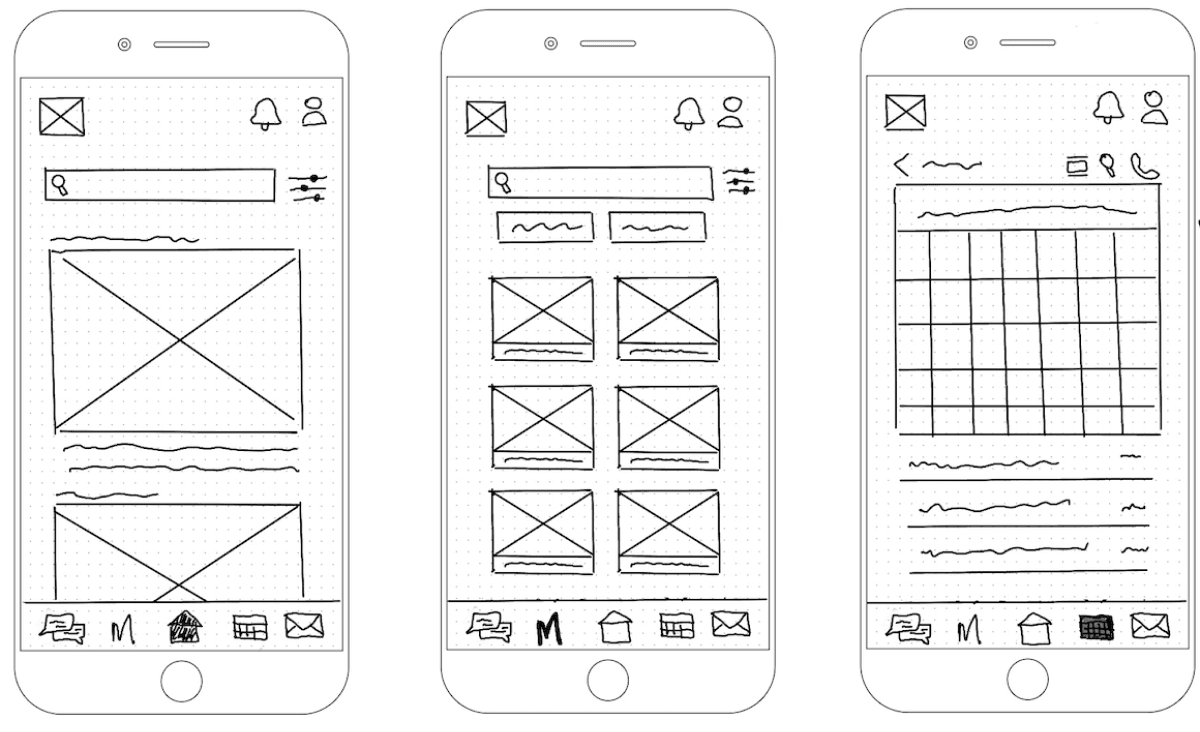
Low-Fidelity Wireframes
With the structure in place, I sketched low-fidelity wireframes to quickly explore ideas. I kept details minimal at this stage to focus on the big picture. Below are early sketches of the Dashboard, Find a Mentr page, and Calendar.
Mid-Fidelity Wireframes & Prototype
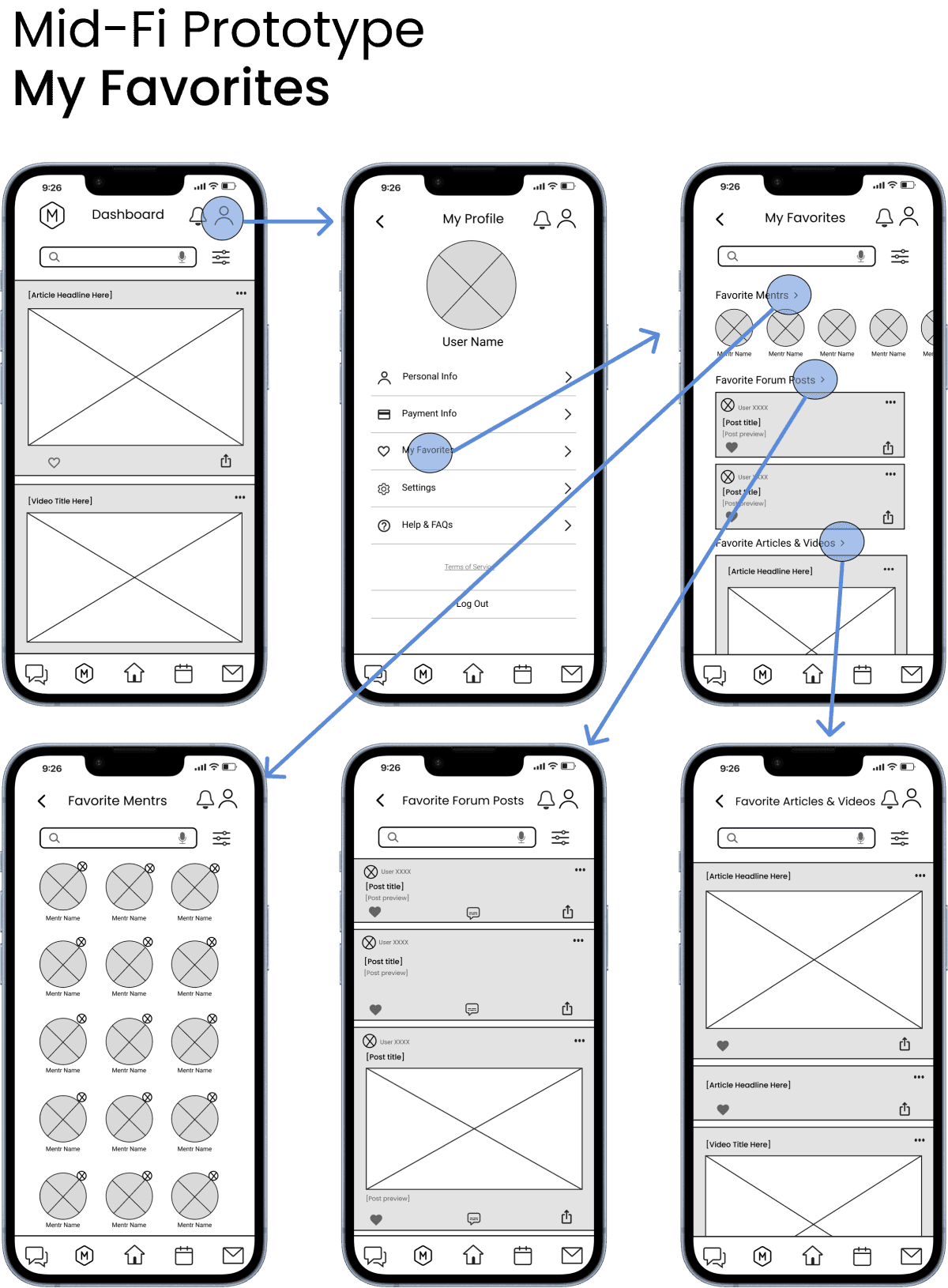
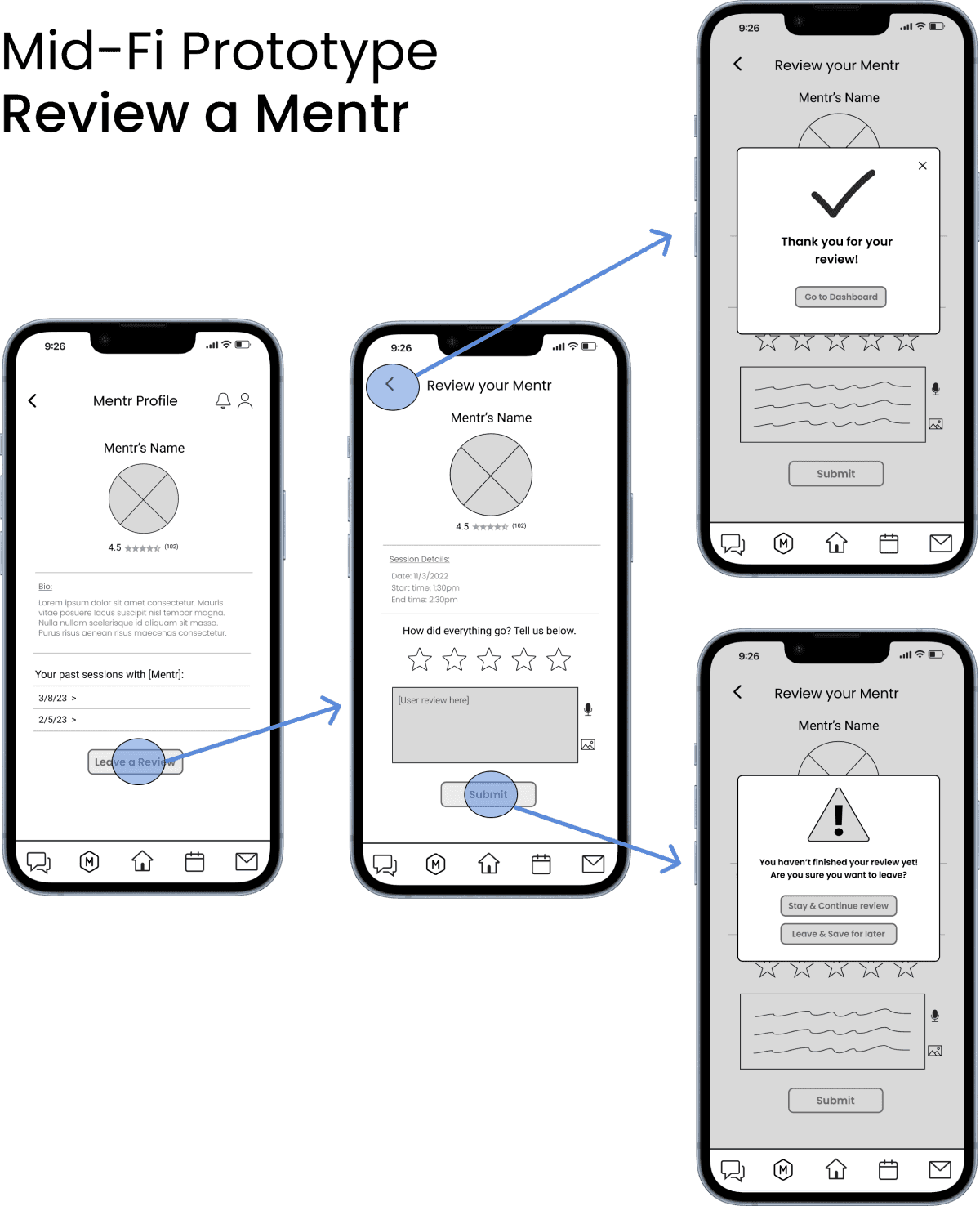
After selecting the strongest concepts, I translated the sketches into a mid-fidelity Figma prototype, focusing on 3 features: Favorites, Review a Mentr, and the Discussion Forum. Check out the gallery below!
Testing & Iterating
Usability Testing
With the initial clickable prototype ready, I began user testing with two goals:
Assess how easily users navigate and understand Mentr's core functions
Identify pain points and improvement opportunities
Testing Details
I conducted moderated remote sessions via Google Meets with 6 participants from Mentr's target audience. Each session included a brief introduction, usability test tasks, and a debrief, with recordings made with participant consent.
Findings: Issues & Solutions
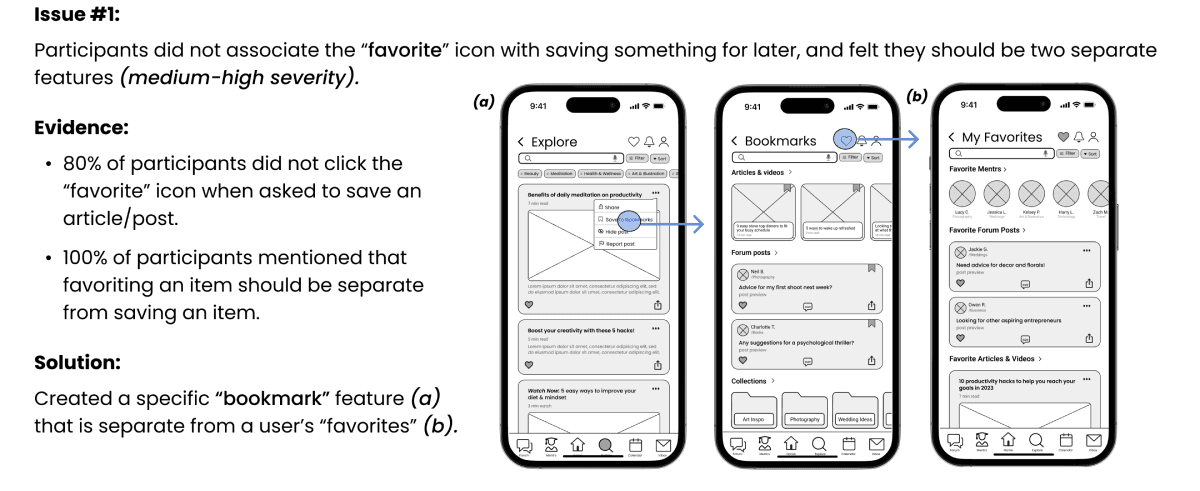
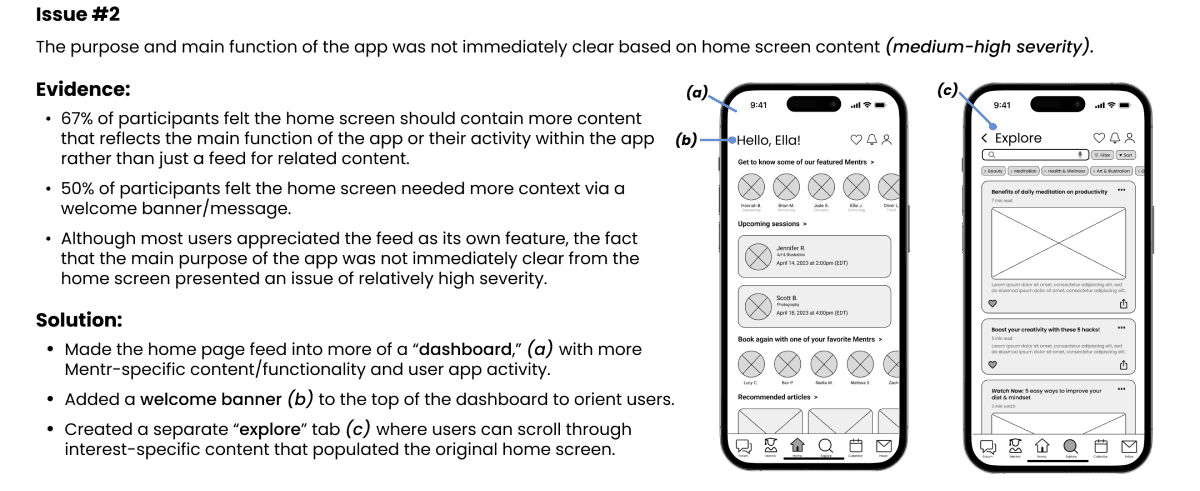
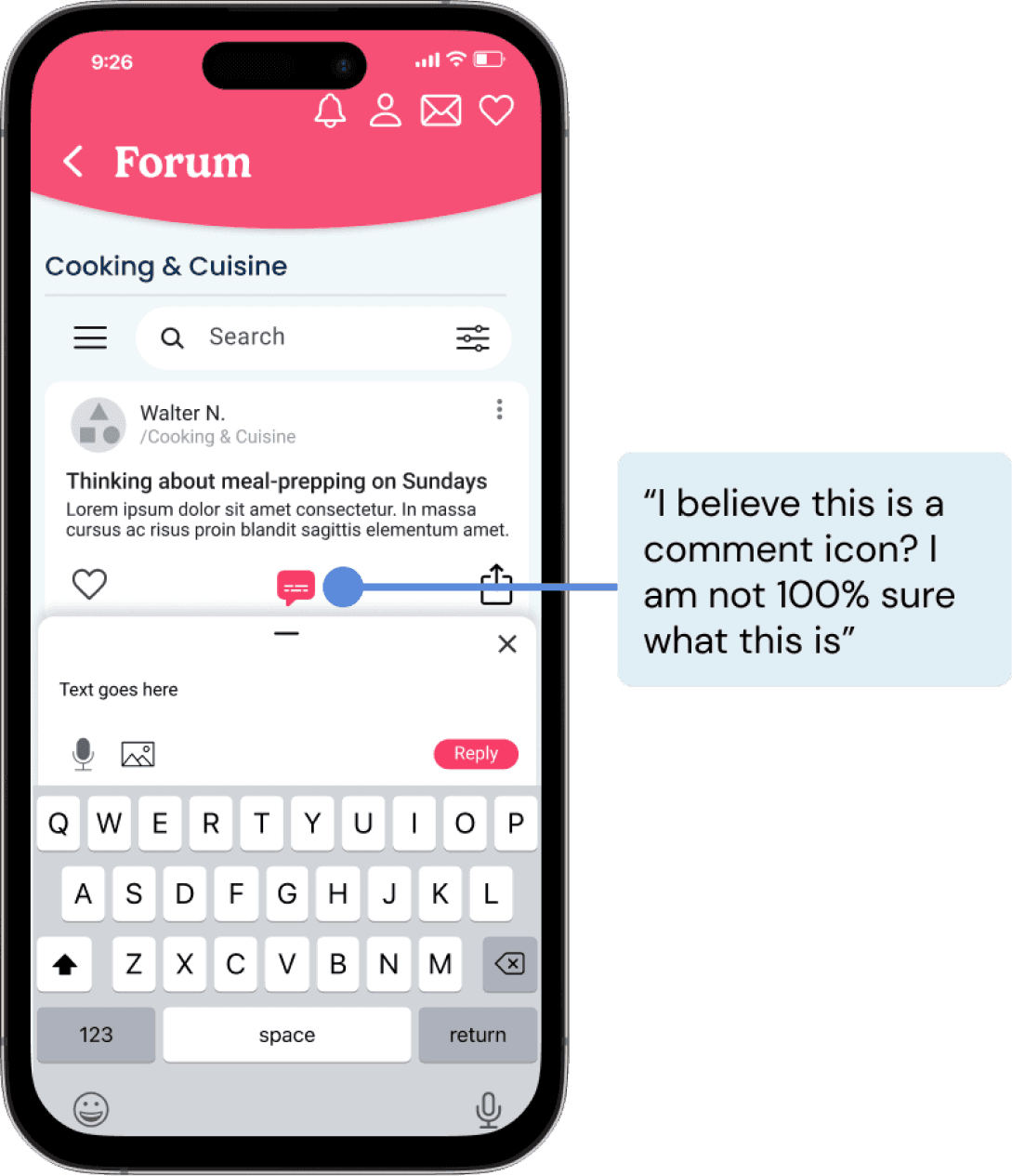
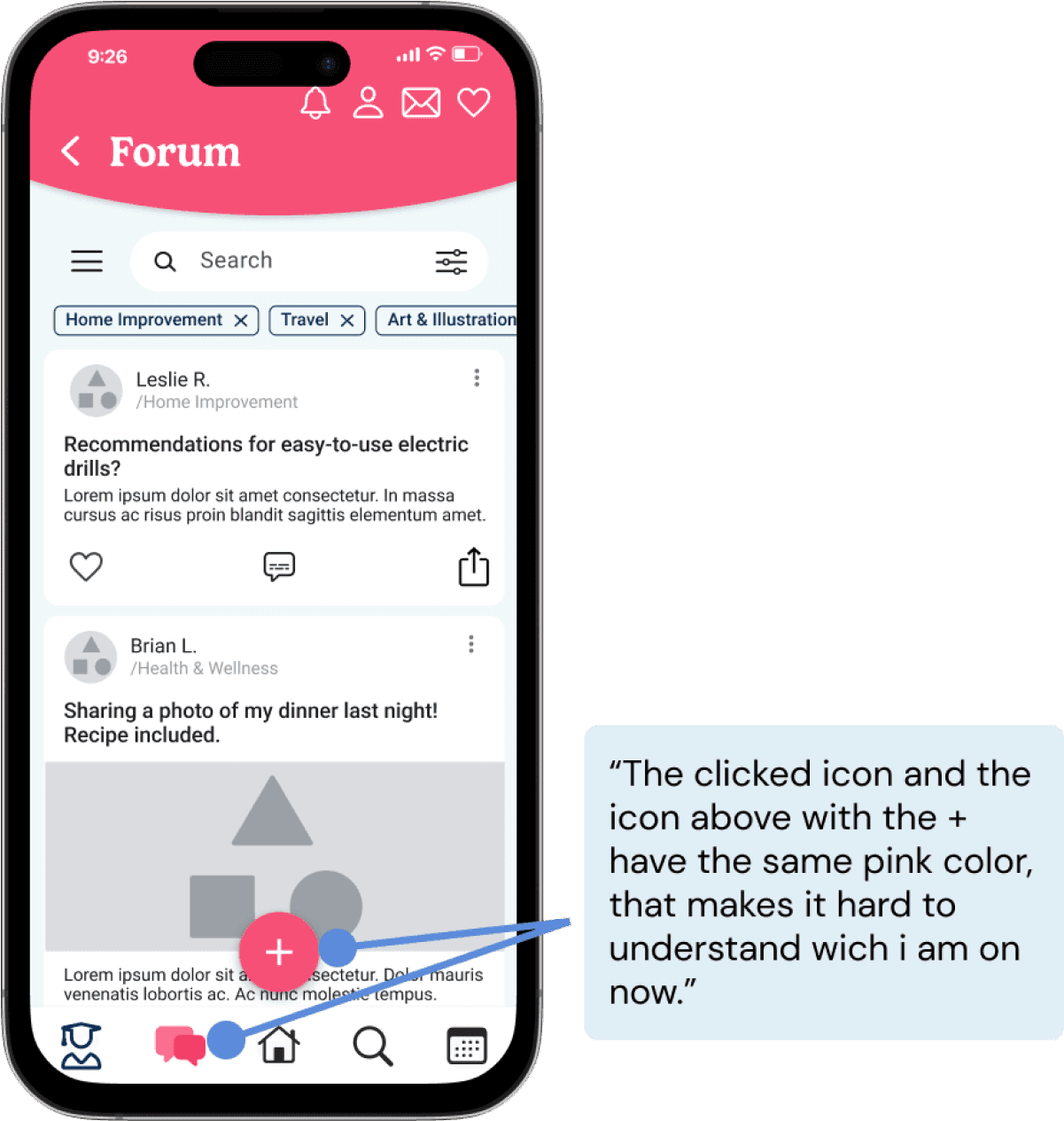
Through affinity mapping and rainbow spreadsheet analysis, I identified necessary changes to information architecture and minor refinements to iconography and terminology. Below are the 2 highest-priority issues and solutions.
UI & Visual Design
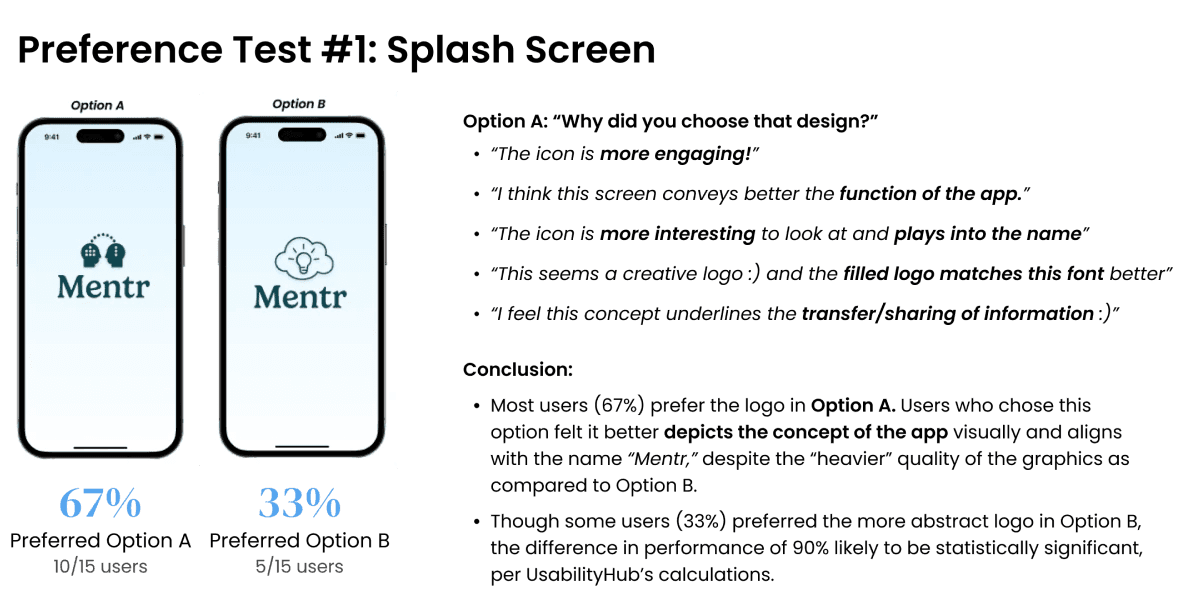
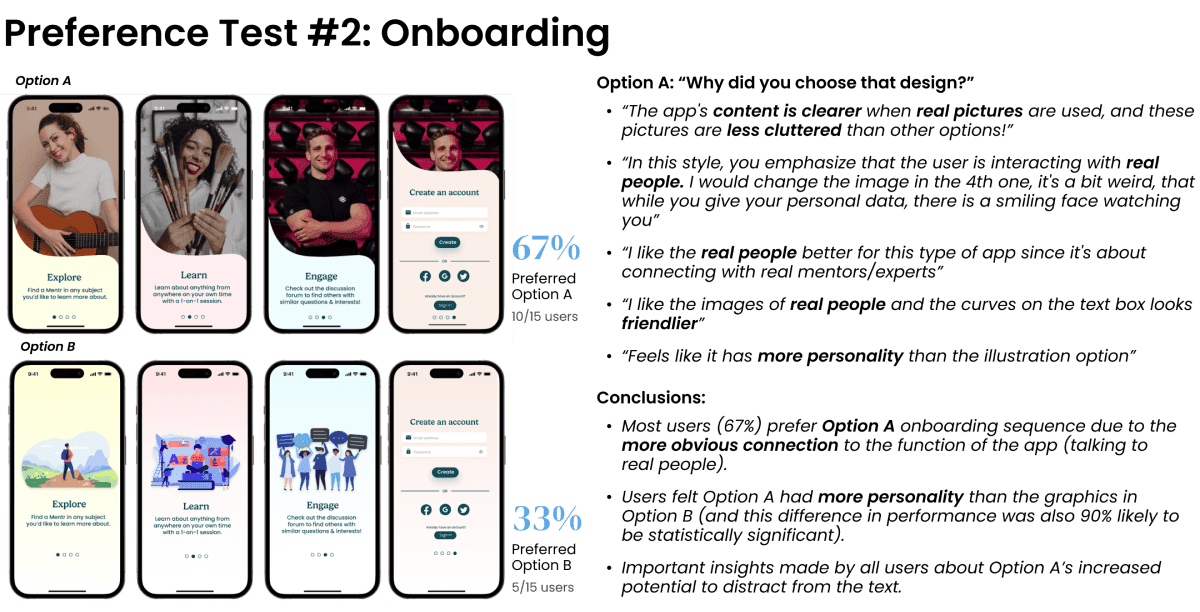
With usability issues addressed, I moved to high-fidelity design. I ran preference tests to establish the visual direction and avoid potential redesigns down the line.
Developing a Design Language System
With preference test results in hand, I had a solid foundation for designing the remaining high-fidelity screens. I developed a color palette based on emotional design principles, refined UI elements using established design system guidelines (like Material Design), and created a design language that evolved throughout the process.
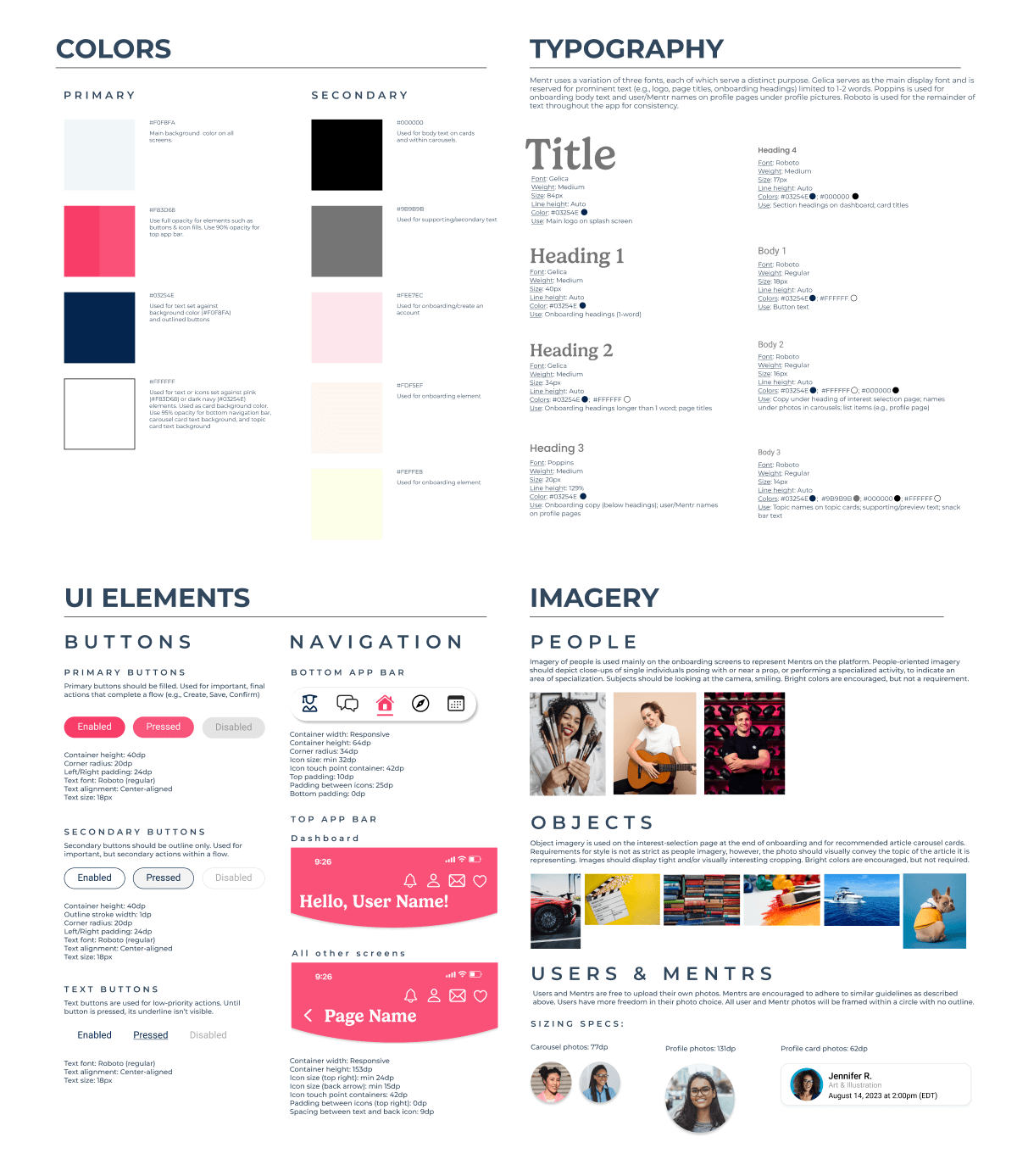
Check out the full design system below!
High-Fidelity Prototype & Collaboration
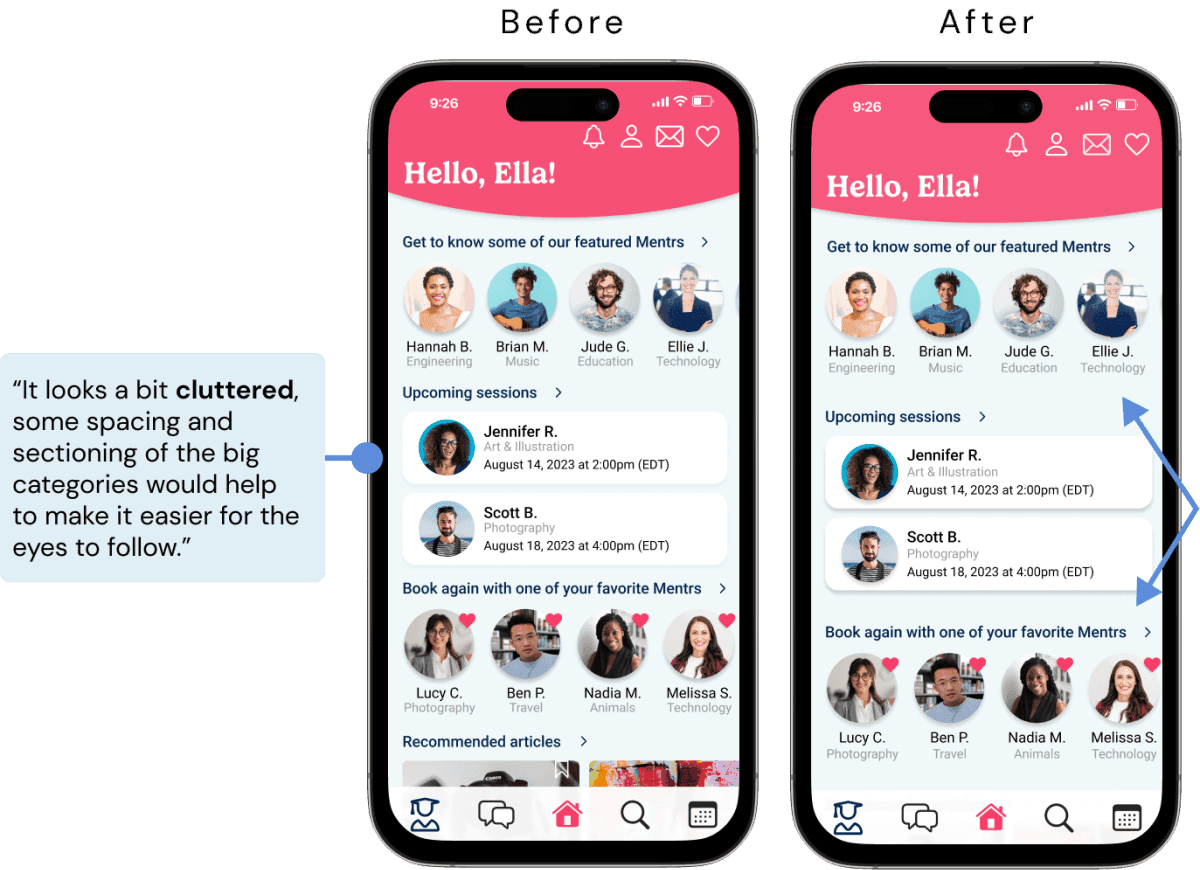
As my designs evolved, I sought feedback from other perspectives. I shared my work with 5 UX design students via Slack, exchanging critiques on each other's projects.
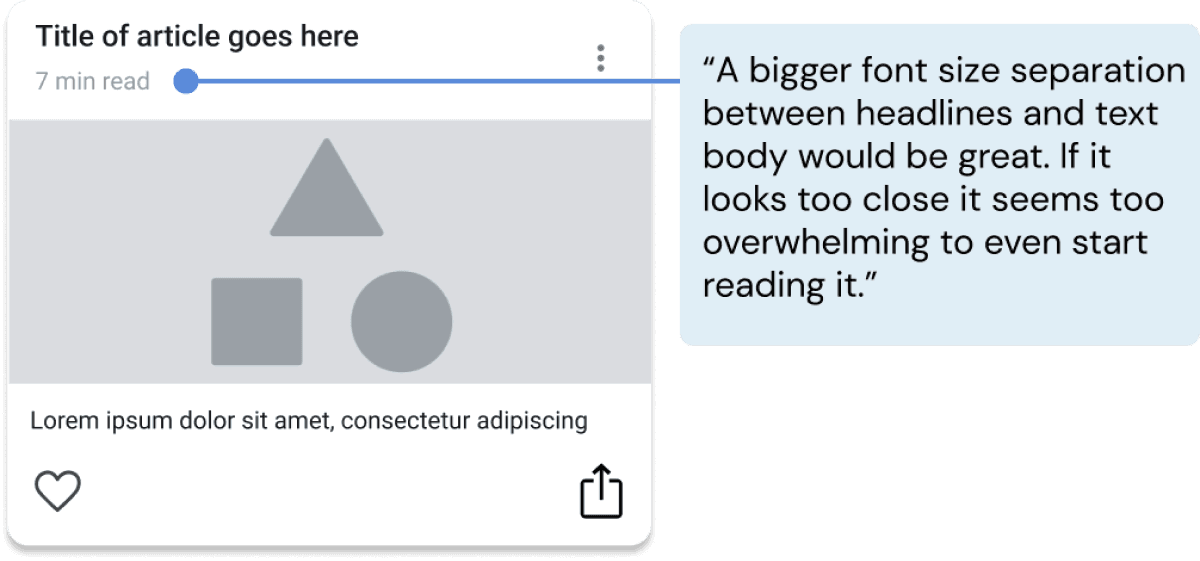
This peer review helped me spot issues I'd become blind to as the sole designer. It was also valuable practice in defending design decisions, learning when to implement feedback and when to stand by my choices based on project goals and user needs.
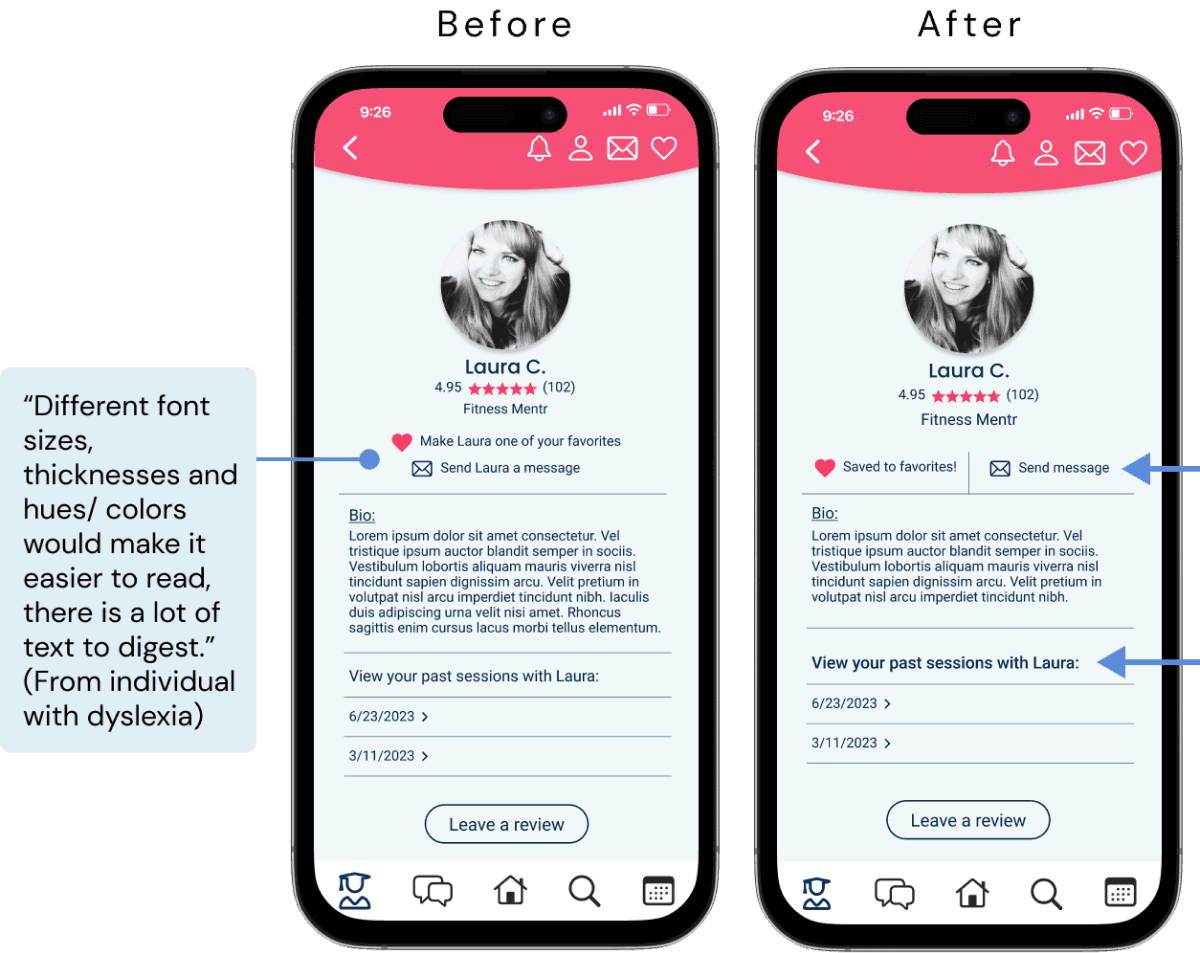
Below are key design decisions and the reasoning behind them.
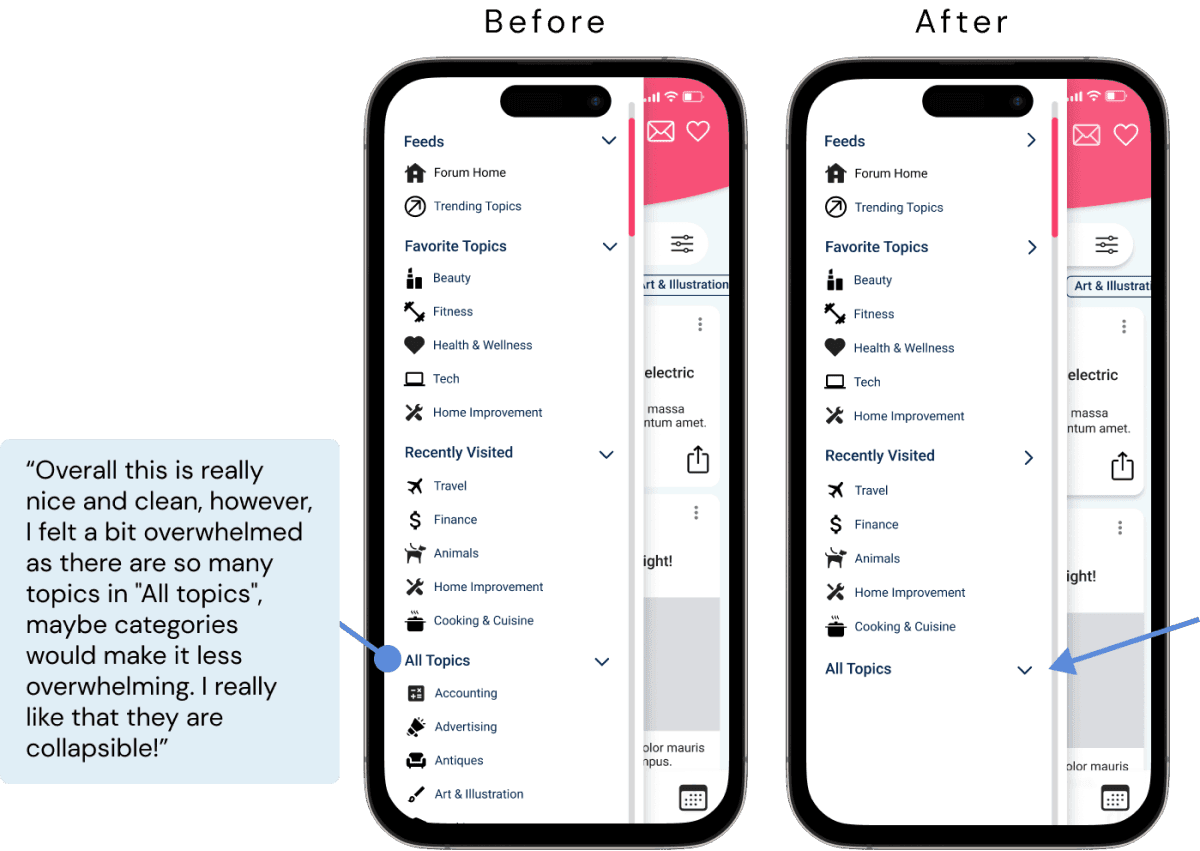
Accepted Feedback & Revisions
Rejected Feedback & Rationale
Designing for Accessibility
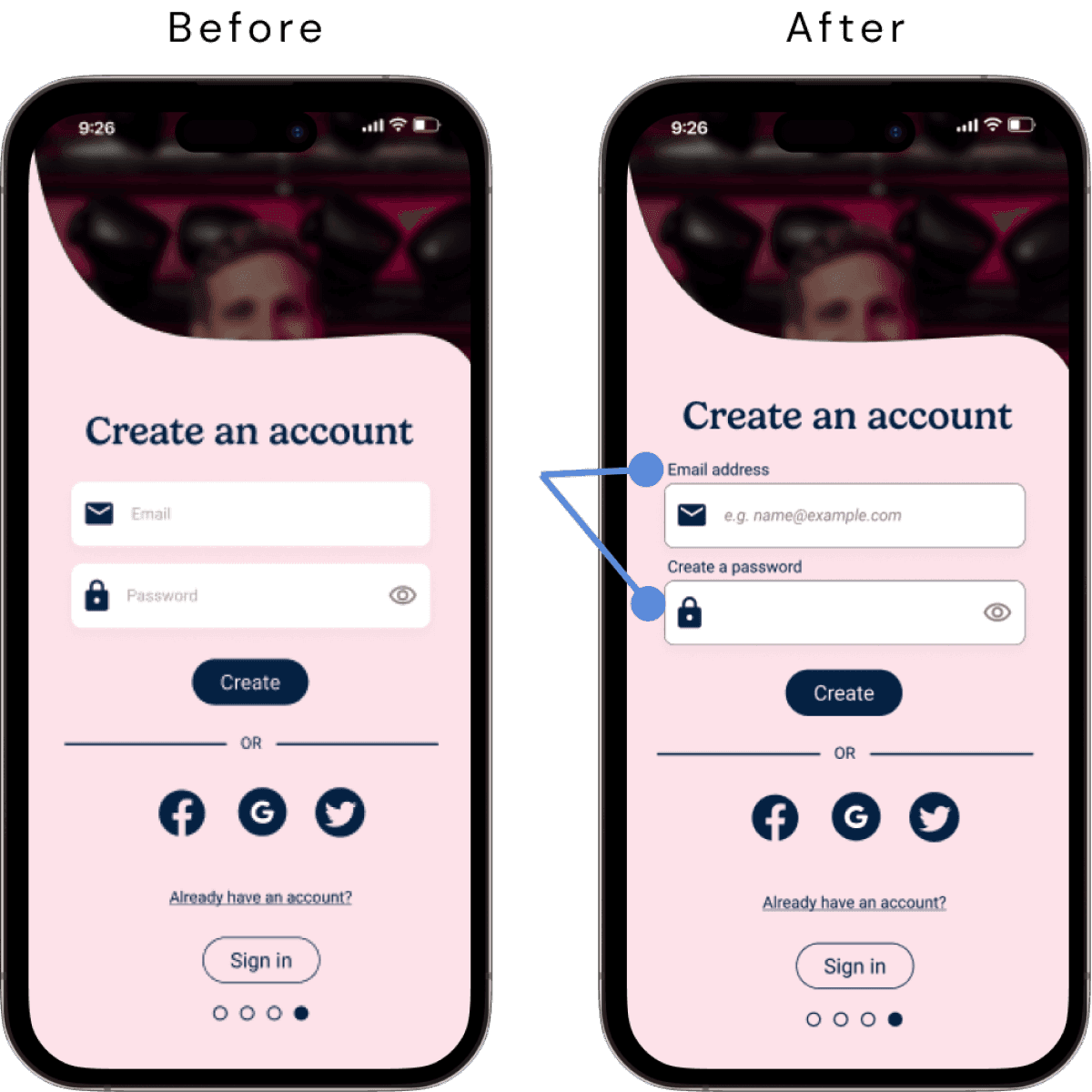
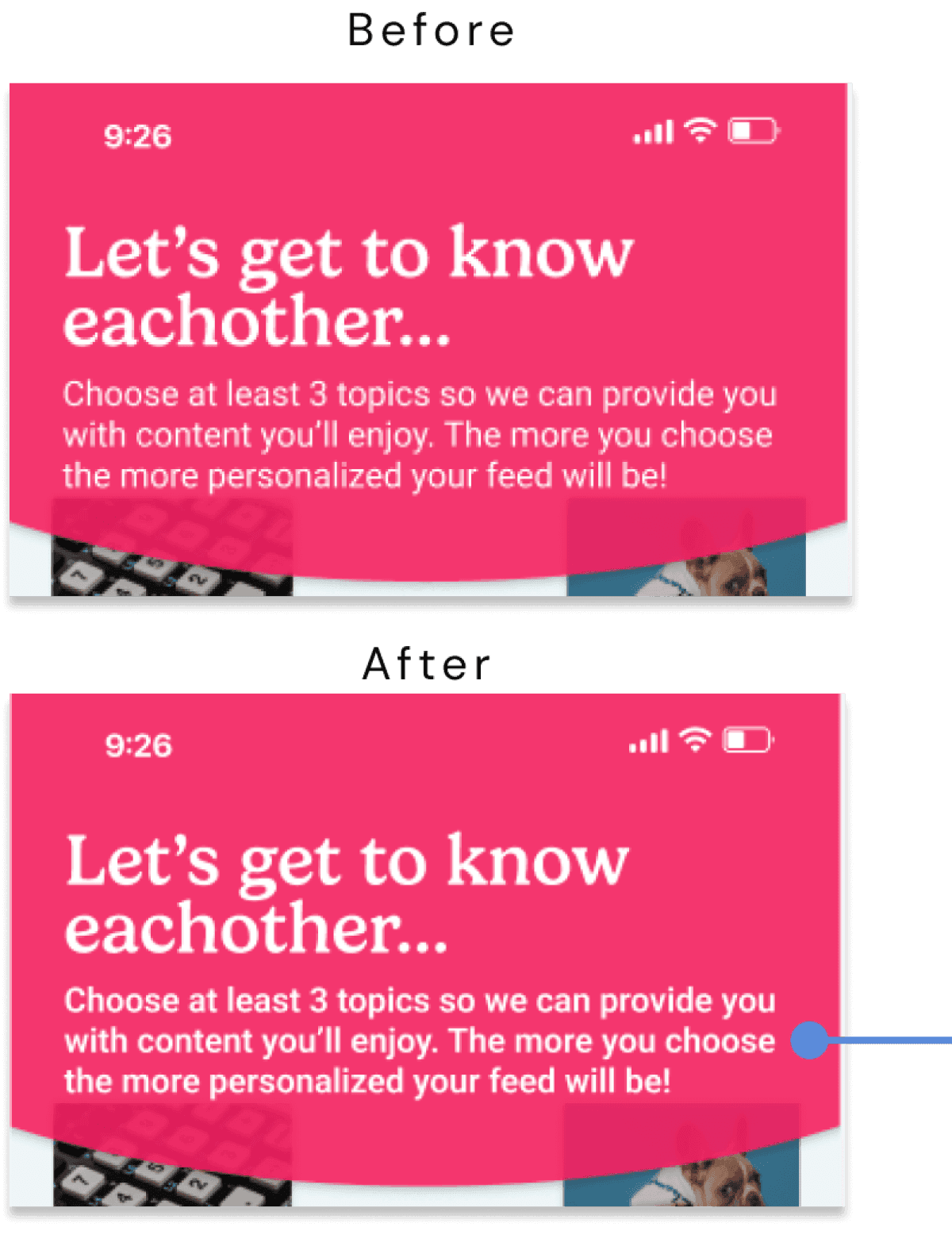
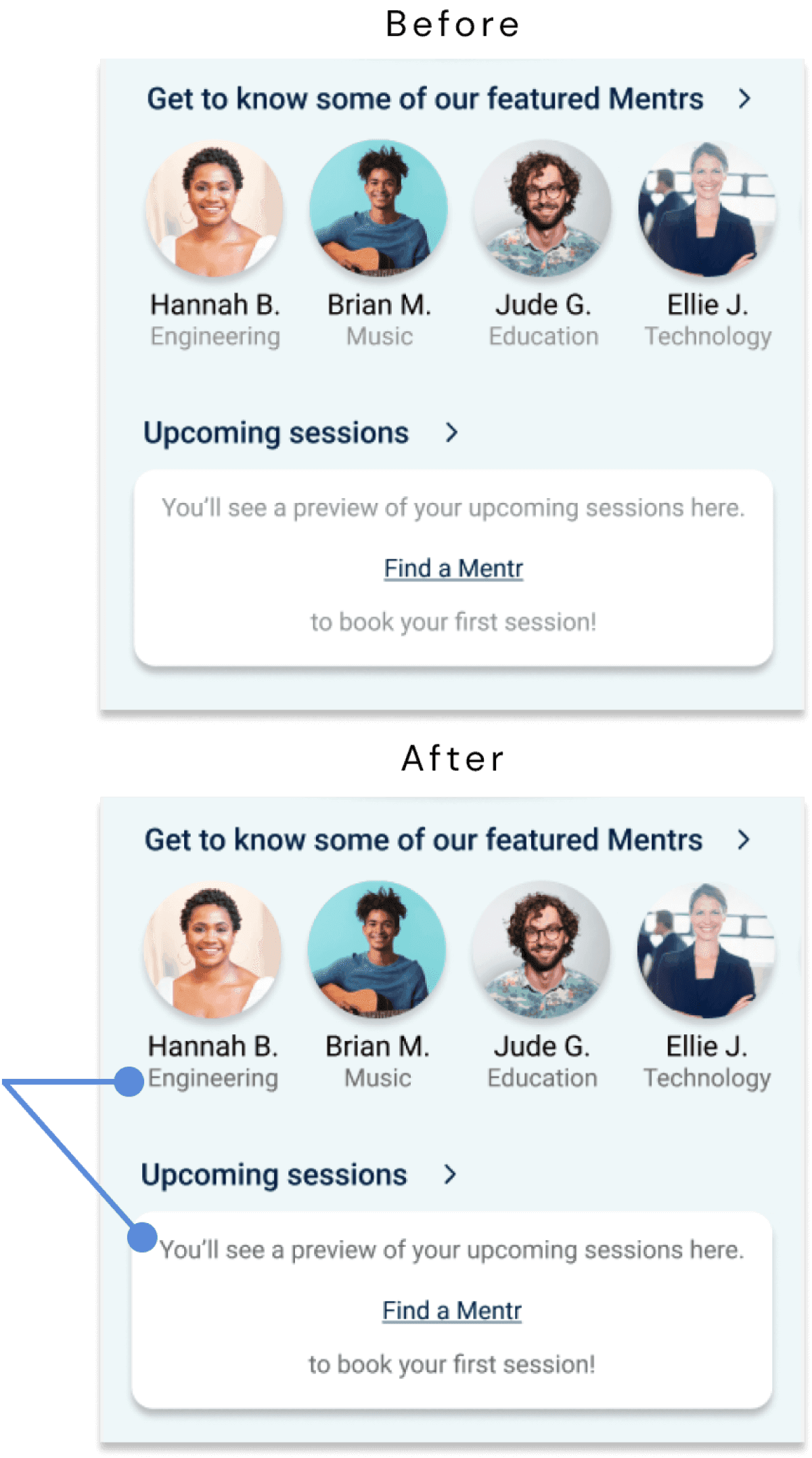
My background as a speech pathologist taught me how crucial accessibility is for everyday products, both physical and digital. As I learned the Web Content Accessibility Guidelines (WCAG), I identified ways to improve Mentr's inclusivity. Below are preliminary accessibility improvements, with plans for deeper analysis and more comprehensive updates in future iterations.
High-Fidelity
Clickable Prototype
Click below to experience the full Mentr prototype for yourself in Figma
Future Directions
After a year of learning UX principles and applying them to Mentr, there's still more work ahead. As I continue growing as a designer, here are my next steps:
1. Design & Refine
Complete secondary screens and user flows
Expand accessibility features and higher-level functionality
Polish overall design
2. Test & Analyze
Conduct a second round of usability testing focused on UI, micro-interactions, and accessibility
Analyze and organize findings
3. Implement
Apply insights from testing
Integrate changes into the high-fidelity prototype
4. Expand
Create a companion app for mentors
Learnings & Reflections
Designing Mentr from the ground up has been invaluable to my growth as a UX designer. I've learned to balance user needs with innovative solutions, aesthetics with functionality, and above all, the importance of empathy in design. These skills will serve as a foundation as I continue developing my practice.
Thank you for reading my case study!
Want to