Flame
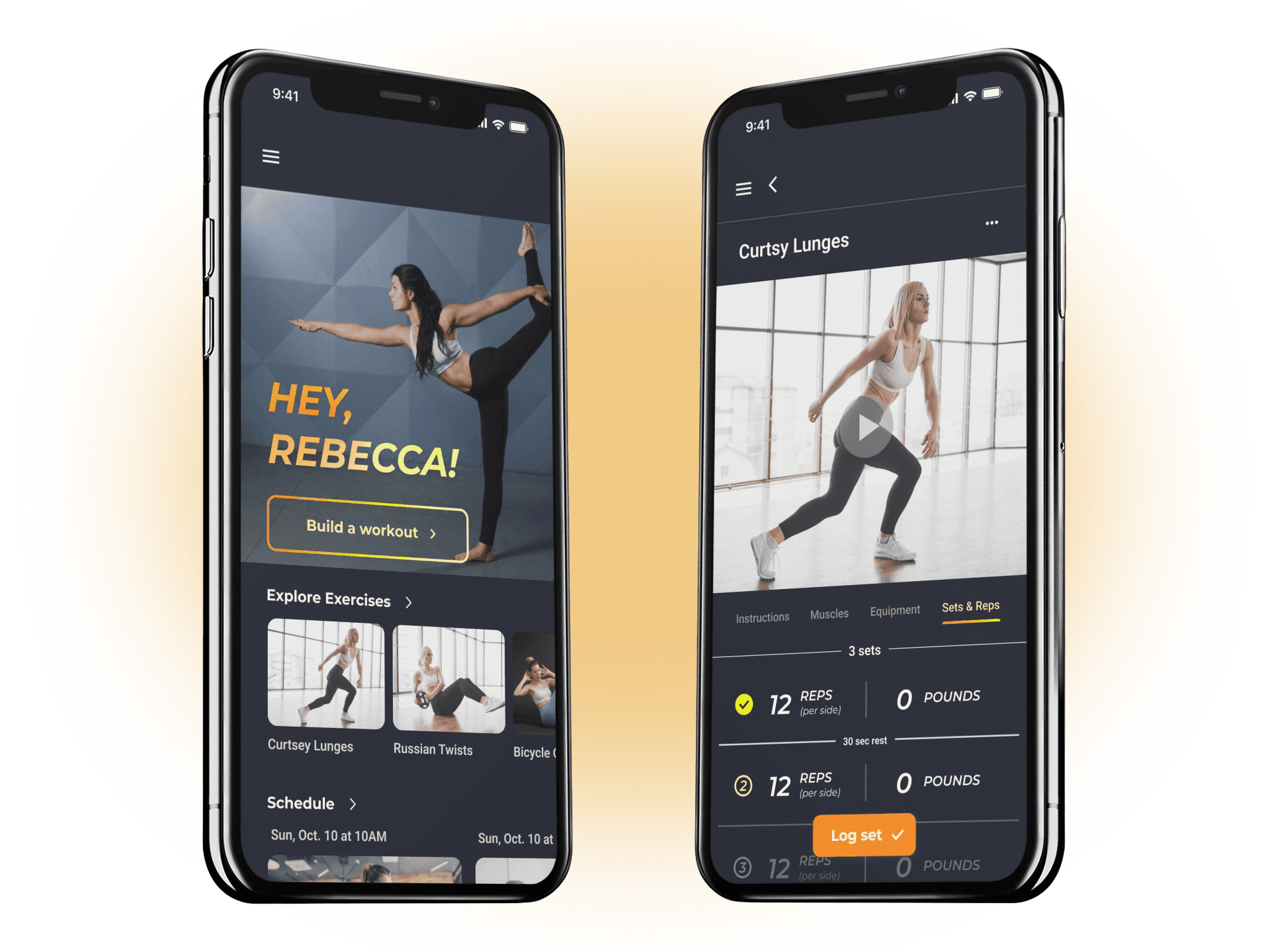
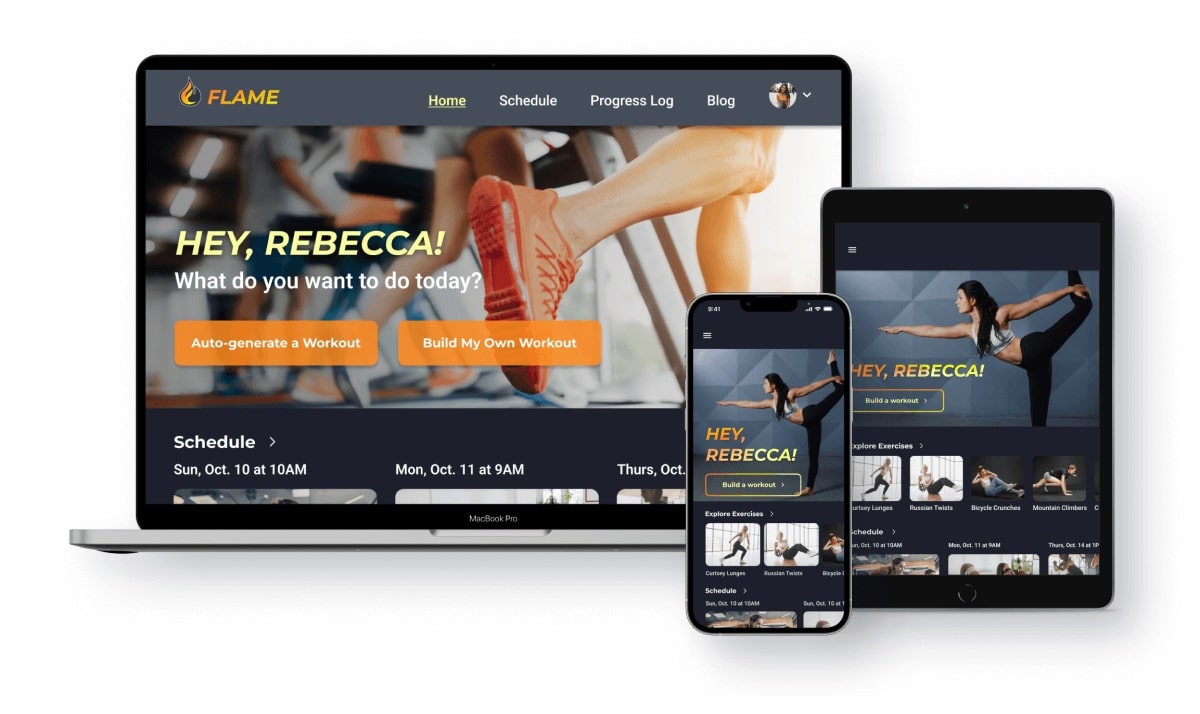
Flame is a fitness app for users of any experience level looking to get into a fitness routine that fits their schedule and specific needs.
Timeline
Project Scope
My Role
Tools
Project Overview
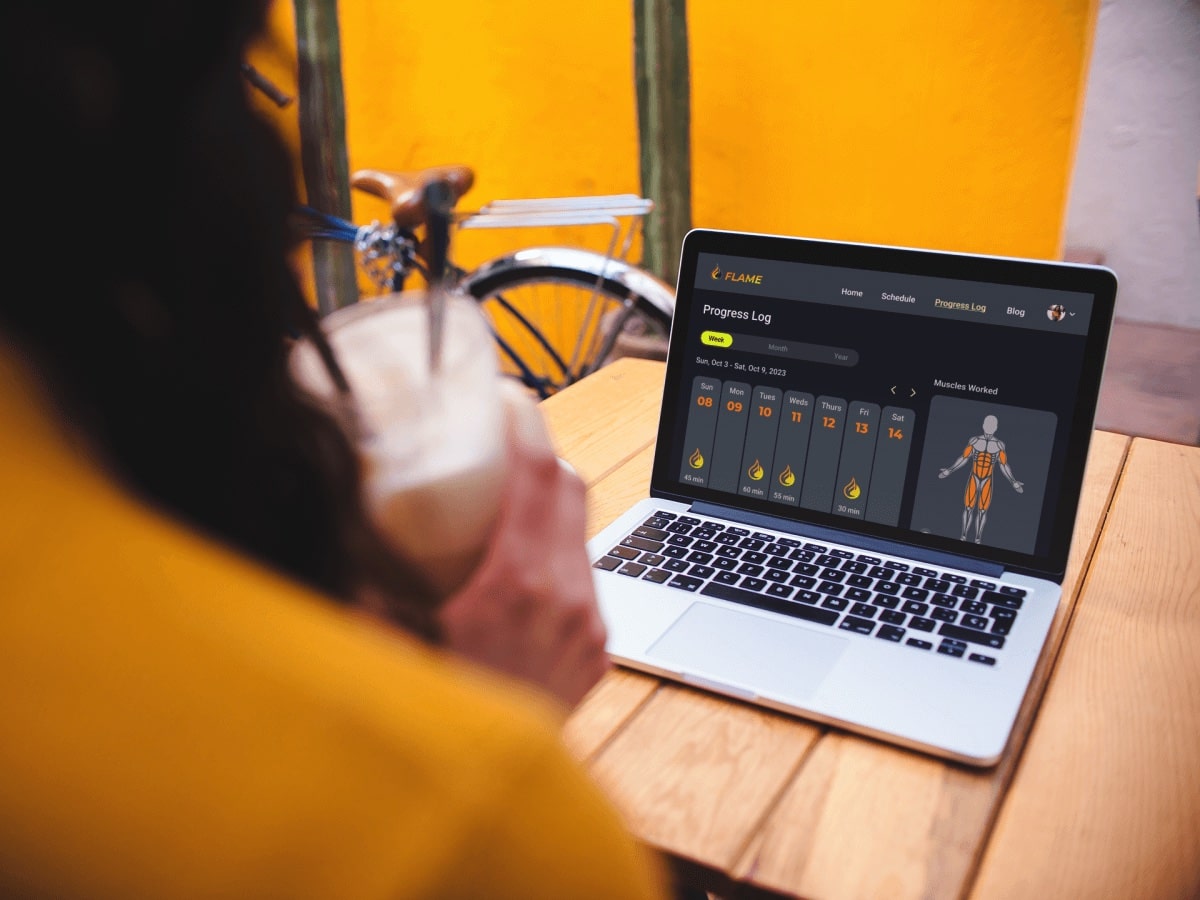
For my UI specialization course through CareerFoundry, I designed a responsive web fitness app, Flame.
Context
Starting a fitness routine can feel overwhelming, especially for those unfamiliar with gym equipment or exercise fundamentals. Add in busy schedules, and it becomes even harder. Flame motivates people of all experience levels to build sustainable fitness routines tailored to their schedule, skills, and interests.
The Design Process
Define
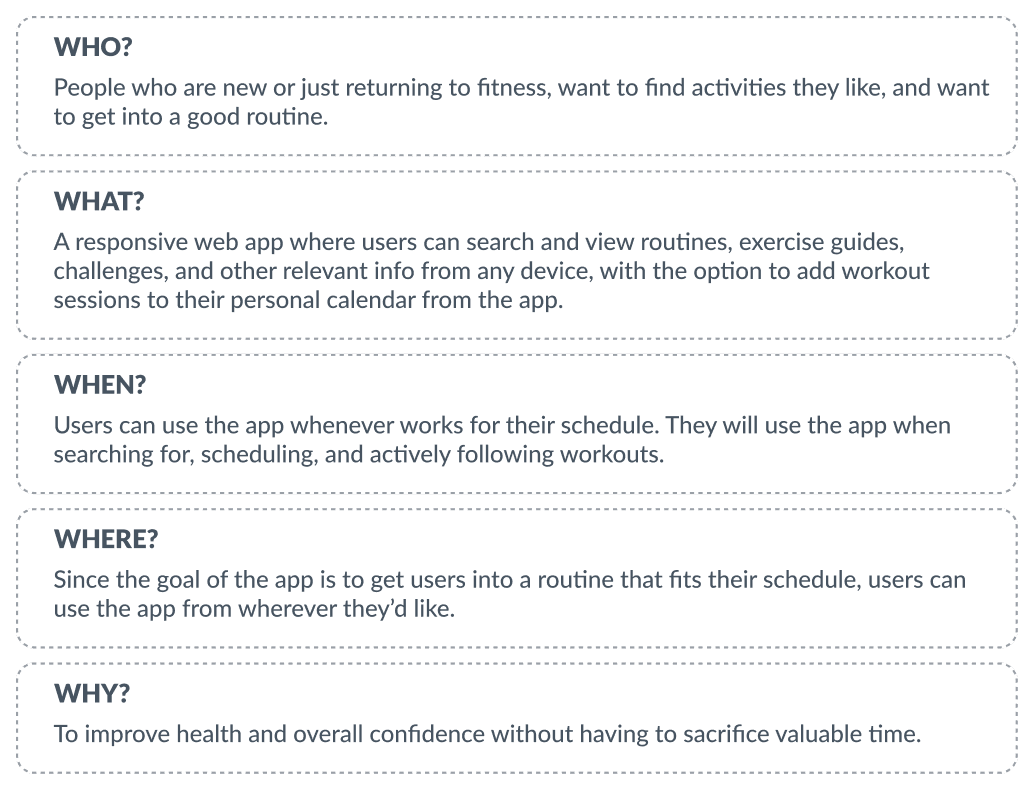
To establish clear project boundaries, I started with the 5 W-questions:
Empathize
Who is the User?
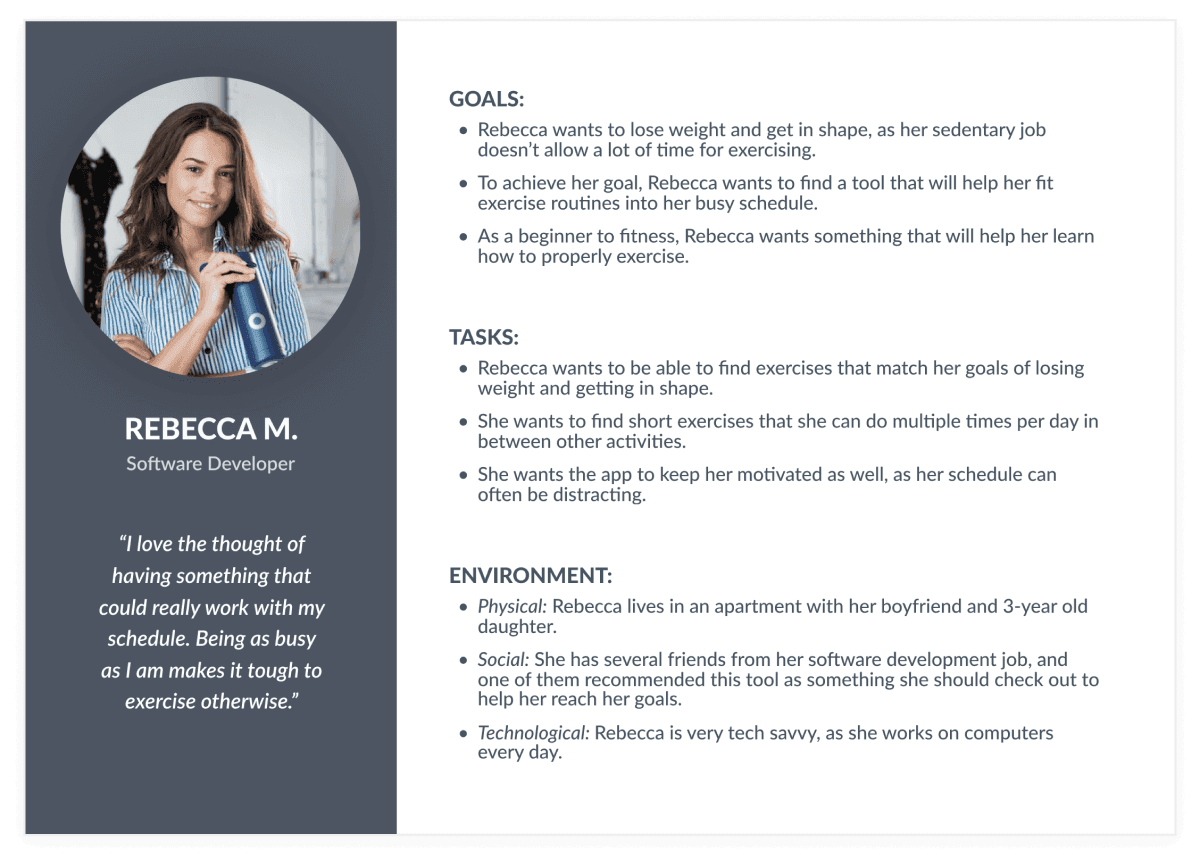
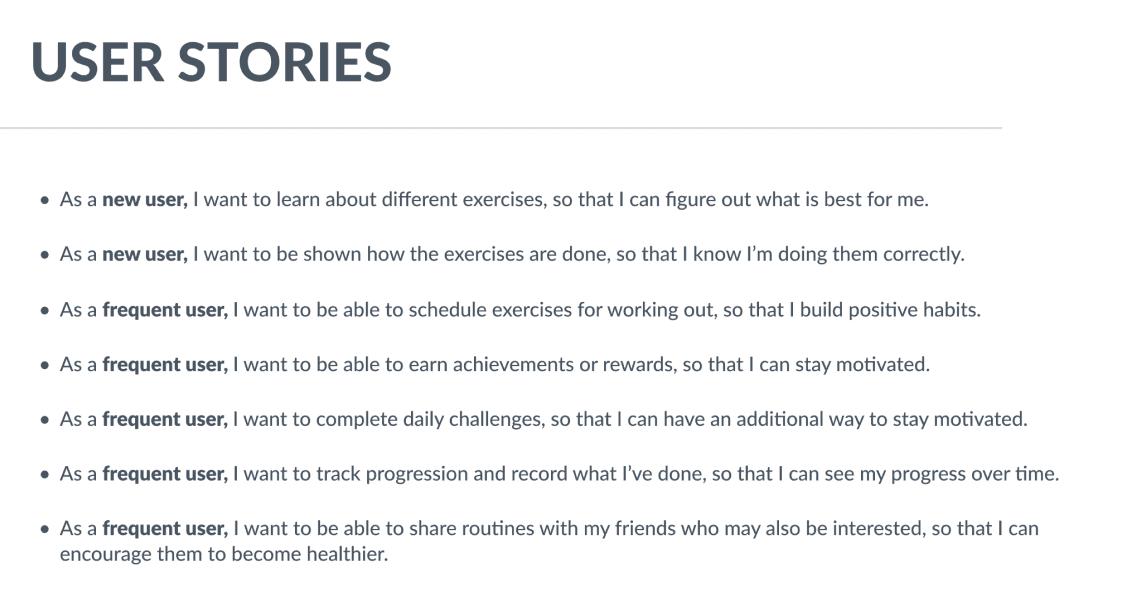
The project brief included a proto-persona and user stories that helped me understand my target audience's needs, motivations, and pain points. This context was essential for making informed design decisions.
Ideate
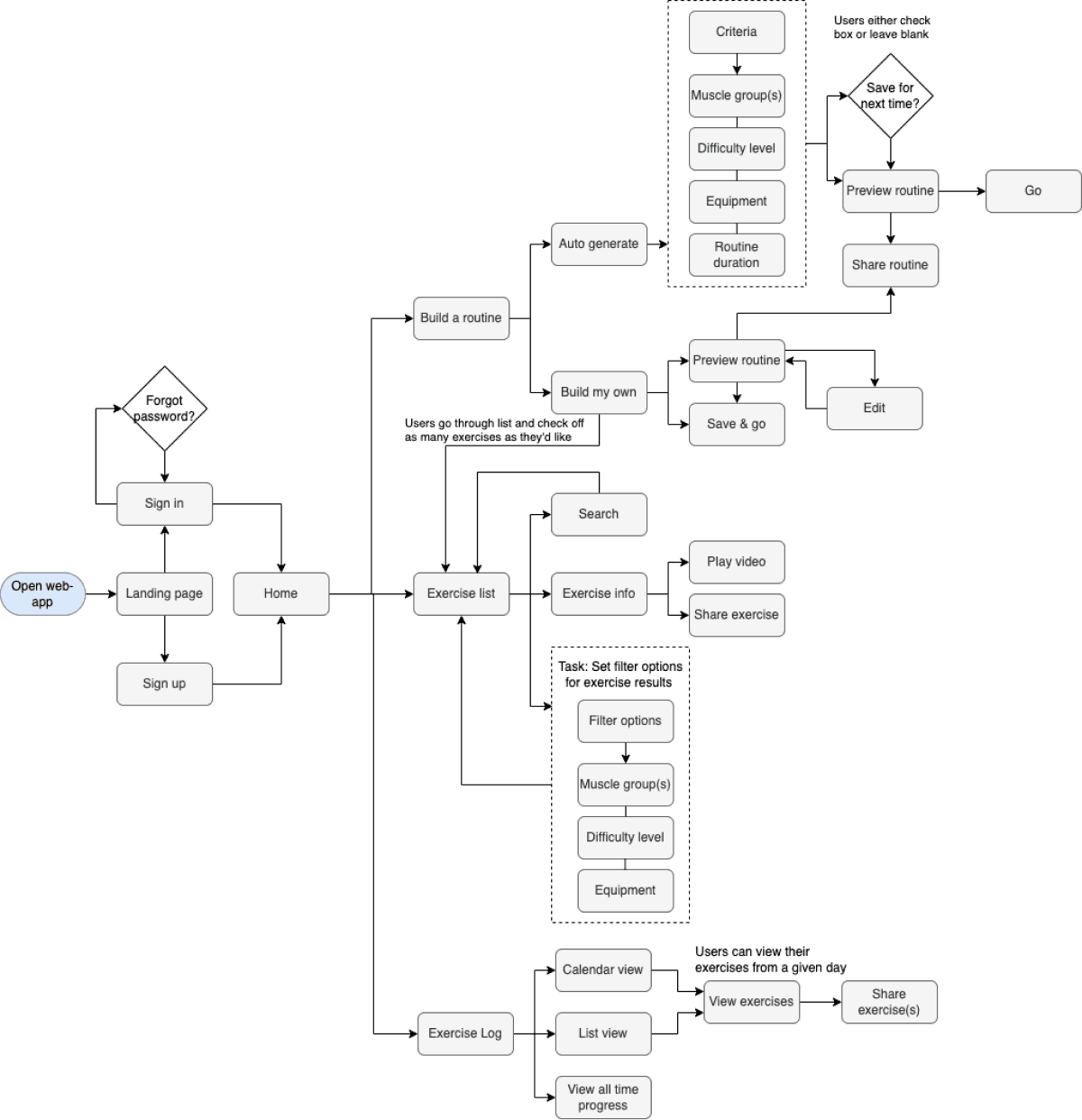
Using the essential features and user stories from the brief, I created a user flow diagram to visualize the screens needed to help users achieve their goals.
Design
Low-Fidelity
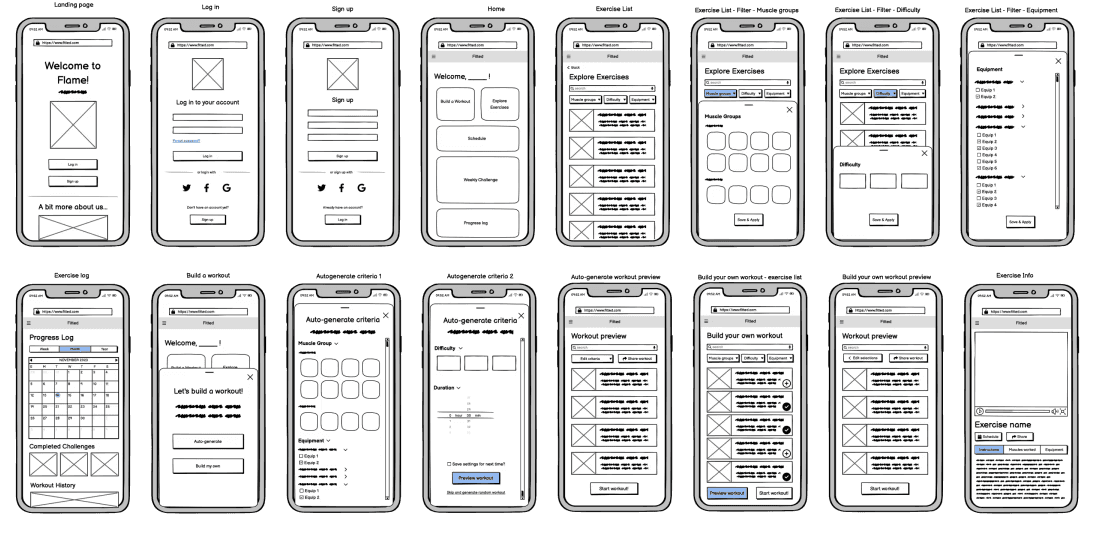
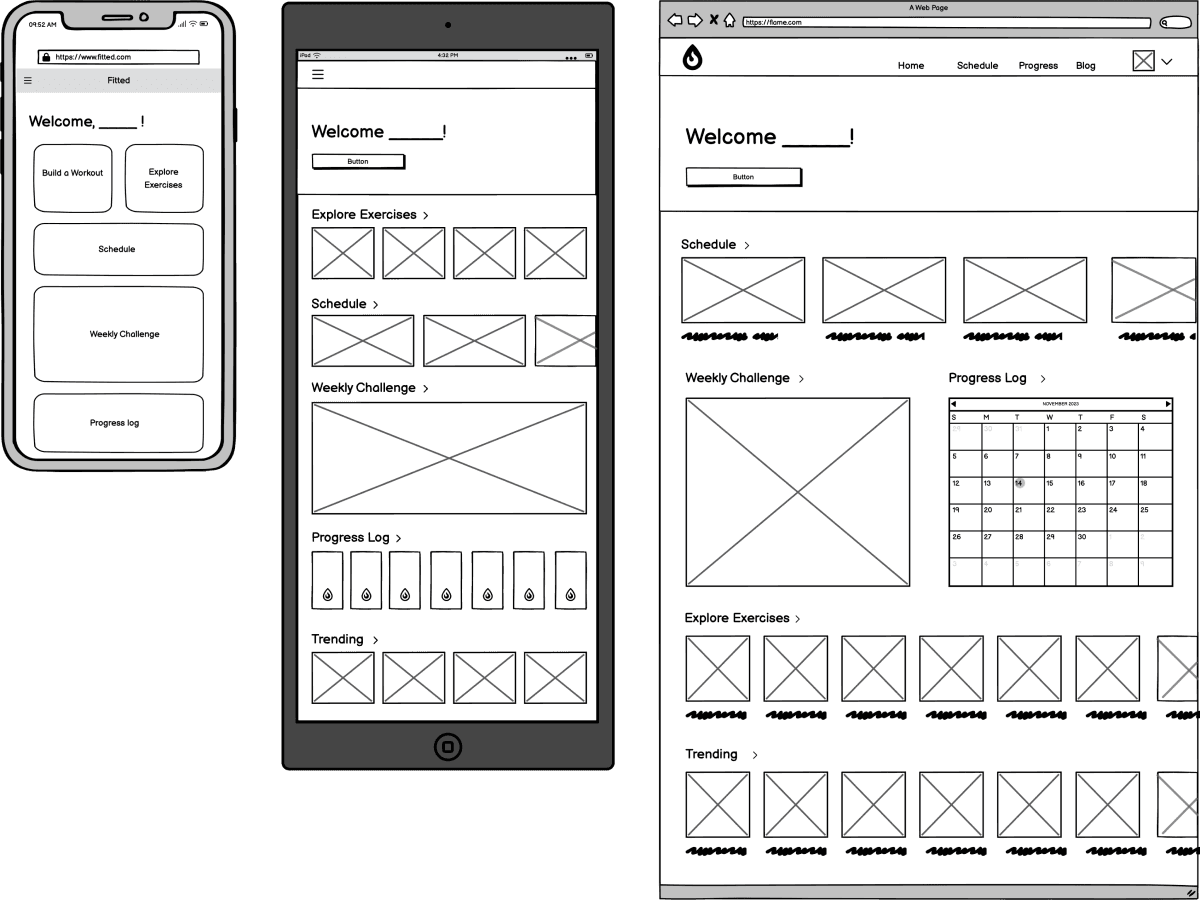
Next, I built low-fidelity wireframes in Balsamiq to map the app's core functions. I started with mobile designs, then expanded to larger breakpoints.
Mobile Wireframes
Expanding to Larger Breakpoints
Mid-Fidelity
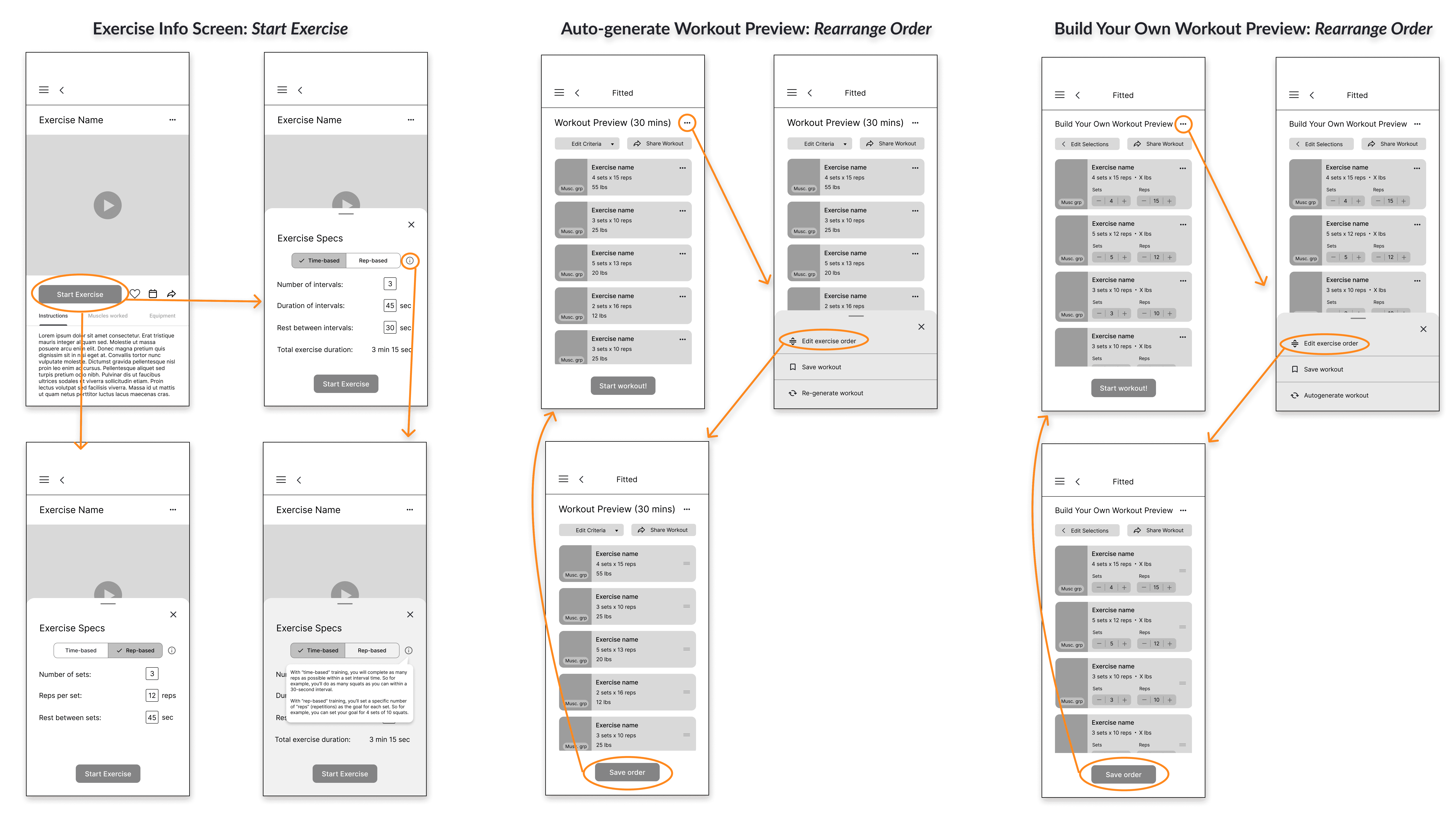
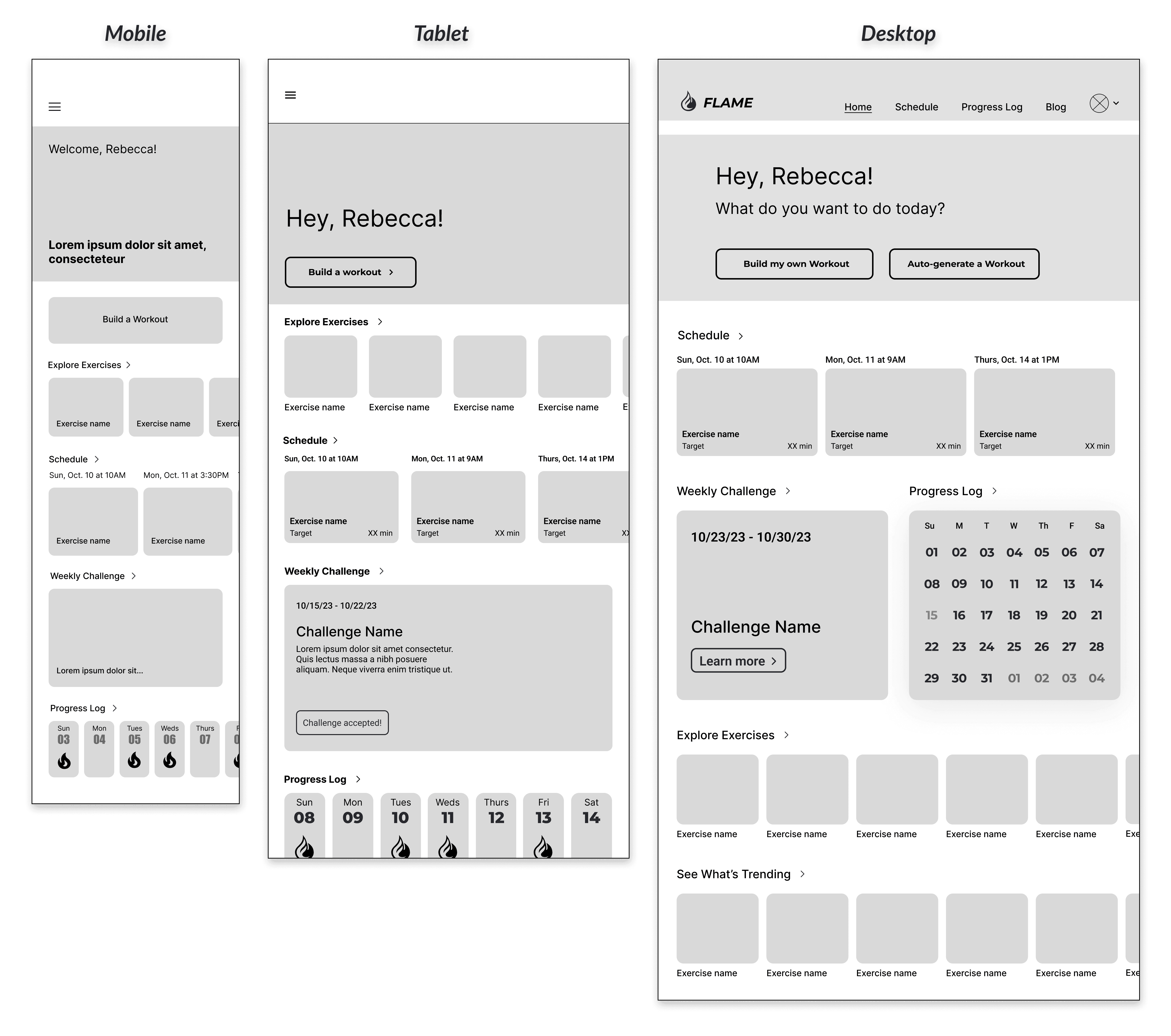
Next, I built mid-fidelity wireframes to bring the designs to life. I established typography, added UI elements, and applied common design patterns to inform the app's structure and functionality.
High-Fidelity
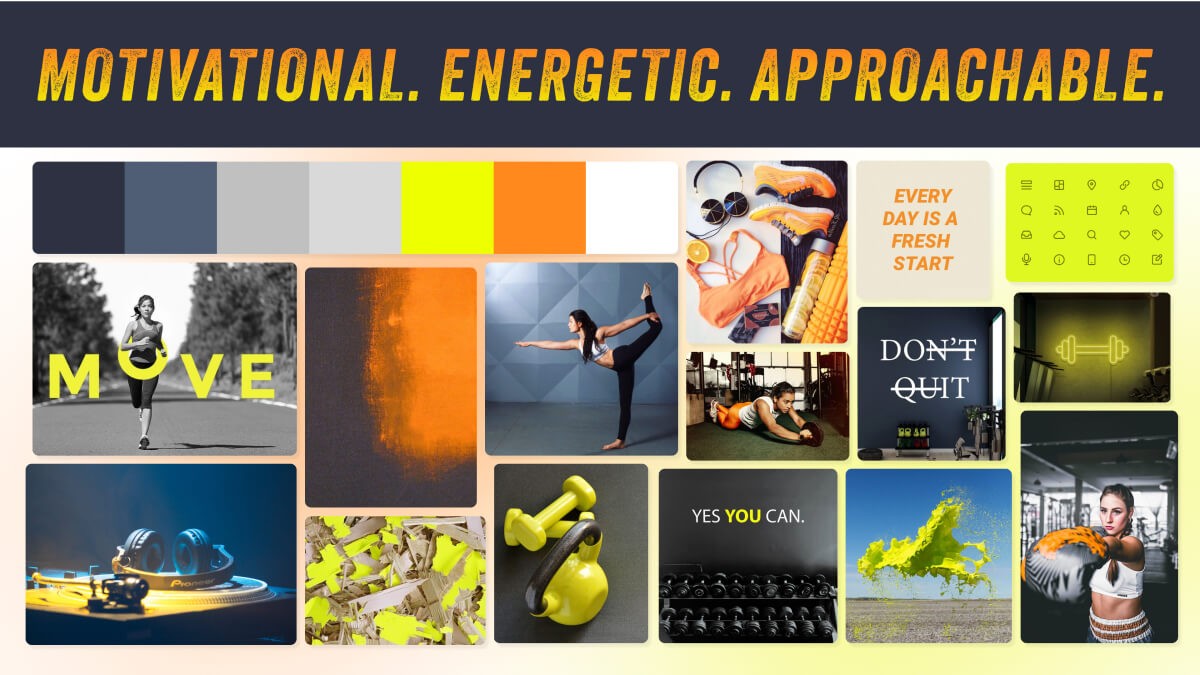
Next came the high-fidelity phase, which would let me bring some personality and polish to the designs. This involved developing a mood board, refining visual elements, and creating a style guide to establish a cohesive brand identity.
Mood Board
To set the tone and aesthetic, I created a mood board to gather visual inspiration.
Style Guide
I then developed a style guide to maintain visual consistency and strengthen the overall brand.
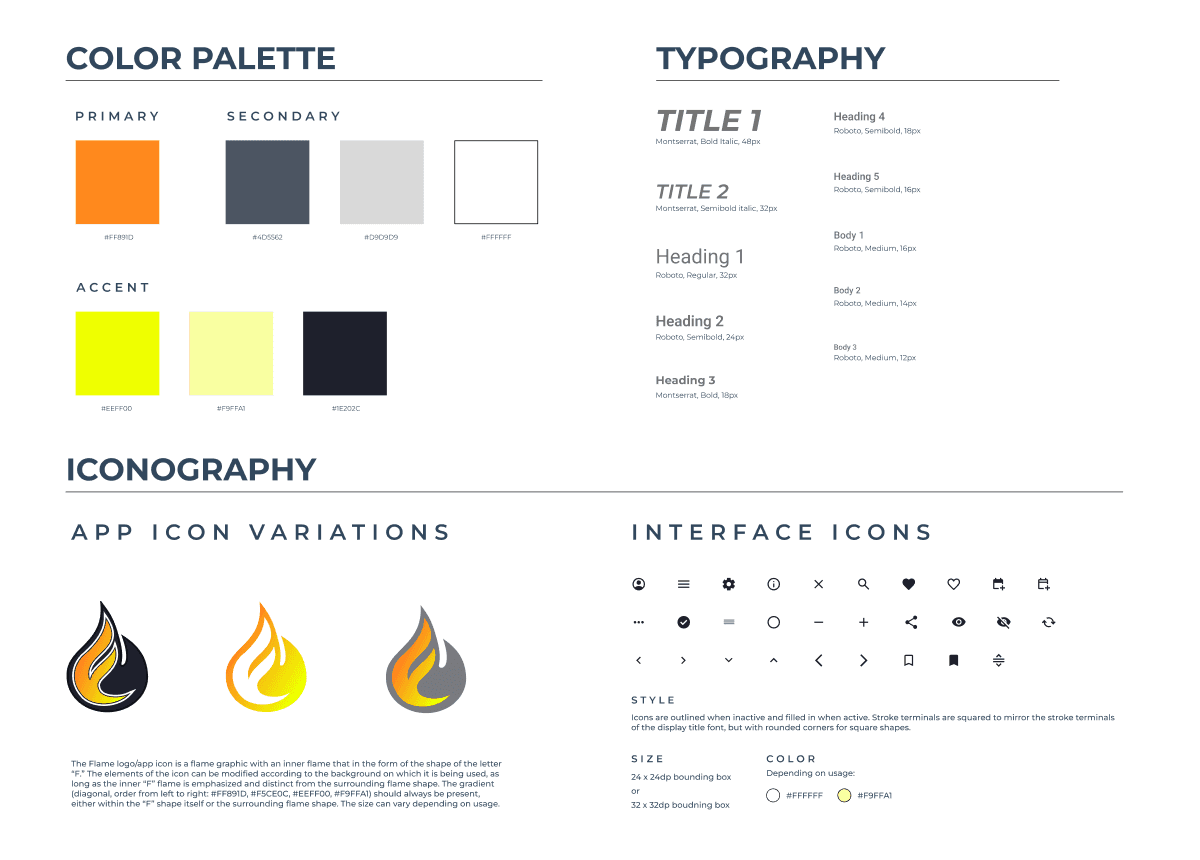
Check out the full style guide below:
The Outcome
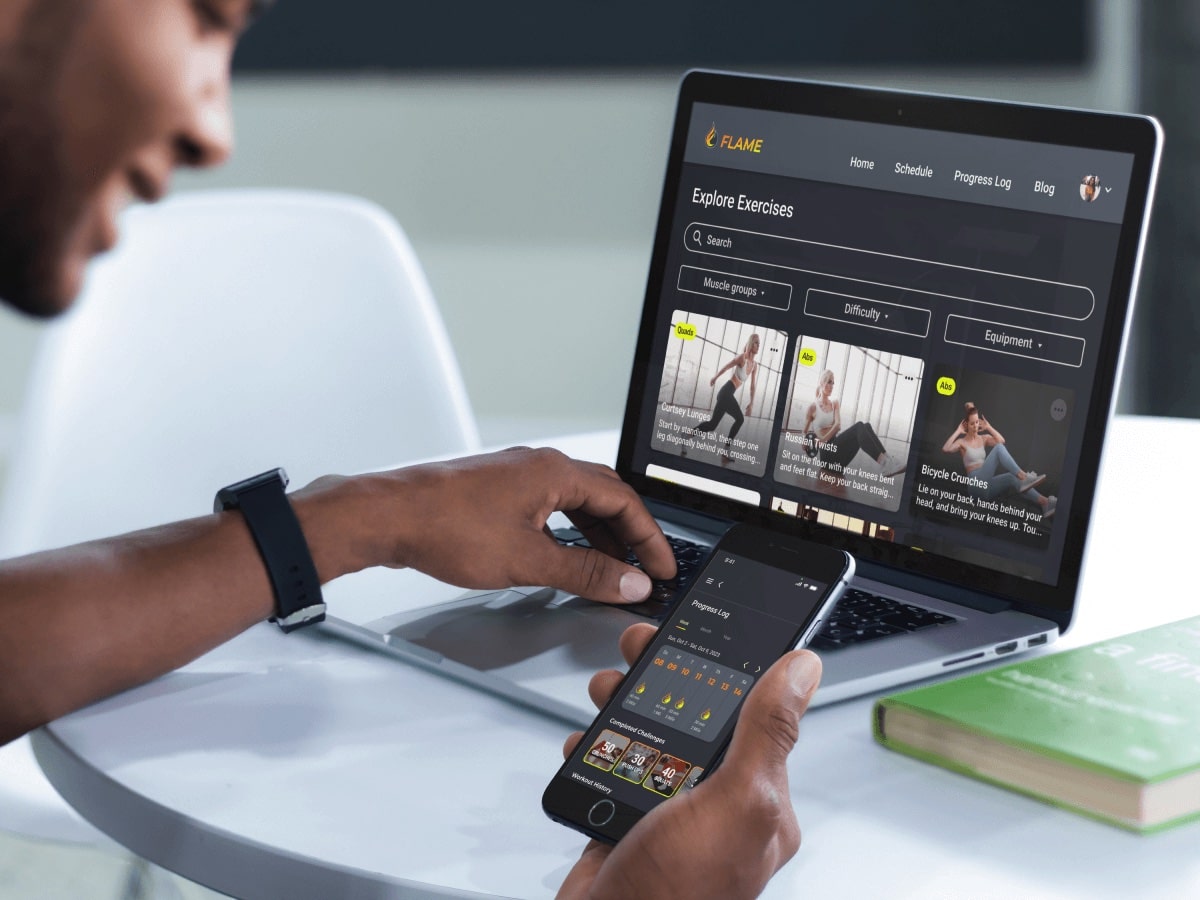
Prototype
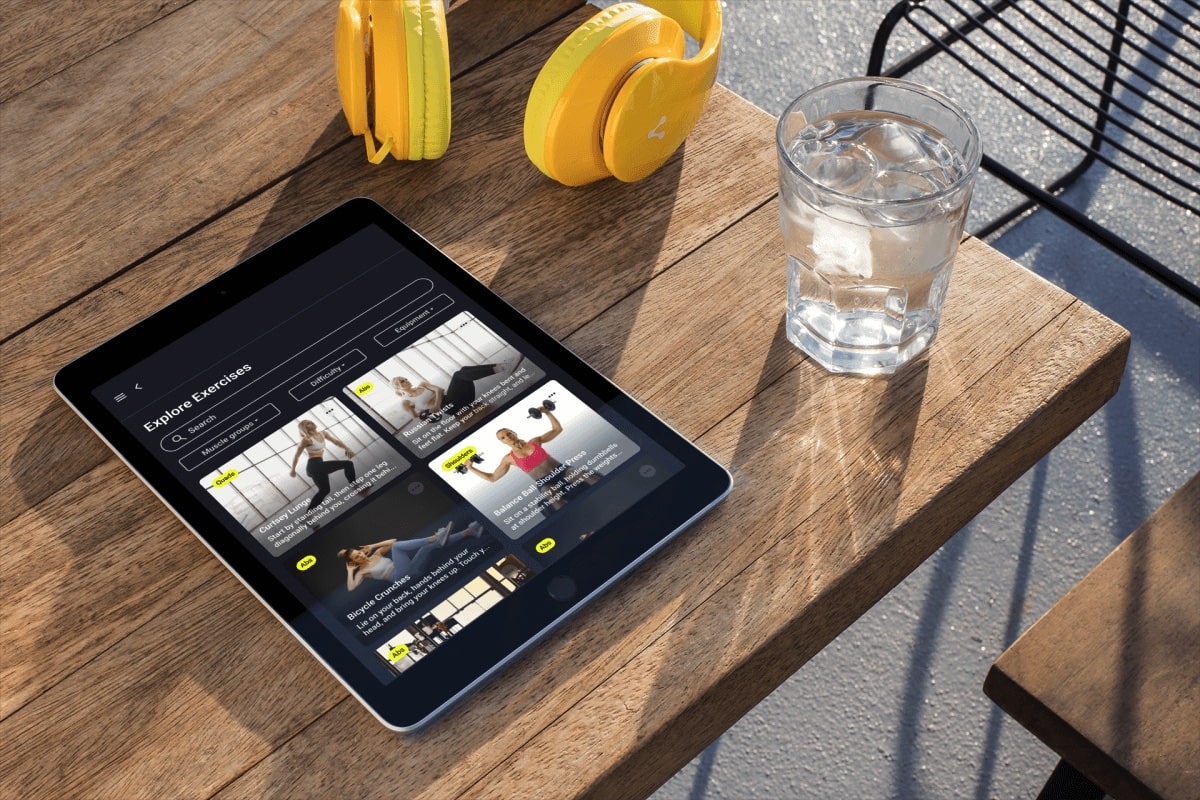
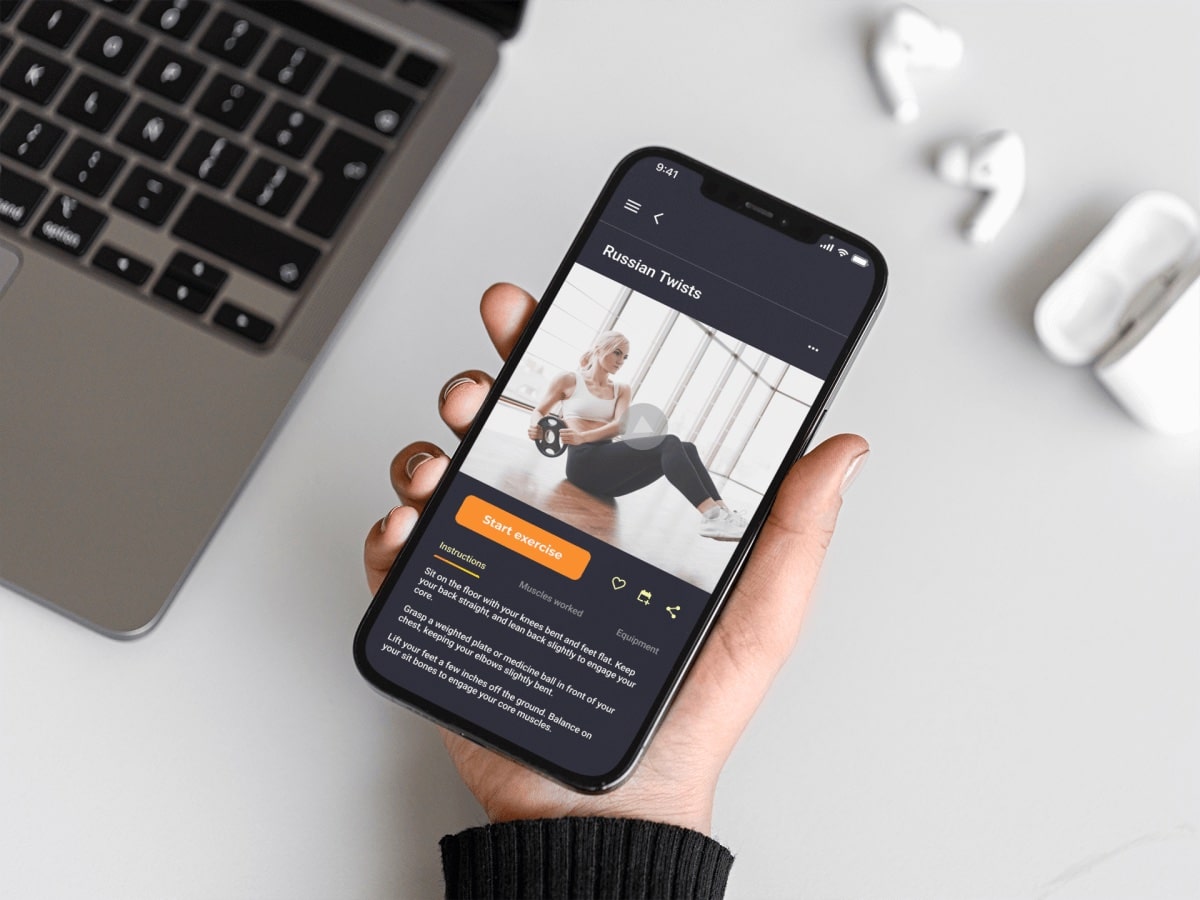
Flame Interface in Action
Check out the brief demo videos below to see Flame in action!
Learnings & Future Directions
Crafting Flame's UI from scratch for this course project has been an incredibly valuable and enriching experience for me, not to mention a lot of fun! As I navigated the delicate balance between visual aesthetics and functionality, I learned how clear communication and engaging visuals come together to shape the overall user experience of a product.
While my knowledge of UX design certainly informed the creation of Flame, given the project's primary focus on UI development, there's an opportunity to more deeply analyze Flame from a UX perspective in the future.
Specifically, I'd like to conduct user testing with Flame to validate the designs and overall concept at the current stage of development. This step will help provide valuable insights, ensuring that the UX and UI work together to create a smooth, satisfying, and widely accessible experience for all users.
Next Steps
Conduct first round of usability testing to validate current designs and identify any areas of improvement.
Iterate on designs based on user feedback.
Match & expand functionality on both Tablet and Desktop breakpoints.
Thank you for reading my case study!
Want to